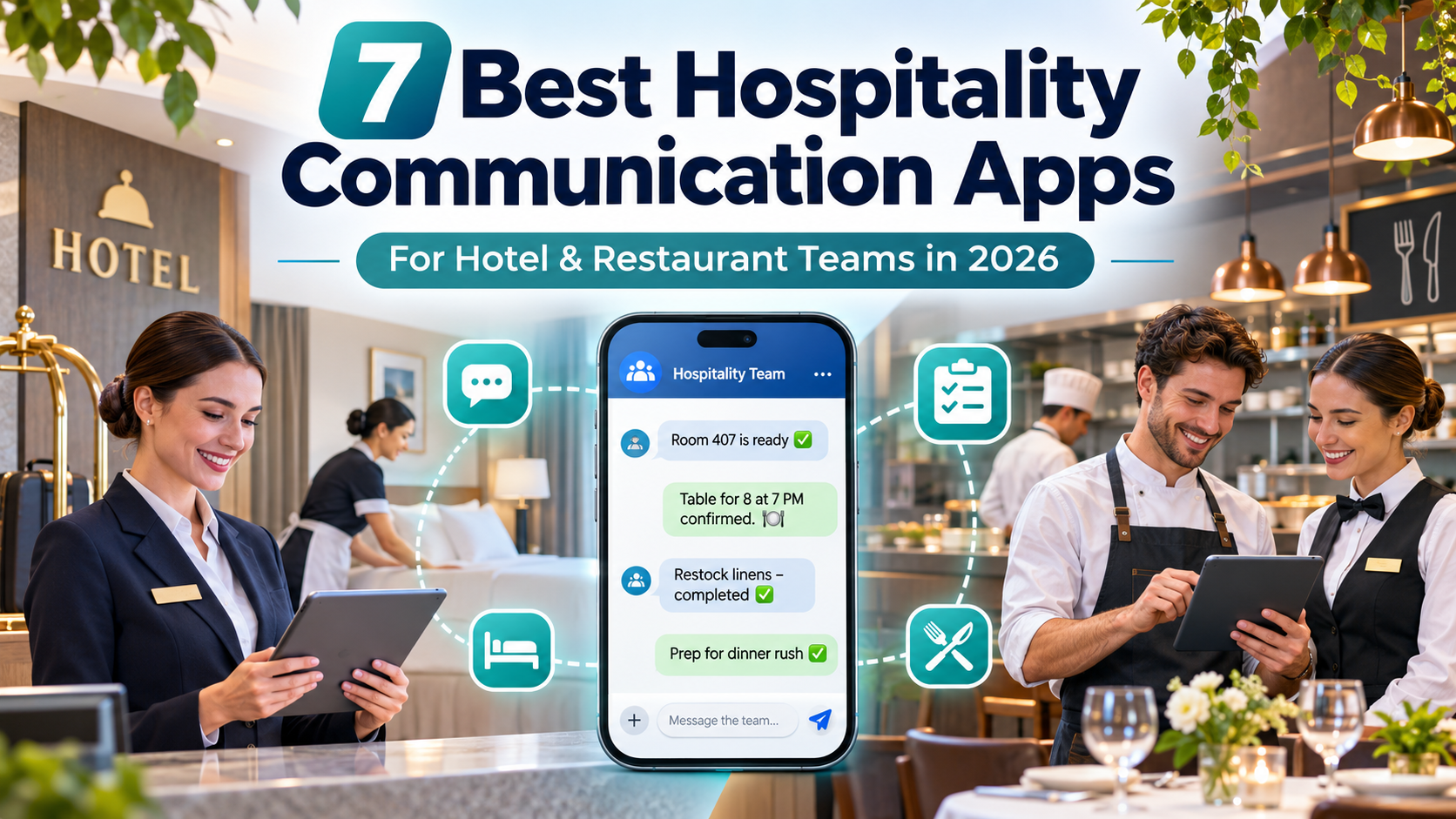
The best hospitality communication apps to consider in 2026 include HubEngage, Beekeeper by LumApps, Blink, Connecteam, 7shifts, Hotelkit, and Flexkeeping. Each supports different hospitality needs, from company-wide employee communication to restaurant scheduling, hotel shift handovers, housekeeping coordination, and guest-service workflows.
HubEngage, Beekeeper, and Blink focus primarily on connecting employees across departments and locations. Connecteam and 7shifts combine communication with workforce management, while hotelkit and Flexkeeping provide hotel-specific operational coordination.
The right choice depends on whether your business needs to reach frontline employees, manage schedules, coordinate work between departments, or improve visibility into guest-service requests.
This guide compares seven platforms based on their documented capabilities, hospitality use cases, pricing, integrations, and limitations. It also provides a practical evaluation framework for choosing software that fits your team’s daily operations.
7 Best Hospitality Communication Apps Compared for 2026
Hospitality communication software generally falls into three categories:
- Employee communication platforms: Designed for announcements, messaging, engagement, recognition, and access to workplace information.
- Workforce management platforms: Combine employee communication with scheduling, time tracking, shift management, and administrative tasks.
- Hotel operations platforms: Connect communication with housekeeping, maintenance, guest requests, room status, and departmental handovers.
Understanding these differences is important because two products may offer messaging while solving very different operational problems.
| Platform | Best for | Key capabilities | Starting price |
|---|---|---|---|
| 1. HubEngage | Employee communications and engagement across hospitality groups | Multichannel updates, messaging, recognition, surveys, knowledge access | Custom quote |
| 2. Beekeeper by LumApps | Frontline teams and distributed hospitality operations | Team messaging, workflows, translation, tasks, checklists | Custom quote |
| 3. Blink | Mobile-first communication across hotel and restaurant locations | Employee feed, chat, knowledge hub, announcements, engagement | $3.75/user/month, billed annually |
| 4. Connecteam | Communication combined with workforce administration | Chat, scheduling, time tracking, forms, checklists | Free options; Communications Basic from $29/month, billed annually |
| 5. 7shifts | Restaurant scheduling and shift communication | Team messaging, scheduling, shift swaps, manager logbook on qualifying plans | Free basic plan; Essentials from $39.99/location/month, billed annually |
| 6. hotelkit | Hotel department coordination and shift handovers | Team chat, digital handovers, guest requests, tasks, housekeeping | Custom quote |
| 7. Flexkeeping | Housekeeping, maintenance, and guest-service execution | Digital tasks, room status, guest requests, PMS integrations, AI assistance | Custom room-based quote |
Pricing reflects publicly available US-dollar rates or vendor pricing information reviewed in November 2026. Features, employee limits, billing conditions, regional availability, and additional charges may vary. The numbered order is editorial, not a ranking based on independent product testing.
What Is a Hospitality Communication App?
A hospitality communication app helps hotel, restaurant, resort, and hospitality employees exchange work-related information, coordinate responsibilities, and stay connected across departments, properties, and shifts.
Unlike conventional office collaboration software, hospitality communication tools often need to accommodate employees who work without dedicated desks, corporate email accounts, or predictable schedules.
In a hotel, communication may involve the front desk, housekeeping, maintenance, food and beverage, and management teams.
In a restaurant, the same type of software might support shift announcements, schedule changes, menu updates, staff questions, and opening or closing procedures.
Most platforms provide mobile access alongside a web-based management interface. Depending on the product, managers can publish announcements, assign tasks, distribute schedules, or track whether employees have received important information.
However, communication functionality does not automatically include scheduling, housekeeping, room-status synchronization, or maintenance management.
Businesses should therefore evaluate not only how employees exchange messages but also what happens after those messages are received.
The 7 Best Hospitality Communication Apps in Detail
1. HubEngage — Best for Employee Communications and Engagement Across Hospitality Teams
Best for: Hotel groups, resorts, restaurant operators, and multi-location hospitality businesses that want centralized employee communication, recognition, and feedback.
HubEngage is an employee communication and engagement platform designed to connect frontline workers and management through multiple communication channels.
The platform supports mobile apps, web access, email, SMS, digital signage, and integrations with workplace communication tools.
Its Communications Hub includes targeted announcements, multilingual content, document repositories, read acknowledgments, communication analytics, and AI-assisted content creation.
Additional products support employee recognition, surveys, workplace communities, and instant messaging.
For hospitality organizations operating across several locations, these capabilities can make it easier to distribute consistent information while allowing communication to be targeted by employee group.
For example, a hotel operator could use HubEngage to communicate updated service standards, publish employee benefits information, recognize staff achievements, and collect feedback following an operational change.
The platform is particularly relevant when leadership needs to reach employees who do not regularly access company email.
Key capabilities
- Employee announcements across mobile, web, email, SMS, and other supported channels
- Targeted communication and multilingual content
- Employee messaging and searchable workplace information
- Recognition, rewards, surveys, and employee feedback
- Communication analytics and read acknowledgments
- AI-assisted content creation and translation
What makes HubEngage different
Its main distinction is the combination of employee communication and engagement capabilities.
Organizations can use one platform to support internal announcements, recognition programs, surveys, and access to company information rather than relying on unrelated tools for each activity.
This may be valuable for hospitality groups where corporate communications and frontline operations are spread across multiple properties.
Limitations
HubEngage is not a dedicated hotel property management system or restaurant scheduling platform.
Businesses requiring room-status synchronization, housekeeping dispatch, or detailed restaurant labor scheduling should evaluate whether a separate operations system is needed.
Feature availability also depends on the modules included in the proposed subscription.
Pricing: Custom quotations based on employee population, selected capabilities, and contract terms. The vendor describes monthly, annual, and multiyear options.
Official product: HubEngage Employee Communications Platform
2. Beekeeper by LumApps — Best for Frontline Hospitality Communication and Digital Workflows
Best for: Hospitality organizations with large deskless workforces that need employee messaging, operational workflows, and access to workplace information.
Beekeeper is a mobile-first frontline employee platform that combines internal communication with digital tools for everyday operations.
The platform supports announcements, team messaging, digital forms, checklists, task management, and access to company information.
Its approach is particularly relevant to hospitality employees who may not have corporate email addresses or regular access to office computers.
In July 2025, Beekeeper merged with LumApps. The Beekeeper offering continues as part of the LumApps employee experience platform, which is designed to connect frontline and desk-based employees.
For hospitality businesses, this combination is relevant when corporate communication and operational execution need to work together.
A hotel could use Beekeeper to distribute departmental updates, coordinate recurring tasks, collect incident reports, and communicate important information across language groups.
For instance, a housekeeping supervisor could share an updated procedure, distribute a checklist, and collect confirmation that required work has been completed.
Key capabilities
- Frontline employee messaging and targeted announcements
- Digital checklists, forms, and operational workflows
- Task management and completion visibility
- Multilingual communication support
- Employee access without relying on traditional corporate email
- Communication and workflow analytics
What makes Beekeeper different
Beekeeper connects communication with frontline work processes.
Rather than serving only as an announcement channel, it provides tools for collecting information, coordinating tasks, and managing operational activity.
Its integration into the broader LumApps offering may also be relevant to businesses seeking a connected experience for headquarters and frontline employees.
Limitations
Buyers should distinguish currently available Beekeeper functionality from newer or planned capabilities within the combined LumApps platform.
The availability of AI functions, integrations, advanced workflows, and hospitality-specific configurations should be confirmed through a product demonstration.
Businesses needing detailed room-management workflows should also evaluate specialized hotel operations platforms.
Pricing: Custom quote. A standardized public starting price was not confirmed.
3. Blink — Best for Mobile-First Employee Communication Across Hospitality Locations
Best for: Hotels, restaurants, and hospitality groups seeking a central employee communication app for announcements, resources, messaging, and engagement.
Blink is a frontline employee communication platform built around a mobile-first employee experience.
Its capabilities include an employee news feed, direct and group messaging, workplace knowledge resources, recognition, and integrations with business applications.
The platform’s hospitality offering focuses on connecting employees across hotel departments and locations.
Employees can access important updates, training materials, workplace documents, and internal communication channels without relying entirely on company email.
For example, a restaurant group could use Blink to announce menu changes, distribute operational procedures, communicate new policies, and share recognition messages across multiple locations.
A hotel group could organize communication by property or department, helping employees receive information relevant to their work.
Blink also supports a centralized knowledge hub, which may help businesses that already use separate HR, scheduling, and operational systems.
Key capabilities
- Employee news feed and targeted announcements
- Direct, group, and channel messaging
- Workplace knowledge hub and document access
- Employee recognition and engagement tools
- Integrations with other workplace applications
- Communication analytics and administrative controls
What makes Blink different
Blink emphasizes providing frontline employees with one accessible destination for workplace communication and information.
Its approach may be useful for organizations where employees currently need to switch between several tools to find policies, updates, training resources, and team messages.
The platform also provides relatively transparent starting prices compared with several enterprise communication products.
Limitations
Blink is primarily an employee communication and experience platform, not a dedicated housekeeping management or restaurant labor scheduling system.
Buyers should check whether the workflows they require are supported natively or through integrations.
Advanced features may also require a higher plan. For example, Blink lists multilingual publishing and real-time translation within its Pro offering.
Pricing: Core starts at $3.75 per user per month, while Pro starts at $5 per user per month, both billed annually. Enterprise pricing is customized.
4. Connecteam — Best for Hospitality Communication, Scheduling, and Employee Management
Best for: Independent restaurants, boutique hotels, and growing hospitality businesses looking to combine employee communication with scheduling and operational administration.
Connecteam is a workforce management platform that organizes its features into separate product hubs.
The Communications Hub includes employee chat, announcements, directories, surveys, events, and a knowledge base.
The Operations Hub provides scheduling, time tracking, forms, checklists, and task management.
Additional HR and employee development capabilities are available through the HR & Skills Hub.
For hospitality businesses, this structure allows managers to connect employee communication with daily workforce responsibilities.
A restaurant manager could use Connecteam to distribute schedules, notify employees about changes, organize opening checklists, and communicate with front-of-house and kitchen staff.
A boutique hotel could use it for shift scheduling, employee updates, onboarding information, and recurring operational tasks.
Key capabilities
- Employee chat and company announcements
- Job scheduling and shift coordination
- Time tracking and attendance management
- Digital forms, checklists, and task assignments
- Employee directories and workplace knowledge
- Onboarding and HR tools through the relevant hub
What makes Connecteam different
Connecteam brings communication and several workforce administration functions into one broader application.
This can be useful for smaller hospitality operators that want to reduce reliance on separate scheduling, messaging, and task-management tools.
Its free small-business offering also provides an entry point for eligible teams with up to 10 users.
Limitations
Connecteam’s Communications, Operations, and HR & Skills Hubs are priced separately for paid subscriptions.
A business requiring communication, scheduling, time tracking, and employee development tools should calculate the combined cost rather than relying on the starting price of one hub.
Specialized hotel PMS integrations and room-status workflows should be verified independently.
Pricing: A free Small Business Plan is available for eligible teams with up to 10 users, subject to plan conditions. Communications Basic starts at $29 per month for the first 30 users when billed annually, with additional-user charges.
The Operations Hub has its own pricing.
5. 7shifts — Best for Restaurant Team Communication and Shift Coordination
Best for: Independent restaurants, restaurant chains, cafes, bars, and franchise operators that want employee communication connected to scheduling.
7shifts is a restaurant workforce management platform that combines staff scheduling, employee communication, shift coordination, and labor-related workflows.
Its communication tools include announcements, direct messaging, group conversations, and communication organized around restaurant teams.
Employees can receive schedule updates, communicate with managers, and coordinate shift changes.
The platform also provides capabilities such as manager logs and task management on qualifying subscription plans.
For example, a restaurant manager could publish a revised schedule, inform employees about a menu change, coordinate coverage for an open shift, and document operational information for the next management team.
Unlike a general employee communication platform, 7shifts connects these activities to restaurant staffing requirements.
Its restaurant technology ecosystem is another advantage. The company documents integrations with POS providers including Toast and Square, although supported data flows and integration requirements differ.
Key capabilities
- Restaurant employee scheduling
- Direct and group messaging
- Staff announcements
- Shift swaps and availability management
- Manager Log Book on qualifying plans
- POS integrations and labor-related reporting
What makes 7shifts different
7shifts is designed specifically around restaurant workforce operations.
Communication is closely connected to employee schedules, staffing changes, and day-to-day restaurant management.
This makes it a relevant choice for restaurants where missed schedule updates, shift coverage, and labor coordination are more pressing problems than corporate-wide employee engagement.
Limitations
7shifts is not designed to manage hotel housekeeping or room-status workflows.
Its free Comp plan includes basic scheduling and one-way announcements, but businesses requiring two-way team messaging should evaluate Essentials or another qualifying paid plan.
The Manager Log Book is listed under Pro, while broader task management capabilities are associated with higher-tier offerings.
Pricing: Comp is free for a single location with up to 15 employees.
Essentials starts at $39.99 per location per month when billed annually and supports up to 30 employees. Higher tiers and enterprise options are available.
6. hotelkit — Best for Hotel Department Communication and Shift Handovers
Best for: Independent hotels, resorts, and hotel groups that need structured communication between front office, housekeeping, maintenance, and management teams.
hotelkit is a hotel operations and collaboration platform designed around property-level communication and workflows.
Its Collaboration product includes team chat, company updates, digital shift handovers, task management, checklists, guest requests, maintenance reporting, and workplace knowledge.
Unlike general employee messaging software, hotelkit connects communication with recurring hotel operations.
For example, a front desk employee could record an unresolved guest request, assign a follow-up task, and document the issue for the incoming shift.
The next employee can then review the handover instead of relying exclusively on verbal updates or personal messaging groups.
hotelkit also offers a separate Housekeeping product for room-cleaning processes and relevant PMS-connected workflows.
Key capabilities
- Team chat and targeted hotel announcements
- Digital shift handovers
- Guest requests and complaint tracking
- Maintenance and damage reporting
- Checklists and recurring operational tasks
- Workplace knowledge and standard operating procedures
- Housekeeping functionality through its separate product
What makes hotelkit different
hotelkit is designed around the communication patterns of hotel operations.
Its shift-handover and task-management features are particularly relevant when departments need a shared record of unfinished work.
This may help hotels replace disconnected spreadsheets, paper handover books, and informal messages with a more structured workflow.
Limitations
hotelkit is hotel-focused and is not intended to replace restaurant-specific workforce management software.
Its documentation also states that the platform requires an internet connection and does not provide offline operation.
Certain features and customization options depend on the selected package.
Pricing: Custom pricing based on the selected package and property requirements. The vendor lists a one-time setup fee, influenced by room count, and recurring license fees.
hotelkit also offers a guided 30-day trial with onboarding arrangements.
7. Flexkeeping — Best for Housekeeping, Maintenance, and Hotel Service Coordination
Best for: Hotels and resorts that need communication connected to housekeeping, maintenance, room status, and guest-service execution.
Flexkeeping is a hotel operations platform designed to coordinate work across housekeeping, front office, maintenance, quality assurance, and other hotel departments.
Its Collaboration Suite supports digital task assignments, shift handovers, real-time guest requests, multilingual communication workflows, and room-status visibility.
The platform can connect operational information with hotel property management systems.
Flexkeeping documents integrations with PMS providers including Mews, Cloudbeds, and Oracle/OPERA, subject to the requirements of each integration.
It also offers Flexie AI, which supports voice-assisted task creation.
For example, a housekeeping supervisor could distribute room-cleaning assignments, monitor progress, report a maintenance problem, and help the front desk track when a room becomes ready.
This approach is useful when communication needs to lead directly to a completed operational task.
Key capabilities
- Digital task assignments and shift handovers
- Housekeeping and room-status coordination
- Guest-request tracking
- Maintenance-related workflows
- Multilingual communication support
- PMS integrations
- Voice-assisted task creation through Flexie AI
What makes Flexkeeping different
Flexkeeping focuses on the execution of hotel work.
Instead of treating communication primarily as a stream of employee messages, the platform connects departments through tasks, requests, room information, and operational status updates.
That makes it particularly relevant for properties where housekeeping delays, maintenance coordination, or unresolved guest requests create service problems.
Limitations
Flexkeeping should not be treated as a full replacement for a corporate employee communications intranet.
Although the company documents a built-in chat function, its FAQ describes the feature as available to selected beta customers, with broader availability planned.
Businesses that require established two-way chat should confirm availability before purchase.
Pricing: Custom pricing consisting of a one-time setup and onboarding fee plus a monthly subscription based on room count.
Which Hospitality Communication App Is Best for Your Business?
The right shortlist depends on the type of business, the number of employees, and the operational problems the software must solve.
| Hospitality business | Platforms to evaluate | Primary reason |
|---|---|---|
| Independent boutique hotel | hotelkit, Connecteam, Flexkeeping | Property coordination, tasks, and staffing |
| Large hotel or resort group | HubEngage, Beekeeper, Blink | Communication across properties and employees |
| Housekeeping-intensive hotel | hotelkit, Flexkeeping | Room workflows, maintenance, and handovers |
| Small restaurant or cafe | 7shifts, Connecteam | Scheduling and staff communication |
| Multi-location restaurant chain | 7shifts, Blink, HubEngage | Restaurant staffing and location-wide communication |
| Multilingual hospitality workforce | Beekeeper, Flexkeeping, HubEngage, Blink | Mobile access and multilingual communication |
| Hotel group prioritizing engagement | HubEngage, Blink, Beekeeper | Announcements, employee recognition, and feedback |
These are suggested evaluation candidates, not independently tested performance rankings.
A large hotel group may need two complementary systems: one for organization-wide employee communication and another for property-level operations.
The important question is whether each platform has a clearly defined purpose.
For example, a corporate communication app may be sufficient for sharing policy updates but unsuitable for tracking a maintenance request from assignment to completion.
Likewise, a specialized hotel operations platform may manage room status effectively without providing the broader employee engagement features required by corporate leadership.
How Do Hotels Communicate Effectively Between Departments?
Hotels communicate effectively when employees know what needs attention, who owns the next action, and whether the work has been completed.
A reliable communication process combines timely messages with a shared record of operational responsibilities.
Example: Coordinating an Early Guest Check-In
Consider a hypothetical hotel where a guest requests early check-in.
Step 1: Front desk records the request
The front desk employee creates a request that identifies the relevant room, priority, and desired completion time.
Step 2: Housekeeping receives the assignment
The housekeeping supervisor assigns the work and confirms that the request has been received.
Step 3: Maintenance is notified if necessary
If housekeeping discovers a defect, the issue is assigned to the appropriate maintenance employee.
Step 4: Front desk receives an update
Once the room is ready, the relevant department records the completion status.
The front desk can then make an informed decision about check-in.
Step 5: Unresolved work transfers to the next shift
If the issue remains incomplete, the incoming shift receives a clear record of the problem, assigned owner, and next required action.
Why Structured Communication Matters
A messaging-only app may allow employees to discuss the situation quickly.
A hotel operations platform can go further by connecting the conversation to room status, tasks, ownership, and completion records.
Both approaches can be useful, but they provide different levels of operational control.
Software should also support clear escalation procedures for urgent guest issues, equipment problems, and safety concerns. It should not replace established emergency procedures or managerial judgment.
For more practical guidance, see TurnOnWork’s guide to shift handover communication.
What Features Should Hospitality Communication Software Include?
The most useful capabilities depend on the responsibilities employees need to complete.
Rather than selecting software with the longest feature list, hospitality businesses should identify a few critical workflows and evaluate whether the platform handles them reliably.
Mobile Access for Frontline Employees
Hospitality employees may work across different buildings, departments, and shifts without a dedicated computer.
A communication platform should therefore provide straightforward mobile access.
Evaluate whether employees can register without corporate email, use personal or company-owned devices, and access the app with minimal technical assistance.
Temporary and seasonal employee onboarding should also be considered.
Targeted Communication and Read Acknowledgments
Not every announcement needs to reach every employee.
Useful communication features include department-specific updates, location-based targeting, priority notifications, and acknowledgment tracking.
For example, an updated housekeeping safety procedure should reach the relevant staff and supervisors without being buried in unrelated company announcements.
For important instructions, managers may also need confirmation that employees have read and understood the information.
Read receipts establish that content was accessed; they do not necessarily prove comprehension.
Task Ownership and Shift Handovers
A message becomes operationally useful when it results in an identifiable action.
Hotels should consider task ownership, deadlines, escalation processes, completion tracking, and digital handovers.
Restaurants may prioritize schedule notifications, coverage requests, manager logs, and opening or closing checklists.
These functions help prevent work from remaining unresolved simply because the employee who received the original message has finished their shift.
Multilingual Communication
Hospitality workforces may include employees who prefer different languages.
Check whether the platform supports translation for announcements, direct messages, tasks, documents, and interface labels.
These capabilities may differ significantly.
Some products translate announcements but not every chat message. Others provide multilingual interfaces without automatically translating operational documents.
AI-assisted translation can help with routine communication, but safety instructions, employment notices, and sensitive operational guidance may require additional human review.
Hospitality System Integrations
Integration requirements differ between hotels and restaurants.
Hotels may need connections to a property management system, housekeeping platform, maintenance application, or guest-service tool.
Restaurants may prioritize POS, scheduling, payroll, and labor management integrations.
A vendor’s integration directory is a useful starting point, but the actual data flow matters more than the number of listed integrations.
Ask whether the connection supports the specific information your business needs, whether synchronization works in both directions, and whether additional charges apply.
Security and Employee Access Controls
Hospitality communication systems can contain employee information, internal policies, operational records, and potentially guest-related details.
Relevant controls include role-based permissions, account removal, authentication, audit records, data retention, and access management.
The US National Institute of Standards and Technology provides guidance on multifactor authentication and restricting access to information employees need for their roles.
See NIST’s small-business multifactor authentication guidance.
Businesses should also verify their own data protection, employment, and record-retention obligations.
Hospitality Communication Apps vs. Workforce Management Software
Hospitality communication and workforce management software often overlap, but their primary functions are different.
| Capability | Communication-first platform | Workforce management platform | Hotel operations platform |
|---|---|---|---|
| Employee announcements | Core function | Often included | Often included |
| Team messaging | Core function | Frequently included | Varies |
| Recognition and surveys | Common | May be included | Usually secondary |
| Employee scheduling | Often separate or integrated | Core function | Varies |
| Time and attendance | Usually separate | Common | Usually secondary |
| Hotel room-status workflows | Generally separate | Generally not core | Core in relevant products |
| Guest-request coordination | Usually separate | Limited | Common |
| Departmental handovers | Varies | Varies | Often central |
The practical distinction is whether the business primarily needs to share information, manage employees, or coordinate operational work.
For example, a hotel group that already has effective housekeeping and scheduling software but struggles to reach employees across properties may benefit from HubEngage, Blink, or Beekeeper.
A restaurant experiencing frequent scheduling conflicts may benefit more from 7shifts or Connecteam.
A hotel struggling with room readiness, maintenance coordination, and guest-request follow-ups may find hotelkit or Flexkeeping more relevant.
How Much Do Hospitality Communication Apps Cost?
Hospitality communication software can use several pricing models, including per-employee subscriptions, per-location fees, room-based subscriptions, and custom enterprise contracts.
These models are not directly comparable without considering employee counts and required capabilities.
For example, publicly displayed US-dollar pricing reviewed in November 2026 includes:
- Blink Core: $3.75 per user per month, billed annually.
- Connecteam Communications Basic: $29 per month for the first 30 users, billed annually, plus applicable additional-user charges.
- 7shifts Essentials: $39.99 per location per month, billed annually, for up to 30 employees.
These are entry-level paid subscription prices, not necessarily the cost of a complete hospitality deployment.
Check What the Starting Price Includes
A low starting price may exclude features required by the business.
For example, Connecteam’s Communications and Operations Hubs have separate paid subscriptions.
Similarly, 7shifts Comp provides basic scheduling and one-way announcements, while two-way team messaging is available on qualifying paid plans.
Blink also distributes some advanced functionality across higher subscription tiers.
Calculate the Full Cost of Ownership
For custom-priced products such as HubEngage, Beekeeper, hotelkit, and Flexkeeping, request a written proposal covering the complete deployment.
The calculation should consider subscription costs, setup and onboarding fees, integrations, employee training, optional modules, support, contract conditions, and any usage-based charges.
A practical comparison should use the same business scenario for every vendor, including the total employee population, number of properties, required integrations, and expected contract length.
Are Hospitality Communication Apps Better Than WhatsApp?
Dedicated workplace communication platforms generally offer more organizational control than informal personal messaging groups.
WhatsApp can be useful for straightforward conversations, but it is not a complete hotel operations system, employee communications intranet, or workforce management platform.
Specialized software may provide capabilities such as centralized account management, department-specific announcements, policy repositories, read acknowledgments, task assignments, and integration with business systems.
The biggest difference is often accountability.
A WhatsApp message stating that a guest needs additional towels may reach the appropriate employee.
A structured service task can additionally record who owns the request, whether it has been acknowledged, and when it was completed.
However, businesses should not assume every dedicated app provides these features. A communication-first platform may still require integration with a task-management system.
Replacing informal messaging also requires more than purchasing software.
Managers need clear rules about which communication channels employees should use, what information may be shared, and how urgent requests are escalated.
For smaller businesses, a simple communication and scheduling app may be sufficient. Larger properties may require several connected systems with clearly defined responsibilities.
How Should Hospitality Businesses Evaluate Communication Software?
Software selection should begin with a small number of realistic employee workflows.
A platform may look impressive during a sales demonstration but still be difficult for housekeeping, kitchen, maintenance, or front desk employees to use during a busy shift.
The TurnOnWork SHIFT Scorecard
The TurnOnWork SHIFT Scorecard is an editorial evaluation framework for comparing hospitality communication platforms.
It is not an established industry benchmark, independently validated rating system, or evidence that the vendors discussed here have been tested.
Each platform receives a rating from 0 to 5 across five dimensions.
| Dimension | What to evaluate | Weight | Rating |
|---|---|---|---|
| S — Staff access | Mobile usability, employee onboarding, language support, and accessibility | 25% | 0–5 |
| H — Handovers and actions | Task ownership, acknowledgments, handover records, and completion tracking | 25% | 0–5 |
| I — Integration fit | Required PMS, POS, HR, or scheduling integrations | 20% | 0–5 |
| F — Frontline usability and controls | Ease of use, permissions, security, and administration | 20% | 0–5 |
| T — Total cost and implementation | Complete subscription cost, rollout effort, contract terms, and support | 10% | 0–5 |
| Total | 100% | 100 points maximum |
Use this scale:
- 0: Unsupported requirement.
- 1: Major gaps that prevent practical use.
- 2: Partial capability with significant limitations.
- 3: Meets the basic requirement.
- 4: Meets the requirement with minor limitations.
- 5: Fully meets the defined requirement in the demonstrated workflow.
The weighted score is calculated as:
Weighted score = Sum of [(rating ÷ 5) × category weight]
For example, a Staff Access rating of 4 out of 5 contributes 20 points toward the final score because the category carries 25% of the total weight.
The five categories add up to a maximum score of 100 points.
These weights are suggested starting values. A hotel may give more importance to PMS integration and departmental handovers, while a large restaurant group may prioritize employee reach and scheduling.
Importantly, scores should be assigned only after reviewing evidence and testing relevant workflows.
A product demonstration or vendor brochure should not automatically receive the same score as a workflow successfully completed by employees.
Run a Realistic Pilot Before Choosing
A pilot should involve employees from different departments, shifts, locations, and language groups.
Ask each shortlisted vendor to demonstrate five activities.
1. Register a frontline employee
Test whether a new employee can gain access without unnecessary technical assistance or a corporate email account.
2. Communicate an operational change
Publish a schedule update, revised procedure, or departmental announcement.
Check whether it reaches the intended employees and whether acknowledgment is possible.
3. Complete a shift handover
Transfer an unresolved task from one employee or shift to another.
Verify that ownership, status, and outstanding actions remain visible.
4. Demonstrate a required integration
Ask the vendor to show the actual PMS, POS, payroll, or scheduling integration used by the business.
Confirm which information is synchronized and whether additional configuration or subscription costs apply.
5. Remove employee access
Test the process for offboarding an employee, changing permissions, and controlling access to organizational information.
Record whether employees completed each activity, the amount of manager assistance required, and the steps that caused confusion.
The goal is to establish operational fit, not simply confirm that a feature appears in the vendor’s documentation.
How Can Hospitality Communication Apps Improve Guest Service?
Hospitality communication software can support guest service when it helps employees receive accurate information and complete work on time.
The benefits depend on the workflows implemented and how consistently employees use them.
Faster Guest-Request Coordination
When requests are assigned to specific employees and tracked to completion, teams may spend less time checking progress through separate messages or phone calls.
For example, a front desk employee can identify whether a maintenance request is open, assigned, or completed without repeatedly contacting the same department.
More Consistent Service Standards
Centralized operating procedures and targeted announcements can help employees access current instructions.
This is useful when hotel groups need to communicate service changes across several locations or when restaurants introduce new operating procedures.
Better Continuity Between Shifts
Structured handovers help the incoming team identify unresolved issues and understand their next responsibilities.
This is especially important in hotels and restaurants that operate across long hours or multiple daily shifts.
Stronger Employee Participation
Communication platforms offering recognition, surveys, and two-way discussion can make it easier for employees to provide feedback.
However, simply distributing an app does not guarantee that employees will participate.
Management practices, communication relevance, and trust remain important.
For additional context, see TurnOnWork’s analysis of employee app adoption in 2026.
Measure Operational Results
Businesses should compare relevant metrics before and after implementation.
Useful measurements include guest-request completion times, unresolved shift-handover items, communication acknowledgment rates, task completion, and employee feedback.
Changes should be interpreted carefully because staffing levels, occupancy, management processes, and seasonal demand can also affect performance.
These measures help determine whether the software is contributing to meaningful operational improvements rather than simply generating app activity.
What Should Hospitality Teams Know About AI and Employee Privacy in 2026?
AI capabilities are increasingly included in employee communication and hospitality operations software.
However, vendors use AI for different purposes.
HubEngage documents AI-assisted content generation, translation, and communication analysis.
LumApps describes AI capabilities within its wider employee experience offering.
Blink includes AI-related communication and knowledge features on qualifying plans.
Flexkeeping offers voice-assisted task creation through Flexie AI.
These capabilities may help reduce repetitive administrative work, but they should be evaluated individually.
Businesses should ask whether AI features are generally available, which subscription includes them, what information they process, whether employees can review outputs, and how access to sensitive data is controlled.
Employee Privacy and Personal Devices
Hospitality businesses may ask employees to use communication applications on personal phones.
That makes it important to establish clear policies for device access, account security, notification timing, and expectations outside scheduled working hours.
Employers should also consider how employee information is collected, retained, and accessed within the software.
After-Hours Communication and Compensation
For US employers, employee communication practices may also create wage-and-hour considerations.
Under the Fair Labor Standards Act, covered nonexempt employees generally must be compensated for work that qualifies as hours worked, including work performed outside normal schedules when it is suffered or permitted by the employer.
Required after-hours digital activities should therefore be evaluated under applicable federal and state requirements.
See the US Department of Labor’s guidance on hours worked.
A communication app should support responsible workforce practices rather than create an assumption that hourly employees must continuously monitor workplace messages while off duty.
Frequently Asked Questions
Which hotel communication apps support PMS integrations?
hotelkit and Flexkeeping provide hotel-specific operational capabilities that can connect with property management systems.
Flexkeeping documents integrations with PMS providers including Mews, Cloudbeds, and Oracle/OPERA.
Buyers should verify the supported PMS version, required modules, synchronization capabilities, setup responsibilities, and additional charges.
General employee communication platforms may offer workplace integrations without supporting native room-management workflows.
Can hotel and restaurant employees use communication apps without company email?
Yes. Platforms such as Beekeeper and Blink are designed for frontline employees who may not have corporate email accounts.
Other platforms may provide alternative onboarding methods.
Businesses should verify registration requirements for permanent, temporary, and seasonal employees.
Can hospitality communication apps work without an internet connection?
Offline functionality varies by platform and feature.
Some applications may allow employees to access previously downloaded information or prepare messages for later synchronization.
However, offline reading does not necessarily mean that tasks, messaging, or system integrations will operate without connectivity.
hotelkit explicitly states that its platform requires an internet connection.
For properties with unreliable connectivity, vendors should demonstrate the exact offline workflows supported.
Can hospitality communication software replace two-way radios?
Sometimes, but not in every environment.
Mobile messaging may replace routine operational conversations, particularly when employees need to share nonurgent updates or document task progress.
However, two-way radios may remain important where immediate voice communication, unreliable network coverage, emergency procedures, or operational resilience are significant concerns.
Hotels should assess communication speed, device availability, network reliability, and safety requirements before replacing established radio systems.
Final Verdict: Which Hospitality Communication App Should You Choose?
The seven platforms address different communication and operational needs.
For organization-wide employee communication and engagement, HubEngage, Blink, and Beekeeper are relevant options. They emphasize frontline communication and employee access, although their engagement, workflow, and integration capabilities differ.
For restaurants requiring scheduling and communication in one system, 7shifts and Connecteam deserve closer evaluation.
For hotels prioritizing housekeeping, maintenance, guest requests, and departmental handovers, hotelkit and Flexkeeping provide more specialized operational functionality.
The most suitable hospitality communication app is not necessarily the one offering the greatest number of features.
It is the platform that employees can use reliably, managers can administer responsibly, and the business can connect to its most important daily workflows.
Start by identifying the operational problem, shortlist products designed to address it, test the software with frontline employees, and compare complete pricing and integration requirements before making a decision.
Research and Comparison Methodology
This guide uses an editorial comparison of seven hospitality-related software platforms based on publicly available vendor documentation, product descriptions, pricing information, integration references, and published limitations reviewed in November 2026.
Platforms were considered for their relevance to frontline communication, workforce management, hotel operations, and restaurant scheduling.
The comparison emphasizes intended use cases, documented capabilities, transparent limitations, and practical purchasing criteria.
No independent hands-on testing, vendor performance benchmarking, customer interviews, or measured implementation outcomes are claimed.
Product capabilities and commercial terms may change. Buyers should confirm current information with the relevant vendor before purchasing.