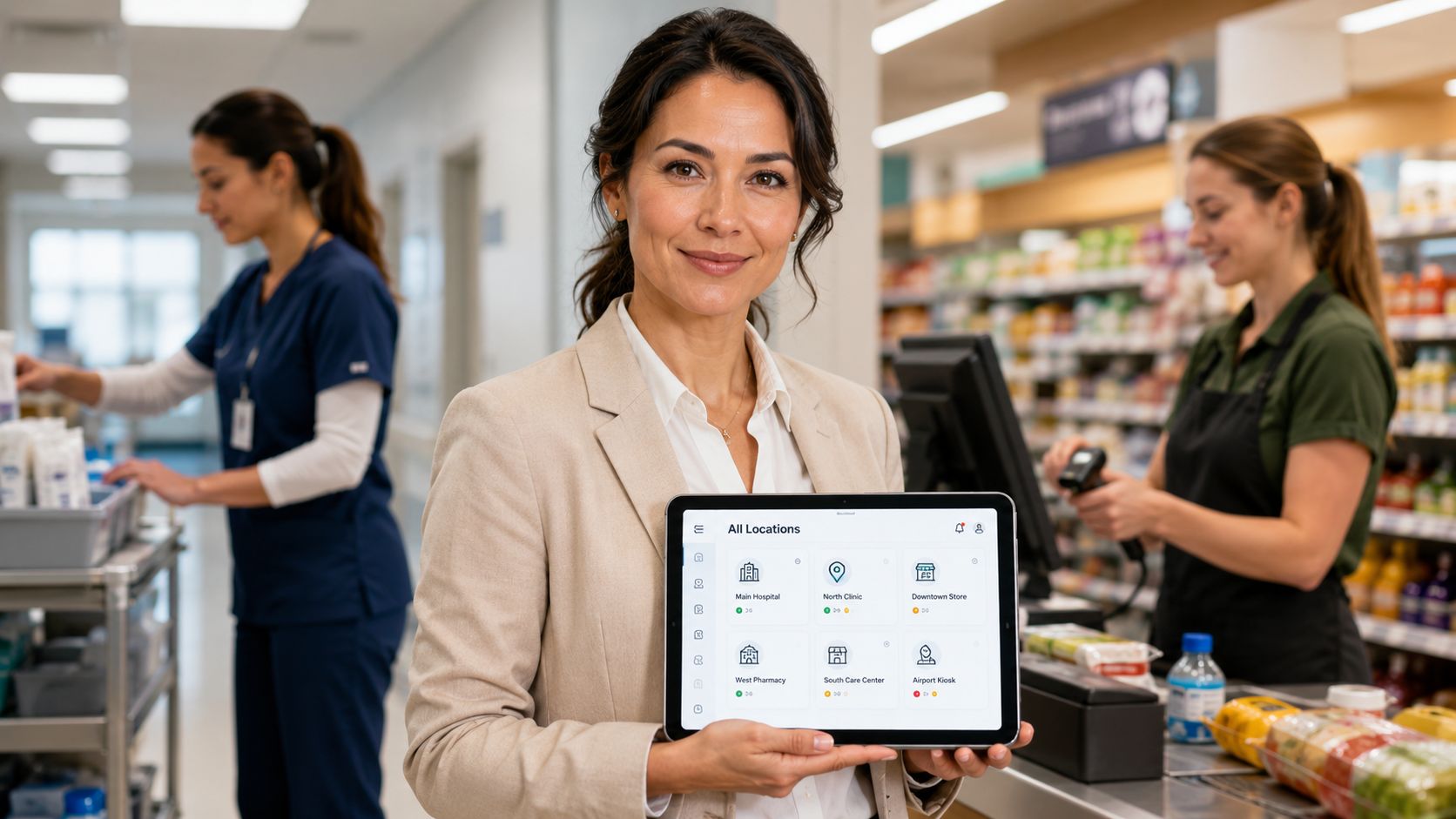
Global disengagement isn’t only a culture problem. It’s often a workflow problem hiding inside broken schedules, scattered updates, disconnected tools, and unclear daily execution.
That’s why the most useful way to understand workforce operations is not as an administrative layer beneath the employee experience. It is the employee experience for much of the working day. In 2025, global employee engagement fell to just 20%, resulting in an estimated $10 trillion in lost productivity worldwide, according to Gallup’s State of the Global Workplace. Leaders usually read numbers like that as a management or culture signal. They should also read them as an operational signal.
When employees don’t know what to do, when to do it, how priorities changed, where instructions live, or how to report completion, engagement drops for reasons that culture messaging alone can’t fix. This is the category shift: workforce operations sits at the intersection of engagement, internal communications, HR technology, AI, frontline enablement, and execution. Once you see that intersection clearly, the old split between “people” and “operations” stops making sense.
Key Takeaways
- Workforce operations is employee-facing: It covers schedules, time, tasks, communication, compliance, reporting, and performance in the flow of work.
- Fragmentation drives disengagement: Poor experience often starts with operational friction, not only weak culture.
- The category is expanding: Organizations are investing heavily in the systems behind modern workforce operations.
- AI matters when it connects systems: Its value comes from linking forecasting, communication, guidance, and execution.
- Communication is part of operations: If operational changes aren’t clearly communicated, adoption breaks down fast.
What is Workforce Operations
Workforce operations belongs at the center of employee experience because employees experience the company through execution first. They feel it in shift changes, task handoffs, missing updates, payroll exceptions, policy confusion, approval delays, and the daily effort required to find reliable information.
Workforce operations is the operating system behind that experience. It governs how work is assigned, how priorities change, how time and attendance are captured, how leave and compliance processes are handled, how frontline communication reaches the right person, and how managers see execution problems before they turn into service, safety, or retention problems.
This definition matters because many organizations still split responsibility across HR, operations, IT, internal communications, and line management. Each team may optimize its own process. Employees live with the combined result.
Operational friction creates a form of disengagement that culture programs rarely fix on their own.
An employee does not separate culture from execution during the workday. If instructions are buried across tools, schedules change without enough notice, or exceptions disappear into slow approval chains, the company has created a poor employee experience whether its values are well written or not.
That is the category shift behind workforce operations. It is not a back-office support function. It is the coordination layer that determines whether work feels clear, fair, and manageable at scale.
Redefining Workforce Operations Beyond the Back Office
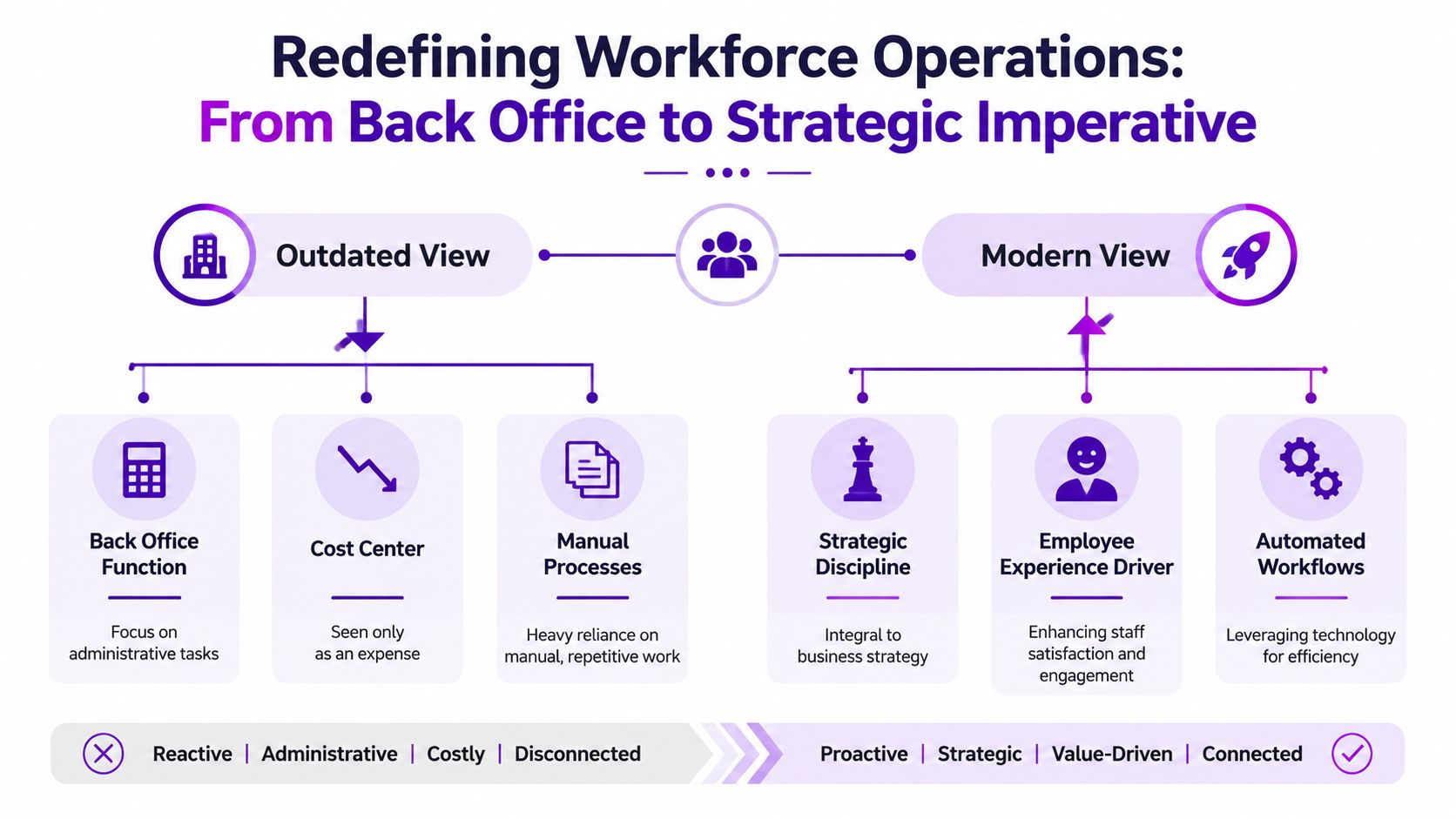
Most organizations still inherit an old definition of workforce management. It’s treated as scheduling software, time clocks, payroll inputs, and compliance checks. Useful, but narrow.
A better definition is broader and more practical. Workforce operations is the day-to-day system that helps employees know what to do, when to do it, how to do it, and how to report progress. That includes scheduling, time tracking, tasks, leave, shift communication, compliance, performance visibility, and workforce productivity. In other words, it is less like a back-office function and more like an operating system for work.
The old model no longer matches how work happens
The strongest evidence is where money is moving. The global workforce management market is projected to reach USD 15.67 billion by 2030, growing from USD 9.57 billion in 2025, according to MarketsandMarkets’ workforce management market analysis. That investment isn’t about digitizing admin for its own sake. It reflects a larger shift toward managing labor execution with better data, better automation, and better employee access.
This is also why the boundary between workforce management and workforce experience is collapsing. A schedule is not only a labor planning artifact. It is an employee trust signal. A task list is not only an execution tool. It is a daily source of clarity or confusion. A mobile alert is not only a message. It is operational access.
For a deeper view of that convergence, the idea of workforce experience as a connected discipline is more useful than the old siloed categories.
What belongs inside the category
A modern workforce operations model usually includes:
- Scheduling and staffing: Demand-aligned shifts, swaps, coverage, and leave visibility.
- Time and attendance: Accurate clocking, exceptions, breaks, and approvals.
- Task execution: Clear assignments, deadlines, completion tracking, and escalation paths.
- Operational communication: Shift updates, policy changes, instructions, and alerts in the right channel.
- Compliance and readiness: Certifications, rules, required steps, and proof of completion.
- Performance visibility: Adherence, completion quality, productivity, and coaching signals.
When those pieces live in silos, employees experience fragmentation. When they work together, employees experience competence.
The Great Disconnect Where Employee Experience Breaks
A frontline employee starts the day with a schedule change sent through one channel, a task list posted somewhere else, and a policy update relayed verbally by a coworker. Mid-shift, a manager asks for a status update that the employee can’t easily provide because completion lives in another system. None of these failures looks dramatic on its own. Together, they shape the job.

Employee experience often breaks not in the employer brand deck or values statement, but in the handoff between a shift notice, a task instruction, a compliance rule, and a reporting step.
What fragmentation looks like on the ground
The disconnect is common across retail, healthcare, hospitality, manufacturing, field service, and large enterprises with too many systems.
| Operational moment | What the employee needs | What fragmentation creates |
|---|---|---|
| Start of shift | Clear schedule and priorities | Confusion about location, timing, or coverage |
| During work | Task guidance in the flow of work | Rework, delays, or informal workarounds |
| Policy change | Timely communication with context | Rumors, inconsistency, and avoidable errors |
| End of shift | Easy reporting and escalation | Missing data and weak manager visibility |
The cost of this isn’t theoretical. Globally, 58% of workers fall below their productivity targets, creating a daily productivity gap of 54 minutes per employee, according to ActivTrak’s workforce utilization benchmarks. That finding is especially important because it ties lost output to operational friction and schedule adherence failures, not just effort or intent.
Employees don’t experience fragmentation as a systems architecture problem. They experience it as a hard day at work.
That’s also why the distinction between employee experience and workforce experience matters. The former is often discussed as sentiment. The latter is closer to lived execution, as explored in this comparison of employee experience and workforce experience. If leaders want to improve engagement, they need to look at the workday itself.
The Framework for Unified Workforce Operations
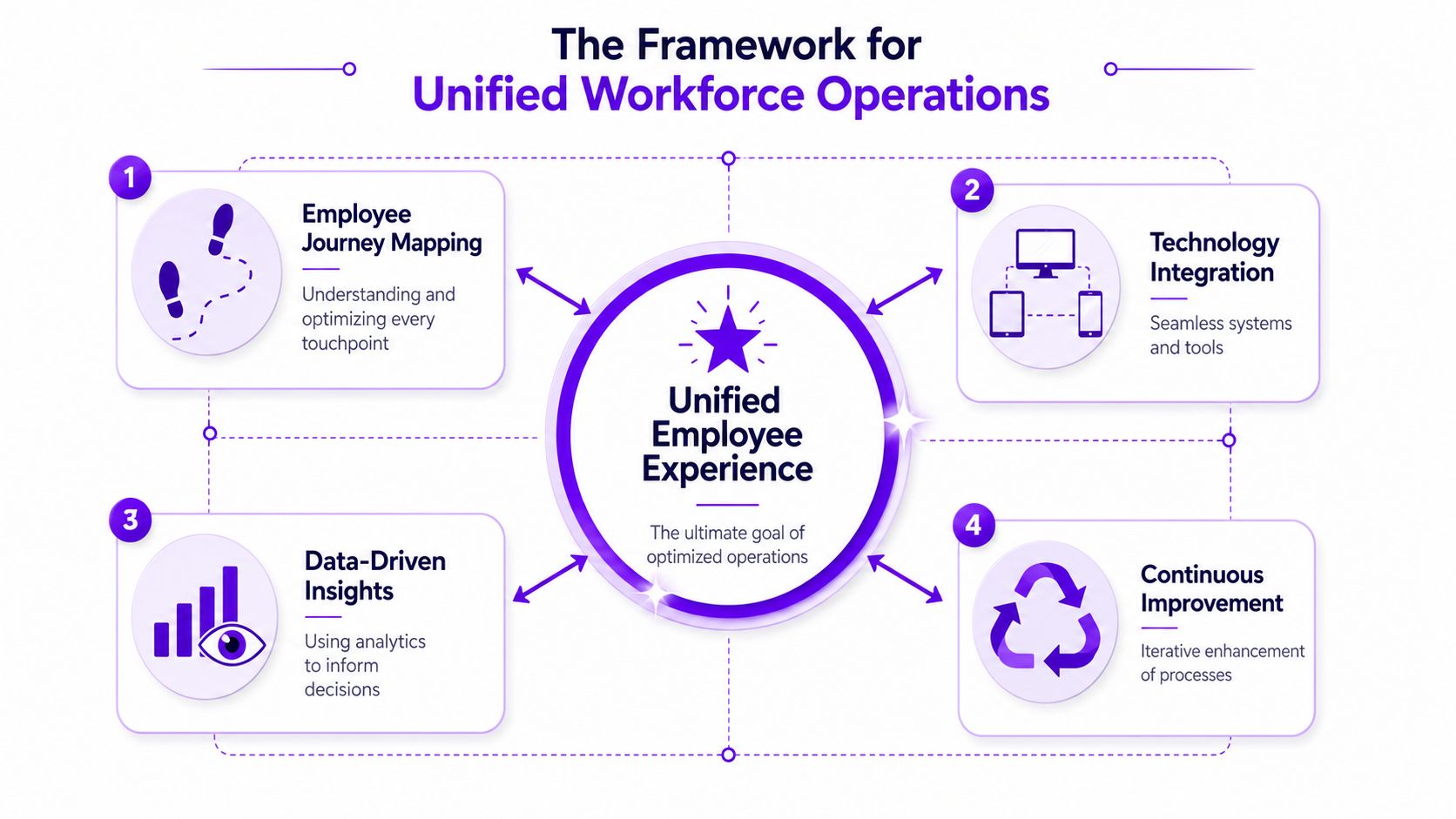
A unified model needs more than better software procurement. It needs a clear operating logic. The most practical framework has four connected pillars: communication, tools, data, and execution.
Four pillars that belong together
-
Actionable communication
Employees need the right message at the right moment, in language that helps them act. Operational communication should answer four questions fast: what changed, who it affects, when it starts, and what action is required. -
Intelligent tools
The best systems reduce switching costs. Schedules, time, tasks, leave, knowledge, and acknowledgments should feel connected, especially on mobile for frontline and deskless work. -
Integrated data
Work data and people data need to meet. If managers can see attendance but not task completion, or can see output but not schedule adherence, they can’t diagnose performance accurately. -
Streamlined execution
Employees should be able to complete work, confirm completion, ask for help, and escalate blockers without leaving the flow of work.
Why the pillars reinforce each other
These pillars are not separate initiatives. Communication without integrated tools creates noise. Tools without data create blind spots. Data without execution support creates dashboards that don’t change outcomes.
Operational rule: If an employee has to translate across systems to finish routine work, the operating model is still fragmented.
That’s why platform thinking matters. A workforce experience platform should be judged less by feature volume and more by whether it reduces handoffs across these four pillars.
The Role of AI in Connecting the Dots
AI’s real contribution to workforce operations is not novelty. It is coordination.
When AI is applied well, it closes gaps between planning, communication, guidance, and action. It can improve forecasting so shifts reflect actual demand more closely. It can surface task instructions in the flow of work instead of forcing employees to search across portals. It can route updates to the right audience based on role, shift, or location. It can also flag where managers may need to intervene because adherence, completion, or sentiment signals are drifting.
Where AI changes the operating model
The clearest evidence comes from workforce management itself. In Peopleware’s workforce management benchmark, 65% of respondents reported efficiency or cost benefits and 41% reported lower turnover or hiring costs when workforce management software was used effectively. These figures describe the share of respondents reporting benefits, not the size of an efficiency gain or turnover reduction. The report also notes that top employers using AI to support employee experience achieved 13 percentage points higher engagement levels, according to Peopleware’s workforce management benchmark report.
Those gains make sense when you view AI as connective tissue. It doesn’t replace operational discipline. It strengthens it by reducing lag between signal and response.
Three use cases matter most:
- Forecasting and scheduling: AI helps planners match staffing to demand while reducing reactive adjustments.
- Task and knowledge delivery: Employees receive guidance where work happens, not buried in static documentation.
- Risk detection: Leaders can identify bottlenecks, visibility gaps, or disengagement signals before they become chronic.
Many HR teams still evaluate AI through isolated use cases such as chatbots or content generation. A better lens is HR technology that improves execution. In workforce operations, AI is valuable when it makes the system feel more coherent to the employee.
Build Your Workforce Operations Communication Plan
Even the best operating model fails if employees don’t understand it. New scheduling logic, leave policies, mobile workflows, compliance steps, or task tools all require deliberate communication design.
What the plan should include
A strong workforce operations communication plan should cover:
- Audience mapping: Frontline, hybrid, office, field, and manager groups rarely need the same message format.
- Message framing: Explain what is changing, why it matters, and what employees need to do differently.
- Channel choice: Use the channels people already rely on during work, not only channels leadership prefers.
- Cadence and reinforcement: Operational messages usually need reminders, not one-time announcements.
- Feedback paths: Employees need a simple way to ask questions and report blockers.
The common mistake is treating operational communication like corporate communication. It isn’t. It’s closer to enablement. It should reduce ambiguity and speed adoption.
Teams building that capability often start with practical models from internal communications resources focused on employee-facing execution. The core test is simple: after reading the message, can the employee act without interpretation?
Conclusion – From Fragmentation to Flow
Workforce operations should no longer be treated as a support function sitting behind employee experience. It is one of the main systems that creates employee experience every day.
When schedules, tasks, communication, time, compliance, and reporting remain fragmented, leaders get disengagement symptoms and productivity loss. When those elements work together, employees get clarity, trust, and momentum. HR, Operations, IT, and Internal Communications need a shared model, not separate agendas.
The smartest place to start is an operational audit. Identify where your employees still switch channels, chase updates, or rely on informal workarounds. That’s where the great disconnect begins.
Workforce Operations FAQs
What are workforce operations in simple terms?
Workforce operations answer a practical question. Can employees get the right information, tasks, time data, approvals, and support at the moment work needs to happen? If that operating layer works, the day feels clear. If it breaks, employees spend time chasing updates, correcting avoidable errors, or waiting on managers.
How is workforce operations different from workforce management?
Workforce management usually focuses on labor control: schedules, attendance, coverage, and hours. Workforce operations looks at execution quality across the full shift or workday. A retailer may have perfect coverage on paper and still struggle because task updates sit in one app, policy changes arrive in another, and supervisors rely on text threads to fill the gaps.
Why does workforce operations affect engagement?
Engagement drops when employees repeatedly hit preventable friction. Consider a frontline nurse who starts a shift with outdated staffing information, gets a task change through an unofficial channel, and spends break time fixing a missed time entry. The problem is not attitude. The system keeps adding small penalties to the workday, and employees read that as disorganization, unfairness, or lack of support.
What should leaders measure first?
Start with metrics that expose delay and rework, not just output. Track how often schedules change after posting, how long it takes employees to receive and acknowledge updates, how quickly managers resolve exceptions, and how often staff must switch tools to complete one workflow. Those indicators show where the operating model creates friction before it shows up as turnover or absenteeism.
Why does skill matching matter in workforce operations?
Skill matching affects both labor efficiency and employee confidence. Assigning a high-skill employee to repetitive low-value work too often lowers the return on labor and signals that capability is invisible to the system. Indeavor’s analysis of underutilized workers argues that underuse carries real turnover and disengagement costs. In practice, better matching improves service quality, speed, and retention at the same time.
If you’re rethinking how engagement and execution fit together, Turn On Work offers deeper analysis, practical frameworks, and operational resources for leaders building a better workforce experience.