
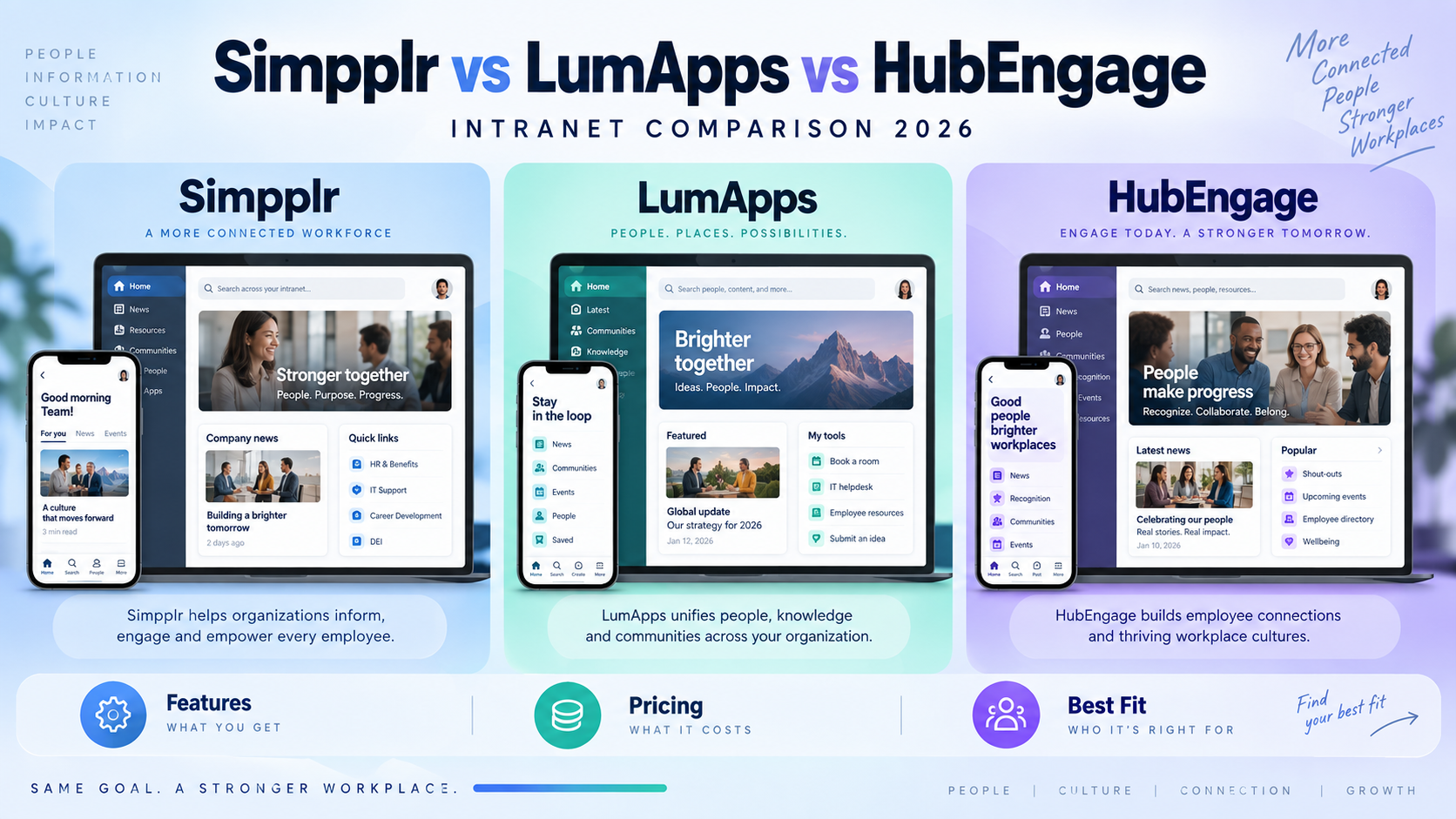
HubEngage, Simpplr, and LumApps can all serve as modern employee intranet platforms, but they solve the problem in noticeably different ways.
HubEngage is the most compelling of the three when communication reach, mobile access, recognition, surveys, SMS, and digital signage are high priorities, especially for organizations with large frontline populations. Simpplr makes the stronger case when the intranet itself, along with search, personalization, and content governance, sits at the center of the project. LumApps is better suited to complex enterprises that want an employee hub tied closely to Microsoft 365 or Google Workspace, with an expanding frontline proposition through Beekeeper.
That distinction matters more than the number of features listed on a product page. The real question is what your employees struggle with today: finding information, receiving communication, accessing workplace tools, or staying connected when they are away from a desk.
Simpplr vs LumApps vs HubEngage at a Glance
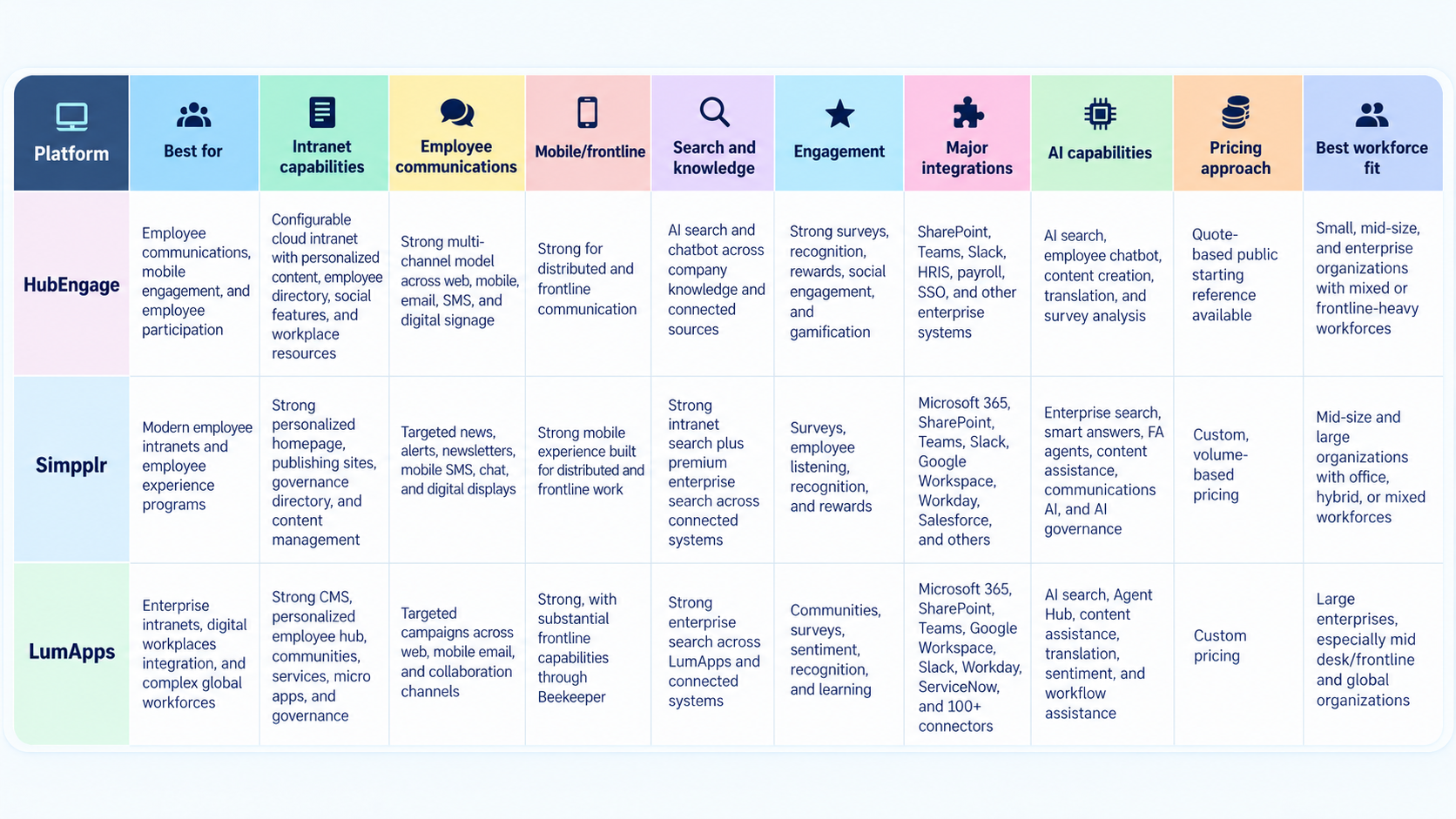
On paper, there is plenty of overlap here. All three can publish news, personalize content, support mobile access, connect to workplace systems, and add employee-engagement features.
In practice, they feel different because each platform puts a different set of problems at the center.
How HubEngage, Simpplr, and LumApps Differ
HubEngage starts with communication and employee participation.
Its intranet works alongside mobile apps, email, SMS, digital signage, recognition, surveys, messaging, and social features. That makes sense for organizations where the problem is not simply “our intranet is old.” The problem may be that employees do not see messages, managers rely on several disconnected tools, or frontline workers rarely log in to a desktop portal.
Simpplr approaches the market more directly as an intranet and employee-experience platform. The product puts considerable weight on personalized content, search, structured publishing, governance, employee services, and a common digital home for employees.
LumApps sits closer to the enterprise digital workplace end of the market. It connects employee communications, workplace applications, enterprise search, business services, and productivity suites in one employee hub. Its combination with Beekeeper has also made frontline work much more important to the company’s direction.
These are not minor positioning differences.
A retailer trying to reach 8,000 associates across hundreds of stores should not evaluate intranet software in the same way as a technology company trying to replace an aging SharePoint portal. Nor should a global enterprise with Microsoft 365, ServiceNow, Workday, and regional employee portals treat the buying process like a 1,000-person company that mostly needs communications, recognition, and mobile access.
Before comparing vendors, it helps to decide which channels employees actually rely on. This guide to employee communication tools and buying criteria covers the role of intranets, employee apps, email, messaging, signage, and mobile alerts in more detail.
HubEngage: Best Fit, Features, Pricing, and Limitations
Best fit
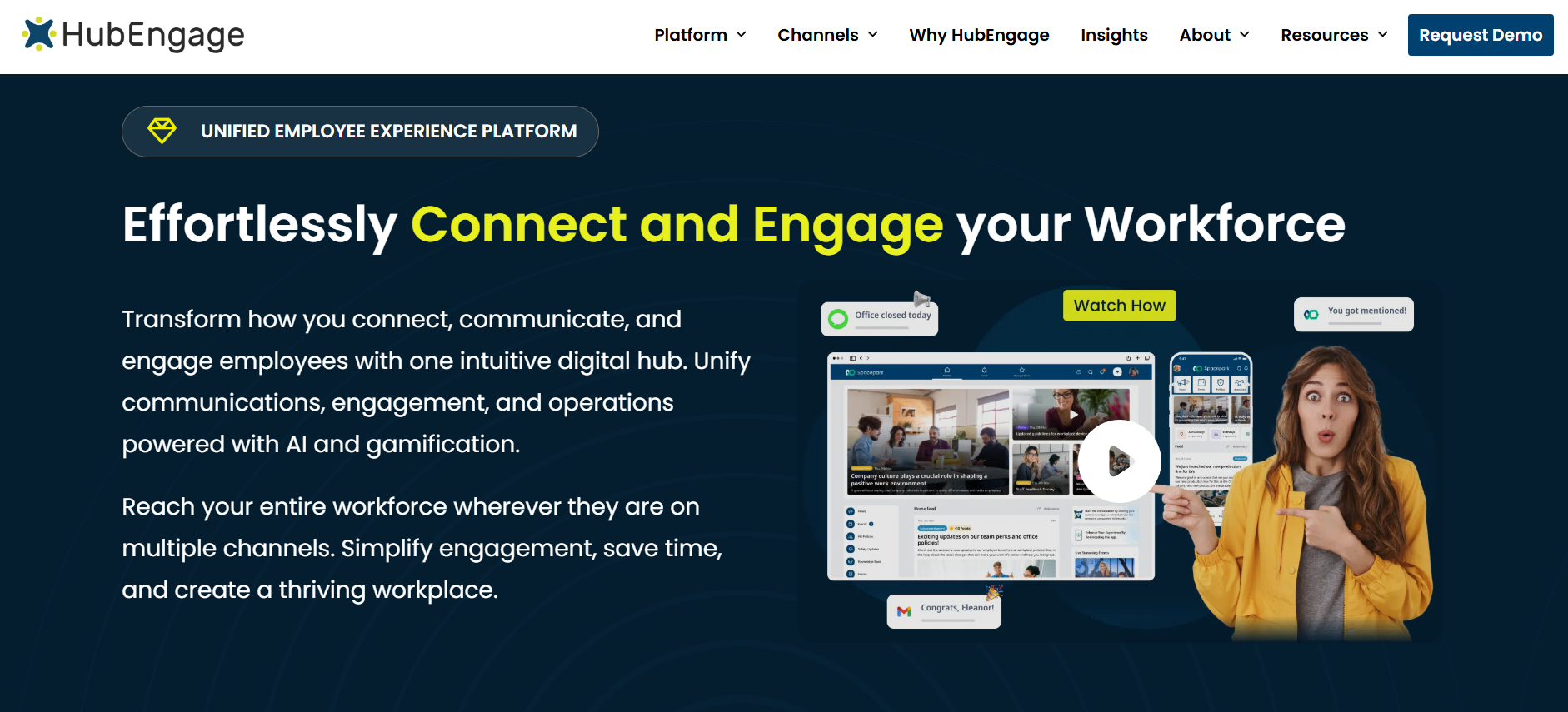
HubEngage makes the most sense when you want the intranet to do more than sit there waiting for employees to visit it.
Its model combines an employee intranet with mobile apps, internal email, SMS, digital signage, recognition, surveys, messaging, social participation, and gamification.
That combination is especially relevant in healthcare, manufacturing, retail, hospitality, logistics, field services, and other sectors where a large percentage of employees do not work from a laptop all day.
It can also work for office-based organizations, but its advantages become more obvious when you have several types of employees consuming information in different ways.
Intranet capabilities
The HubEngage employee intranet gives organizations a central place for company news, workplace resources, documents, employee information, social content, and other internal material.
Content can be personalized for different employee groups, while other HubEngage modules bring surveys, recognition, messaging, and communication into the same environment.
That matters because many intranet projects fail for a fairly ordinary reason: employees have no reason to keep coming back.
If the intranet is only a collection of announcements and links, usage often drops after launch. An environment that also includes recognition, feedback, social activity, employee communication, and workplace actions gives people more reasons to return.
HubEngage’s approach is therefore less about building the most elaborate content architecture possible and more about making the intranet part of an active employee communication and engagement routine.
Employee communications
This is where HubEngage makes its clearest case.
Organizations can distribute communication through the web intranet, iOS and Android apps, email, SMS, and digital signage. Microsoft Teams and Slack can also fit into the communication model.
The practical advantage is obvious in a mixed workforce.
An employee at headquarters may see an update by email. A warehouse worker may receive a push notification. A field technician may rely on SMS. A production employee may see the same message on a screen in a common area.
The message does not have to depend on everyone forming the habit of opening the same intranet homepage.
That can be more valuable than adding another advanced content-management feature, especially when internal communications teams are already struggling with reach.
It is also worth looking closely at targeting and measurement. Sending through several channels is useful, but only if communicators can control who receives what, avoid unnecessary duplication, and understand whether important messages were actually seen.
Mobile and frontline access
The HubEngage mobile app provides access to company communications, surveys, recognition, social feeds, messaging, and other employee content.
The company also documents QR-code onboarding and access options for employees without corporate email.
That is an important distinction for frontline organizations.
Many platforms describe themselves as mobile-friendly, but mobile responsiveness is not the same thing as a frontline-ready employee experience. If a worker needs a corporate email address, company laptop, or lengthy password-reset process before opening the app, adoption can become difficult very quickly.
HubEngage’s use of SMS and digital signage gives employers additional options for reaching people who do not regularly open an employee app at all.
Still, buyers should test the practical details. Ask how shared devices work, how employees are authenticated, what happens when someone changes location, how off-shift notifications are handled, and how quickly access can be removed when an employee leaves.
Those are mundane questions. They are also the questions that often determine whether a frontline rollout succeeds.
Engagement, recognition, and employee feedback
Recognition and surveys are not tucked away at the edge of HubEngage’s platform. They are a substantial part of the product.
Organizations can run pulse surveys and broader employee feedback programs, support peer and manager recognition, use points and rewards, and connect participation with gamification.
For some buyers, that will be more useful than it sounds.
Consider an organization where the communications team owns company news, HR runs engagement surveys in another system, recognition happens through a separate vendor, and frontline employees depend on text messages or noticeboards. Bringing those experiences closer together can reduce fragmentation.
It also means the same employee audience data can potentially support several use cases, rather than each team building its own list.
The caution is that buyers should distinguish engagement activity from meaningful engagement outcomes. Points, badges, surveys, and recognition tools can support participation, but the software itself cannot fix weak management or poor communication practices.
Search, knowledge, and AI
HubEngage provides AI-powered search and an employee chatbot designed to help workers retrieve information from company knowledge and connected sources.
Its AI functionality also covers content creation, translation, and survey analysis.
For employees, the appeal is simple. Instead of navigating through several folders to find a policy, they can ask a question and receive a direct answer.
That experience is becoming a basic expectation in workplace technology.
Where HubEngage needs closer evaluation is at the enterprise-search end of the market.
If your organization stores important information across SharePoint, Google Drive, ServiceNow, Confluence, HR platforms, document systems, and department-specific repositories, you should test exactly what HubEngage can index and how permission controls carry over.
Ask to see source attribution. Ask how often content refreshes. Ask what happens when two documents conflict. Ask whether the assistant declines to answer when the source material is weak.
Simpplr and LumApps currently document broader enterprise-search architectures, so knowledge-heavy organizations should compare this area carefully rather than treating all AI search as equivalent.
Integrations
HubEngage documents integrations with SharePoint, Microsoft Teams, Slack, HRIS systems, payroll tools, SSO, and other workplace applications.
For Microsoft-based organizations, the SharePoint and Teams connections are particularly relevant.
Google Workspace is less prominent in HubEngage’s current core positioning than it is for Simpplr and LumApps. If Google Drive, Gmail, Calendar, and Google identity systems sit at the heart of your workplace stack, ask for a detailed technical walkthrough.
The distinction between “integrates with” and “deeply integrated into daily workflows” can be significant.
Security and administration
HubEngage documents enterprise security controls including ISO 27001 and SOC 2-related practices, encryption, SSO, and MFA.
Those are useful starting points, but procurement teams should request current documentation rather than relying on a comparison article or sales presentation.
Administration also deserves close attention if your workforce is large or geographically complicated.
A national retailer with 500 locations, for example, needs more than the ability to create employee groups. It needs reliable user synchronization, location-based targeting, role changes, permissions, manager hierarchies, and automatic removal of former employees.
Ask the vendor to demonstrate those workflows rather than simply confirming that they exist.
Where HubEngage may not fit
HubEngage becomes less obvious as the first choice when the project is mostly about sophisticated enterprise content architecture, very deep knowledge management, or a large-scale search layer across dozens of workplace systems.
Simpplr may be better aligned with a buyer whose main challenge is intranet governance, content quality, personalization, and enterprise knowledge discovery.
LumApps may suit organizations building a more expansive digital workplace around Microsoft 365, Google Workspace, employee services, enterprise applications, and complex multinational structures.
HubEngage has a stronger argument when communication reach and employee participation sit near the top of the requirements list.
Simpplr: Best Fit, Features, Pricing, and Limitations
Best fit
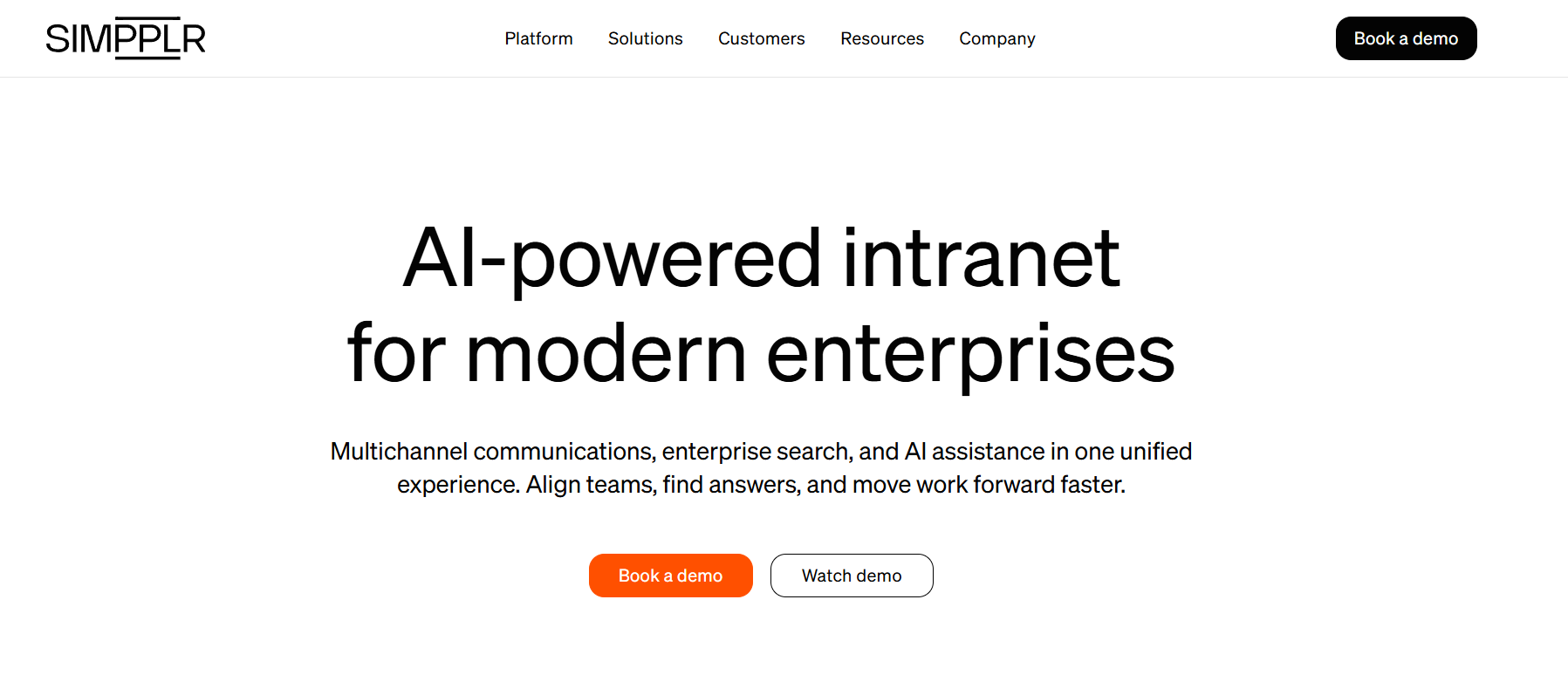
Simpplr is the most natural fit of the three when the intranet itself is the project.
That sounds obvious, but many employee platforms now stretch across communications, engagement, AI, recognition, search, and workplace services. It is easy to lose sight of whether the core intranet experience is actually good.
Simpplr puts that experience front and center.
It is aimed at organizations that want a modern employee homepage, personalized information, searchable knowledge, structured publishing, workplace services, and stronger content governance without building a heavily customized SharePoint environment.
Intranet and content management
Simpplr gives employees a personalized homepage built around company news, relevant sites, resources, tools, and recommendations.
Organizations can create department and community sites, target content to specific audiences, manage publishing responsibilities, and maintain employee directory information.
One of its more useful characteristics is the amount of attention given to stale content.
Old intranets tend to accumulate information. A department uploads a policy, someone leaves, a page is forgotten, and three years later employees still find it in search.
Simpplr uses automated governance functions to help surface content that may need review or removal.
For organizations with an intranet that employees no longer trust, that may be more valuable than another design option.
Employee communications
Simpplr supports targeted announcements, alerts, newsletters, and personalized employee feeds.
Communication can extend into mobile, email, SMS, messaging platforms, and digital displays.
Microsoft Teams and Slack integrations can also bring intranet content into channels employees already use.
That helps address a common intranet problem: publishing something does not guarantee anyone sees it.
The product’s communication analytics give teams more visibility into readership and engagement, although buyers should look closely at the measures that matter to them. Page views, message opens, acknowledgements, audience reach, and downstream action are not the same thing.
Search, knowledge, and AI
Search is one of Simpplr’s strongest areas.
Its enterprise search can connect information from SharePoint, OneDrive, Google Drive, Box, Dropbox, Confluence, ServiceNow, and other workplace systems.
Search results can be personalized and permission-aware, while employees can use natural-language questions and AI-generated answers to reach information more quickly.
That is a meaningful advantage for organizations whose information problem extends beyond the intranet.
The packaging deserves attention, however. Enterprise search across third-party systems has been positioned as a premium capability. Buyers should confirm exactly what is included in the core package and what requires additional licensing.
Simpplr’s AI capabilities also include employee assistance, communications support, content summaries, writing tools, and configurable agents.
Its 2026 AI Control Center adds centralized controls around AI features and model configurations.
For large organizations, that administrative layer is becoming increasingly important. Security and IT teams are often less worried about whether AI can write an announcement and more concerned about who controls access, which data sources AI can use, and how different models are governed.
Employee engagement
Simpplr has expanded well beyond the boundaries of a traditional intranet.
The platform includes employee listening, surveys, recognition, and rewards.
Pulse surveys and broader engagement surveys can sit alongside the employee experience, although some listening capabilities require separate packages.
Recognition can support peer-to-peer and manager recognition, along with points and rewards.
That breadth makes Simpplr more competitive with employee-experience platforms that previously sat adjacent to intranet software.
Integrations
Simpplr supports Microsoft 365, SharePoint, Microsoft Teams, Slack, Google Workspace, Workday, UKG, ServiceNow, and a large number of other applications.
The company documents more than 200 prebuilt integrations along with APIs and custom-app capabilities.
For buyers, the important question is not simply whether the connector exists.
Ask what employees can actually do with the integration.
Can they search the connected system? See a card on the homepage? Complete an action? Receive a notification? Open the source system in another tab?
Those are very different levels of integration.
Security and administration
Current Simpplr materials document SOC 2 Type II, ISO 27001, SSO, and MFA.
Its broader administration model also includes content permissions, governance, employee segmentation, and publishing controls.
That makes it well suited to organizations where the intranet has many contributors but still needs central standards.
Where Simpplr may not fit
Simpplr can be more than a smaller organization needs.
If the requirement is limited to company announcements, a document library, employee links, and a basic directory, the platform may be difficult to justify against simpler alternatives.
The commercial model also deserves close examination because enterprise search, employee listening, and other premium capabilities can affect the final cost.
Frontline organizations should also avoid assuming that a strong mobile intranet automatically means a strong frontline deployment. Authentication, onboarding, shared-device behavior, personal-phone policies, and employee communication preferences still need to be tested.
LumApps: Best Fit, Features, Pricing, and Limitations
Best fit
LumApps is the most enterprise-oriented option in this comparison.
It makes sense for organizations where the intranet is expected to sit above a complex workplace technology stack rather than operate as a standalone communication site.
Microsoft 365, Google Workspace, enterprise search, employee services, communities, business applications, and workplace workflows can all form part of that experience.
Its combination with Beekeeper has also widened the conversation to include frontline employees in a much more serious way.
Intranet and digital workplace capabilities
LumApps provides a personalized employee hub where organizations can publish company information, create targeted experiences, build communities, connect applications, and surface workplace services.
Content can be personalized based on role, team, location, region, and other employee attributes.
Large enterprises can build different experiences for departments, countries, functions, and business units while keeping them within a common platform.
That flexibility is useful when one company effectively contains several very different workplaces.
The finance team in New York may need a very different homepage from a warehouse team in Texas or a customer-support operation in the Philippines. LumApps is designed with that sort of complexity in mind.
Microsoft 365 and Google Workspace
This remains one of LumApps’ strongest areas.
The platform connects with Microsoft 365, SharePoint, Outlook, Teams, Google Workspace, Google Drive, and other productivity applications.
It also integrates with business platforms including Workday and ServiceNow.
Organizations with a large SharePoint footprint do not necessarily have to migrate every document out of SharePoint.
LumApps can act as the employee-facing experience while SharePoint continues to hold files and other content behind the scenes.
That model can be attractive to IT teams that do not want to rebuild years of document-management infrastructure simply to improve the intranet experience.
Google Workspace organizations should also look closely at LumApps. Google integration has been central to the company’s proposition for years and is more deeply associated with LumApps than with many intranet competitors.
Search, knowledge, and AI
LumApps enterprise search can surface information from intranet content and connected business systems while respecting employee permissions.
Its current AI strategy extends into Agent Hub, where role-aware agents can connect employees with workplace knowledge and actions.
AI-assisted content creation, translation, recommendations, and sentiment-related features also form part of the wider product direction.
The end goal is fairly clear: an employee should not have to know which system contains an answer before asking for it.
That is a valuable idea, but buyers should still insist on practical demonstrations.
Ask the vendor to find a policy stored in SharePoint, locate an HR answer, retrieve something from Google Drive, and complete an employee action. The quality of those workflows matters more than the number of AI labels on a product diagram.
What the Beekeeper combination changes
The Beekeeper combination is one of the biggest reasons a 2026 LumApps review should not simply reuse an older description of the product.
LumApps and Beekeeper officially combined in 2025.
Beekeeper brought a mobile-first frontline platform used in industries such as manufacturing, hospitality, retail, and field operations.
Its capabilities include access without corporate email, targeted communication by location or shift, chat, digital forms, checklists, incident reporting, tasks, and other frontline workflows.
That gives LumApps a much broader frontline story than it had previously.
There is one important qualification.
The combined company does not mean every historic Beekeeper capability is automatically included in every LumApps deployment.
LumApps has stated that the unified product experience is being introduced in phases. Existing Beekeeper customers continue to use their existing logins, data, contracts, and support arrangements while integration progresses.
Buyers should therefore ask a very specific question:
Which frontline capabilities are included in the package you are proposing today, and which still depend on Beekeeper products, separate packaging, or continuing integration work?
That answer should be written into the proposal.
Communications and engagement
LumApps supports targeted communication, mobile and web publishing, email campaigns, notifications, communities, and collaboration channels.
The platform also includes recognition, surveys, polls, feedback, and employee sentiment capabilities.
For multinational employers, its translation functionality is particularly relevant.
Even so, do not treat a large number of supported languages as proof that translation will work perfectly for your workforce.
Test the terminology employees actually use, particularly safety language, HR policies, operational instructions, and local expressions.
Security and administration
LumApps currently documents ISO 27001 and SOC 2 Type II, encryption at rest and in transit, granular permissions, role-based controls, SSO, and audit capabilities.
Its administrative depth suits large enterprises, although that flexibility can bring more implementation work.
Taxonomy, employee segmentation, integrations, regional governance, personalization, business applications, and content ownership all need deliberate decisions.
For a large multinational organization, that complexity may be appropriate. For a simpler intranet replacement, it may be unnecessary.
Where LumApps may not fit
LumApps can feel oversized when the organization mainly needs a straightforward communications intranet.
The breadth of the platform can also mean more implementation choices, more governance decisions, and potentially more stakeholders involved in the project.
The LumApps and Beekeeper transition adds another consideration in 2026.
Frontline buyers should get a precise view of what is available now rather than buying based on a future combined-product vision.
Detailed Feature Comparison
| Capability | HubEngage | Simpplr | LumApps |
| Employee intranet | Yes | Yes | Yes |
| Personalized employee homepage | Yes | Yes | Yes |
| Audience segmentation | Yes | Yes | Yes |
| Employee mobile app | Yes | Yes | Yes |
| Frontline support | Yes | Yes | Yes, expanded through Beekeeper |
| No-email frontline access | Yes; QR/mobile onboarding documented | Frontline support documented; confirm exact onboarding configuration | Yes through current Beekeeper frontline experience |
| Push notifications | Yes | Yes | Yes |
| Employee email/newsletters | Yes | Yes | Yes |
| SMS | Yes | Yes | Not clearly positioned as a standard core LumApps channel |
| Digital signage | Yes | Yes/integration | Yes |
| Microsoft Teams | Yes | Yes | Yes |
| Slack | Yes | Yes | Yes |
| Microsoft 365 | Integration supported | Yes | Yes |
| Google Workspace | Confirm exact current requirements | Yes | Yes |
| SharePoint | Integration supported | Yes | Yes |
| HRIS integrations | Yes | Yes | Yes |
| Employee directory | Yes | Yes | Yes |
| Social/community features | Yes | Yes | Yes |
| Recognition | Yes | Yes | Yes |
| Surveys/listening | Yes | Yes, some capabilities packaged separately | Yes |
| AI search | Yes | Yes | Yes |
| Search across external enterprise systems | Connected-source search documented; verify required connectors | Yes, premium enterprise search | Yes |
| AI employee assistant | Yes | Yes | Yes |
| AI content assistance | Yes | Yes | Yes |
| Multilingual capabilities | Yes | Yes | Yes |
| Analytics | Yes | Yes | Yes |
| APIs/extensibility | Integrations available; confirm API requirements | Yes | Yes |
| Public list pricing | Limited starting reference; actual deployment is quote-based | No | No |
This table is useful for narrowing the field, but it should not make the decision for you.
Three products can all support mobile apps and still deliver very different frontline experiences. Three products can all claim AI search while indexing different sources and handling permissions differently.
The rows that deserve the most attention are the ones tied to your workforce and your existing systems.
Intranet and Content Management Compared
HubEngage makes sense when you want an intranet that sits close to communication, feedback, recognition, and mobile participation.
That can be especially useful when the organization is trying to solve low communication reach at the same time as an outdated intranet.
Simpplr is stronger when content governance, personalization, intranet structure, and enterprise knowledge access are the primary concerns.
LumApps makes a stronger case when the intranet needs to become an access layer across several enterprise systems, employee services, regional experiences, and productivity environments.
The difference comes down to what you think the intranet is for.
If it is primarily a publishing site, all three may look more capable than you need.
If it is supposed to become the main employee entry point for knowledge, communication, workplace applications, and services, architecture and integrations become far more important.
If employees increasingly find information through search, feeds, and assistants instead of traditional menus, the intranet itself is also changing. This discussion of the post-intranet workplace looks at that shift in more detail.
Internal Communications Compared
HubEngage has the clearest communication-first proposition.
Web, mobile app, email, SMS, and digital signage can all form part of the same communication strategy.
That flexibility is particularly valuable in organizations where there is no single reliable employee channel.
Simpplr connects communication tightly with the intranet and employee experience. Personalized feeds, targeted announcements, newsletters, mobile distribution, and analytics suit organizations where the intranet remains the main source of employee information.
LumApps also supports targeted communications while connecting them to the broader digital workplace.
The choice becomes easier when you ask one question:
Where do employees actually see company information today?
If the answer is “mostly email,” the communication requirements will look different from an organization where employees rotate between stores, warehouses, mobile devices, Teams, and break-room displays.
Mobile and Frontline Employee Experience Compared
A good desktop intranet can still fail badly with frontline employees.
HubEngage is a strong candidate when frontline communication and participation are the central concerns. Mobile apps, SMS, digital signage, recognition, and surveys give employers several ways to reach workers who may never open a laptop.
Simpplr can work well when the goal is to give frontline and office workers access to the same intranet, knowledge, and communications environment.
LumApps, through Beekeeper, brings a wider set of operational frontline capabilities such as chat, forms, checklists, and tasks. Buyers should verify which of those functions are included in the product being proposed.
The best way to evaluate this category is not in a vendor demo.
Give the app to someone who actually works a shift.
Ask a store associate to find an attendance policy. Ask a technician to read an urgent safety communication. Ask a nurse to find an HR document on a phone. Ask a new hire without corporate email to complete onboarding.
If those actions feel awkward, the product is not truly frontline-friendly for your organization, regardless of how good the desktop homepage looks.
Search, Knowledge, and AI Compared
AI is becoming one of the least useful words in workplace software comparisons because almost every vendor now uses it.
What matters is what the AI can actually do.
HubEngage provides AI search and employee assistance across company knowledge and connected information. For many organizations, that may be enough to replace a large amount of manual browsing.
Simpplr makes a stronger enterprise-search case, particularly for organizations with knowledge spread across SharePoint, OneDrive, Google Drive, ServiceNow, Confluence, and other repositories.
LumApps takes a similarly broad approach and is increasingly connecting search with agents that can answer questions and assist with workplace actions.
The questions buyers should ask are straightforward:
Can the system search the repositories we actually use?
Does it respect source permissions?
Can employees see where an answer came from?
How quickly does new information appear?
What happens when the system finds conflicting documents?
Can administrators restrict which sources or AI functions employees can use?
Those answers tell you far more than a generic “AI-powered intranet” claim.
Employee Engagement, Surveys, and Recognition Compared
HubEngage puts employee participation close to the center of its platform.
Surveys, recognition, rewards, social participation, and gamification sit alongside internal communications and the intranet.
Simpplr combines employee listening and recognition with its broader employee-experience environment.
LumApps also supports recognition, polls, surveys, communities, and employee sentiment functionality.
All three can therefore cover more than traditional intranet publishing.
If engagement is part of your business case, pay attention to administration and follow-up rather than the existence of the feature.
Can HR protect survey anonymity? Can communications teams segment responses? Can managers see appropriate data without exposing sensitive results? Can recognition programs work across office and frontline employees? Can the same audience structure support both communication and feedback?
Those details determine whether engagement functionality becomes useful or simply becomes another tab in the platform.
Simpplr vs LumApps vs HubEngage Pricing
Pricing was checked in September 2026.
HubEngage pricing
HubEngage primarily uses custom pricing based on employee count, selected modules, communication channels, and contract structure.
Its June 2026 intranet pricing guide publishes a starting reference of $1 per user per year when averaged across modules.
That number should be treated carefully.
It is a starting reference, not a reliable estimate for every deployment.
A company using mobile apps, SMS, digital signage, surveys, recognition, integrations, and implementation services will have a different cost structure from a company buying a smaller configuration.
HubEngage also states that web and email channels can be included in some employee-app configurations, while SMS and digital displays may add cost.
The practical approach is to ask for a quote based on your real workforce and required channels rather than using the starting figure as a budget.
Simpplr pricing
Simpplr does not publish a standard per-user list price.
Pricing is custom and volume-based, with organization size, product requirements, complexity, and support affecting the final contract.
The core platform is only part of the commercial picture.
Enterprise search, employee listening, recognition, AI functionality, and services may affect the total cost depending on the package.
Simpplr also states that volume discounts are available for organizations with 500 or more employees.
Ask the vendor to separate core intranet costs from premium products so you can compare like for like.
LumApps pricing
LumApps does not publish standard numerical pricing for its current employee hub.
Buyers need a custom quote.
The Beekeeper combination creates an additional question for organizations buying for frontline employees.
Existing Beekeeper customers have continued with their existing arrangements during the product transition, while new buyers need to understand how frontline capabilities are packaged within current LumApps proposals.
Ask for a written list of what is included today.
Avoid pricing a future combined vision that does not match the actual contract.
Compare total cost, not the subscription headline
For a meaningful comparison, ask HubEngage, Simpplr, and LumApps to price the same three-year scenario.
Include:
- Employee licenses
- Required modules
- AI functionality
- Enterprise search
- Mobile access
- Frontline functionality
- Surveys and employee listening
- Recognition and rewards
- SMS
- Digital signage
- Integrations
- Implementation
- Content migration
- Training
- Support
- Professional services
- Contract minimums
- Renewal terms
A platform with a lower starting price can still end up more expensive once the modules you actually need are added.
Simpplr vs LumApps vs HubEngage: Which One Fits Your Organization?
| Buying situation | Strongest fit to investigate | Reason |
| Employee communications across many channels | HubEngage | Strong web, app, email, SMS, and digital signage model |
| Mobile-first frontline communication | HubEngage or LumApps/Beekeeper | HubEngage emphasizes communication and engagement; Beekeeper adds operational frontline workflows |
| Recognition and employee surveys | HubEngage, Simpplr, or LumApps | All three support these areas; HubEngage gives them particularly prominent product weight |
| Mixed frontline and office workforce | Depends on priority | HubEngage for communication and engagement; Simpplr for one intranet and knowledge experience; LumApps for digital workplace plus frontline operations |
| Modern employee intranet | Simpplr | Strong combination of intranet experience, personalization, governance, and AI search |
| Enterprise search and knowledge | Simpplr or LumApps | Both document substantial search across connected workplace systems |
| Replacing a traditional intranet | Simpplr or LumApps | Both provide strong intranet, search, knowledge, and personalization capabilities |
| Complex enterprise digital workplace | LumApps | Broad integration and employee-hub architecture |
| Microsoft 365 organization | Simpplr or LumApps | Both have significant Microsoft 365, Teams, and SharePoint integration |
| Existing SharePoint environment | Simpplr or LumApps | Both can surface and search SharePoint content without necessarily replacing SharePoint |
| Google Workspace organization | LumApps or Simpplr | Both support Google Workspace; LumApps has especially deep roots in Google’s workplace tools |
| Highly targeted communications | All three | Compare employee data, targeting rules, channel distribution, and analytics |
| Multinational workforce | All three | Each supports multilingual use cases; test your actual languages and terminology |
| Communication measurement | All three | Compare readership, channel analytics, campaign reporting, and participation data |
A good shortlist will usually contain two products.
For a healthcare organization with thousands of employees who lack corporate email, HubEngage and LumApps with Beekeeper may deserve the first demos.
For a technology company replacing an outdated intranet, Simpplr and LumApps may make more sense.
For a manufacturer where employees work across plants, offices, and field locations and communication is the biggest issue, HubEngage may move to the front of the evaluation.
There is no benefit in inviting all three vendors into a lengthy procurement process if one of them clearly solves a different problem from yours.
Implementation and Administration
The software demo is usually the easy part.
The hard part begins when employee data, old content, identity systems, local sites, permissions, mobile devices, and workplace applications have to fit together.
Before implementation, work through seven areas.
- Identity and provisioning. Decide where employee names, managers, roles, departments, locations, and access rights will come from.
- Audience structure. Define the employee groups you genuinely need to target. Avoid creating hundreds of segments that nobody will maintain six months later.
- Content migration. Decide what should move, what should remain in SharePoint or Google Drive, and what should be deleted rather than migrated.
- Navigation and search. Determine which information employees should browse, which they should search for, and which questions an AI assistant should answer.
- Governance. Give every important content area an owner. An intranet without ownership becomes stale regardless of the software.
- Mobile deployment. Test personal phones, company devices, shared devices, QR onboarding, notifications, and access for employees without corporate email.
- Measurement. Establish your current baseline for readership, search success, mobile adoption, survey response, recognition participation, and communication reach.
HubEngage may appeal to organizations that want communications and engagement modules in a relatively unified environment.
Simpplr suits buyers that want a structured intranet and employee-experience model.
LumApps offers considerable flexibility for complex global digital workplaces, but that flexibility can also mean more decisions during implementation.
Avoid accepting a generic implementation timeline as proof of what your project will require.
A company migrating a small communications portal has a very different task from a multinational business reorganizing thousands of SharePoint pages and hundreds of regional content owners.
Security and Governance Questions to Ask
All three vendors publish enterprise security information, but security claims should be verified during procurement.
HubEngage, Simpplr, and LumApps document combinations of SOC 2, ISO 27001, encryption, identity controls, and authentication features.
Your security review should go further.
Ask about:
- SSO
- MFA
- SCIM
- Provisioning and deprovisioning
- Role-based permissions
- Audit logs
- API security
- Encryption at rest and in transit
- Mobile-device behavior
- Backup and recovery
- Penetration testing
- Subprocessors
- Data residency
- Incident response
- AI data handling
- Retention policies
- Administrator access
For US organizations building a structured vendor-risk process, the NIST Cybersecurity Framework 2.0 can provide a useful reference.
AI also changes the security conversation.
If an employee assistant can search SharePoint, policies, HR documents, and other internal knowledge, test whether the assistant respects the same permissions as the original systems.
Do not accept “permissions-aware” as a checkbox. Ask the vendor to demonstrate it.
What to Check Before Choosing an Intranet Platform
Start with employee behavior.
If most employees spend the day at a computer, search, personalization, knowledge access, navigation, and business-system integrations may carry the most weight.
If much of your workforce works in stores, hospitals, warehouses, plants, hotels, or vehicles, the priorities shift.
Mobile access, SMS, push notifications, digital signage, no-email onboarding, and simple authentication can become more important than the desktop homepage.
Then decide where company knowledge will live.
If SharePoint or Google Drive remains the primary document repository, test how each platform searches and displays that information.
If you plan to migrate content directly into the intranet, publishing governance and content ownership become much more important.
Finally, make each vendor demonstrate your hardest workflows.
Ask a frontline employee without company email to access an urgent update.
Ask an office employee to search for a policy stored in SharePoint.
Ask a communications manager to target one location without reaching the entire company.
Ask HR to launch a pulse survey.
Ask a manager to recognize an employee.
Ask IT to remove access for someone who left yesterday.
Those are ordinary tasks. That is exactly why they are useful.
A platform that handles the ordinary work well is far more valuable than one that looks impressive only during a scripted demonstration.
Frequently Asked Questions
Is HubEngage an alternative to Simpplr?
Yes.
HubEngage is particularly relevant when mobile communication, SMS, digital signage, recognition, surveys, and employee participation are important parts of the requirement.
Simpplr is stronger when the project centers on a structured modern intranet, enterprise search, content governance, personalization, and workplace knowledge.
Is HubEngage an alternative to LumApps?
Yes, although the products often enter evaluations for different reasons.
HubEngage puts more weight on employee communications, mobile engagement, surveys, recognition, and frontline reach.
LumApps is more closely aligned with complex enterprise digital workplace requirements, Microsoft and Google integration, enterprise search, and employee services.
Which intranet is best for frontline workers?
HubEngage and LumApps with Beekeeper deserve close attention for frontline-heavy organizations.
HubEngage has a strong mix of mobile communications, SMS, digital signage, recognition, and surveys.
Beekeeper adds frontline chat, forms, checklists, tasks, and operational workflows to LumApps’ broader direction.
Simpplr also belongs in the conversation when frontline employees need access to the same intranet, search, knowledge, and employee experience as office employees.
Is Simpplr better than LumApps?
Simpplr is a stronger fit when the main priorities are a modern intranet, content governance, personalization, employee experience, and enterprise search.
LumApps may fit better when you need a broader enterprise digital workplace, complex Microsoft or Google integrations, global experiences, employee services, and frontline capabilities through Beekeeper.
Which platform works best with Microsoft 365?
Simpplr and LumApps are the strongest candidates when Microsoft 365 sits at the center of the workplace environment.
Both integrate with SharePoint and Microsoft Teams.
HubEngage also connects with Microsoft products, including Teams and SharePoint, but Microsoft-heavy organizations should compare integration depth rather than simply whether a connector exists.
Which platform works best with Google Workspace?
LumApps and Simpplr are the clearest choices for organizations centered on Google Workspace.
LumApps has particularly strong historical ties to Google’s workplace environment.
Simpplr also supports Google Workspace for content and productivity use cases.
HubEngage buyers should confirm their exact Google requirements during technical evaluation.
How much do HubEngage, Simpplr, and LumApps cost?
All three primarily use custom pricing for actual customer deployments.
HubEngage publishes a starting reference of $1 per user per year averaged across modules in its 2026 intranet pricing guide, but actual costs depend on modules, channels, employee count, integrations, and implementation.
Simpplr and LumApps do not publish standard numerical list pricing.
Can these platforms replace SharePoint?
They can replace SharePoint as the employee-facing intranet without necessarily replacing SharePoint as a document repository.
Simpplr and LumApps can connect to SharePoint and surface or search information stored there.
HubEngage also supports SharePoint integration.
For many Microsoft organizations, keeping SharePoint behind the scenes while introducing a different employee-facing experience may be more practical than migrating every document.
Final Verdict
Put HubEngage on your shortlist first if your biggest problem is getting information to employees and getting employees to participate.
It makes the strongest case when mobile communication, SMS, digital signage, recognition, surveys, and frontline access need to sit alongside an employee intranet.
Put Simpplr on your shortlist when the intranet itself needs great improvement, particularly around personalization, content governance, enterprise search, workplace knowledge, and the overall employee experience.
Put LumApps on your shortlist when you are building a broader enterprise employee hub around Microsoft 365 or Google Workspace and need extensive integrations, enterprise search, global support, and a growing frontline layer through Beekeeper.
Then stop thinking about feature lists.
Look at your workforce.
How many employees have corporate email? How many work without laptops? Where does knowledge live today? Which communications are regularly missed? Is SharePoint staying? Do employees actually need SMS? Which AI use cases are useful enough to pay for? Who will maintain the content six months after launch?
Those answers will narrow the field much faster than another 50-row comparison spreadsheet.
The platform worth demonstrating first is the one that best matches how your employees actually receive information, find answers, communicate, and get work done.
