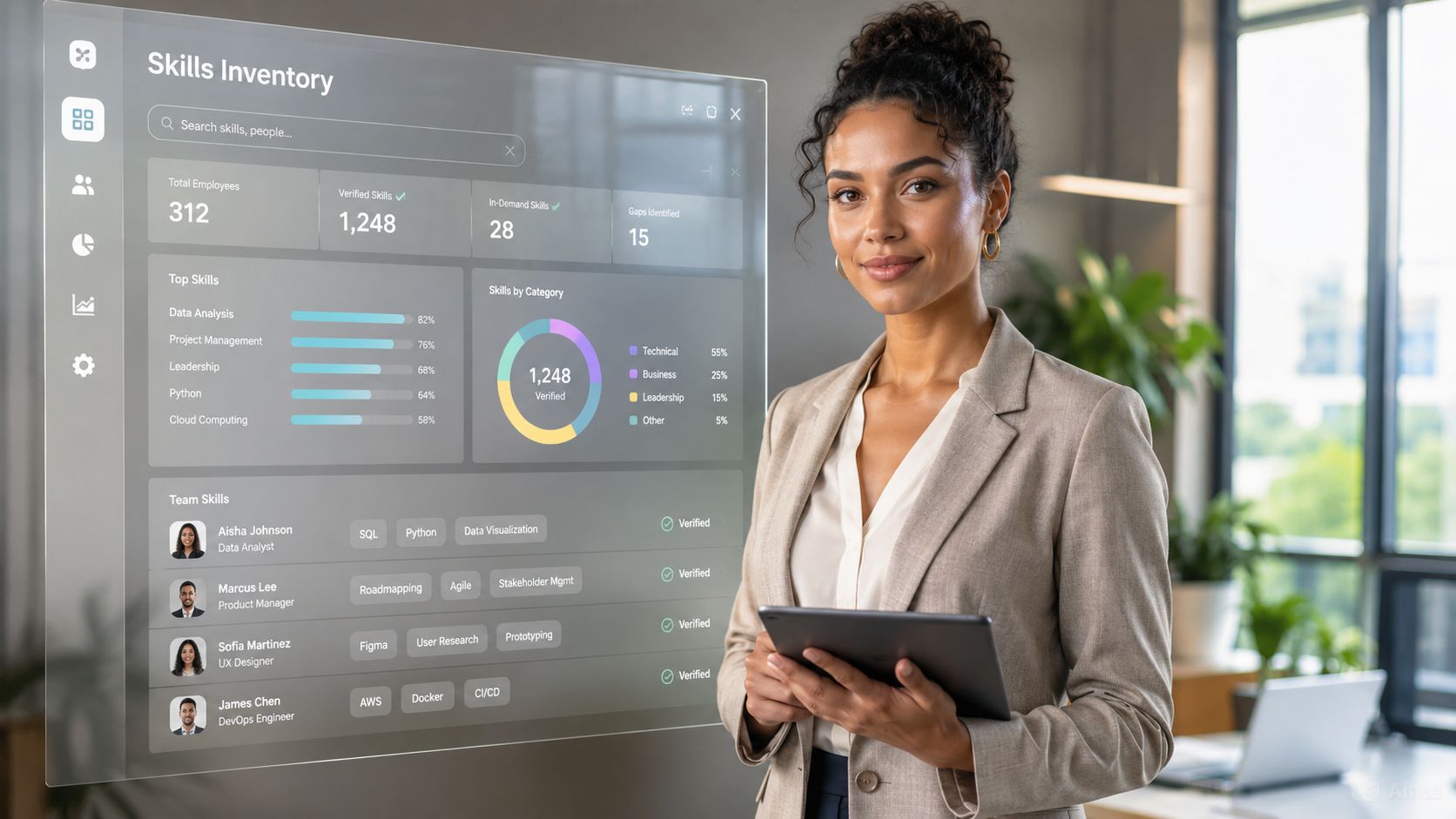
A skills inventory assessment is a structured process for identifying, validating, and tracking the capabilities employees use at work. It combines employee input with manager feedback, work outputs, certifications, learning records, and project data to create a verified skills profile. Organizations use the results to identify skills gaps, improve internal mobility, staff projects, plan succession, target learning, and connect workforce decisions to operational needs.
Key Takeaways
- A skills inventory records who has which capabilities, at what proficiency level, and with what evidence.
- The most reliable assessments combine self-assessment, manager validation, and objective work data.
- A skills matrix turns individual profiles into a view of organizational capability, risk, and capacity.
- Skills data becomes valuable when it informs staffing, learning, succession planning, communication, and frontline execution.
- In 2026, AI can help identify patterns and recommend actions, but people should retain judgment over high-impact decisions.
Why Skills Inventory Assessments Matter More Than Ever
A skills inventory assessment gives workforce leaders visibility into capabilities that job titles, resumes, and organizational charts often miss. That visibility helps organizations respond to technology changes, project demand, restructuring, succession risks, and internal mobility opportunities.
The assessment connects workforce experience to operational execution in several ways:
- Better communication: employees understand which skills matter and what development options are available.
- Better tools: HRIS, learning, project, and workforce systems can use a shared skills language.
- Better data: leaders can compare current capabilities with future business requirements.
- Better operations: managers can staff work, shifts, and projects using verified capabilities rather than assumptions.
- Better employee experience: people gain clearer paths to development, mobility, and meaningful work.
Hiring externally for every capability gap is often slow and expensive. A well-designed employee skills assessment can reveal adjacent talent already inside the organization, including capabilities held by frontline and deskless employees that may never appear in formal records.
Claims about specific productivity or retention gains should be treated carefully. Outcomes vary by industry, data quality, adoption, and how consistently leaders act on the results. The assessment itself does not create value; the decisions connected to it do.
What Is a Skills Inventory Assessment?
A skills inventory assessment is a structured record of employee capabilities, proficiency levels, evidence, recency, and development needs. It differs from a job description, competency model, or performance review.
| Tool or concept | Main purpose |
|---|---|
| Skills inventory | Records the skills employees currently possess |
| Skills matrix | Displays skills across people, teams, roles, or locations |
| Competency model | Defines the behaviors and capabilities expected in a role |
| Skills gap analysis | Compares current capability with required or future capability |
| Employee competency assessment | Evaluates an employee against defined role competencies |
| Workforce capability assessment | Examines capability at team, function, or organizational level |
| Skills mapping | Connects skills to roles, projects, learning, and career paths |
A competency model defines what a role requires. A skills inventory assessment records who has those capabilities, how confidently they can apply them, and what evidence supports the assessment.
Traditional vs. Modern Skills Inventory Assessment
The old way of tracking skills—static spreadsheets updated once a year during performance reviews—does not provide enough context for changing work. A modern approach uses multiple sources and connects results to decisions.
| Feature | Traditional Matrix | Modern 2026 Assessment |
|---|---|---|
| Data source | Manager self-reports and annual reviews | Self-assessment, manager review, peer input, project data, certifications, and learning records |
| Update frequency | Annually or semi-annually | Event-based and periodic updates, depending on business need |
| Granularity | Broad categories such as “Python: yes/no” | Proficiency, recency, context, evidence, and confidence |
| Gap analysis | Manual comparison with job requirements | Structured comparison with role profiles and workforce plans |
| Scalability | Difficult to maintain as the organization grows | Supported by integrations, shared taxonomies, and workflow automation |
| Bias risk | High when based on one person’s judgment | Reduced through triangulation, review, and clear evidence rules |
| Actionability | Static report | Input for learning, staffing, succession, mobility, and operations |
The shift is not simply about buying better software. It is about creating a reliable communication and decision system around workforce capability.
How to Conduct a Skills Inventory Assessment
A successful assessment starts with a business question, uses a focused skills framework, gathers evidence efficiently, validates important findings, and connects results to action.
Step 1: Define What You Are Measuring and Why
Before building an assessment, define the decision it needs to support. “We want to know everyone’s skills” is too broad and usually produces a bloated inventory.
Common objectives include:
- Preparing for a technology migration
- Building an internal talent marketplace
- Identifying succession risks
- Staffing projects or shifts more efficiently
- Planning for restructuring or mergers
- Understanding the impact of AI on roles and workflows
- Targeting learning and development investment
- Identifying capabilities that exist outside formal job titles
Your objective determines which skills to assess, how deeply to assess them, and who needs access to the data.
A frontline retail operation assessing customer service, scheduling, and safety capabilities needs a different approach from an engineering firm mapping cloud architecture, data engineering, and cybersecurity.
Practical recommendation: Begin with two or three critical capability areas. Expand after the first cycle demonstrates value.
Step 2: Choose a Skills Taxonomy and Proficiency Scale
A skills inventory is only useful when skill names and proficiency levels have consistent meanings. Start with an established framework such as O*NET, SFIA, or a relevant sector competency model, then adapt it to the organization.
Organize skills into practical groups:
- Foundational skills: communication, digital literacy, problem-solving, and collaboration
- Functional skills: financial modeling, UX research, customer support, data analysis, or equipment maintenance
- Technical skills: programming, cybersecurity, cloud architecture, automation, or systems administration
- Leadership skills: coaching, decision-making, workforce planning, and change leadership
- Operational skills: scheduling, safety, quality control, incident response, and process improvement
A Practical Five-Level Proficiency Scale
A five-point scale is usually sufficient if its descriptions are observable:
- Awareness: understands the concepts and needs guidance to apply them
- Developing: applies the skill with support in familiar situations
- Proficient: applies the skill independently in standard situations
- Advanced: handles complex or novel situations and can coach others
- Expert: shapes practice, solves difficult problems, and is recognized as an authority
Avoid vague labels. “Proficient in Python” is difficult to validate. “Can independently build and deploy production-ready Python scripts for data pipeline automation” is more specific and testable.
Step 3: Design the Data Collection Process
The collection experience affects both participation and data quality. Long forms, duplicate questions, and unclear explanations create friction, especially for frontline employees who may not work at a desk.
Keep the core survey short and use system integrations wherever possible. Employees should confirm or correct existing information rather than re-entering data that the organization already holds.
Use Multiple Sources of Evidence
Self-assessment is useful for identifying hidden skills, interests, and career goals, but it should not be the only source for high-impact decisions.
Use a combination of:
- Employee self-assessment: perceived proficiency, interests, aspirations, and context
- Manager validation: observed performance, role relevance, and readiness
- Peer input: collaboration, communication, and team-based behaviors
- Objective signals: certifications, completed learning, project assignments, work samples, tickets, quality measures, or approved deliverables
- System records: HRIS, LMS, project management, workforce management, and certification data
You do not need every source for every skill. Use deeper validation for capabilities linked to safety, regulated work, critical operations, succession, or major investment decisions.
Key insight: The best assessments feel like a conversation about capability and growth, not a test or hidden performance review.
Use a TurnOnWork Framework for Verified Collection
TurnOnWork’s editorial model recommends a three-source workflow:
- System extraction: collect objective records from HR, learning, certification, project, and operational systems.
- Employee confirmation: ask employees to verify, correct, or expand their profile.
- Manager validation: route disputed, outdated, or high-impact skills to managers for review.
The workflow should also record:
- Evidence source
- Date last demonstrated
- Context in which the skill was used
- Confidence level
- Validation status
- Development interest
- Relevant role or project
TurnOnWork framework rule: If a skill cannot be tied to evidence or confirmation, mark it as unverified, not assumed.
This matters in frontline and hybrid environments, where capability often appears in work output rather than formal credentials. A warehouse lead who resolves scheduling conflicts or a healthcare supervisor who manages a new workflow rollout may hold critical skills that never appear in an HR file.
Use an Evidence Hierarchy
| Evidence type | Best used for | Suggested confidence |
|---|---|---|
| System records | Training, certifications, role history | High, if current |
| Work outputs | Projects, tickets, deliverables, quality results | High |
| Manager validation | Context, application, and role fit | Medium to high |
| Peer input | Collaboration and observed behaviors | Medium |
| Self-assessment | Hidden skills, interests, and aspirations | Medium until validated |
For employee trust, tie the workflow directly to listening. Read our guide on employee listening strategy.
Step 4: Score, Validate, and Run a Skills Gap Analysis
Raw responses become useful only after they are checked, scored, and compared with business requirements.
Calculate a Composite Score Carefully
A composite score can combine multiple inputs, but the weights should reflect the reliability and purpose of each source. For example:
- Self-assessment: 30%
- Manager validation: 40%
- Objective signals: 30%
These are working assumptions, not universal benchmarks. Organizations should test the model against observed work and adjust it when one source is less reliable.
Record both the score and the evidence behind it. A single number without context can create false precision.
Identify Capability Gaps
A skills gap analysis compares current proficiency with the level required for a role, project, team, or future operating model.
Gap = Required level − Current level
Interpret the result in context:
- Critical gap: work cannot be performed safely or effectively without immediate action
- Development gap: current performance is adequate, but future requirements are not yet met
- Minor gap: useful improvement with limited near-term business impact
- Coverage risk: too few people possess the skill, even if the current level is adequate
- Recency risk: the skill was demonstrated too long ago to be treated as current
A one-level gap in a foundational skill is not equivalent to a two-level gap in a critical technical or safety capability. Business impact, urgency, availability of alternatives, and time to proficiency should guide prioritization.
Use a Skills Matrix to See Patterns
A skills matrix or employee skills matrix can reveal:
- Concentration risk: one or two people hold a critical skill
- Coverage gaps: a shift, location, or team lacks required capability
- Surplus areas: resources are concentrated in low-priority skills
- Hidden talent: employees possess relevant skills outside their current role
- Readiness pools: people are close to being ready for a role or project
- Recency problems: skills exist on paper but have not been used recently
Step 5: Integrate the Assessment With HR and Operations Technology
A skills inventory assessment that lives in isolation will not change workforce decisions. It should connect to the systems where staffing, learning, communication, and planning happen.
Key integration points include:
- HRIS: maintain skills alongside employee and role records
- LMS: recommend learning based on identified gaps
- ATS: compare internal capability with open-role requirements before external hiring
- Project and workforce management tools: match people to work, shifts, and assignments
- Talent marketplace: surface adjacent skills and development opportunities
- Succession planning tools: show readiness and development needs
- Internal communications platforms: explain changes, opportunities, and next steps to employees
Platforms such as TurnOn Work’s work graph illustrate the value of connecting skills with roles, projects, and career paths.
Govern Skills Data Transparently
Skills data can affect staffing, development, mobility, and perceptions of career opportunity. Employees should know:
- Who can view individual and aggregated results
- How the information will be used
- Whether it affects performance, compensation, or promotion
- How to correct or dispute an entry
- How long records are retained
- Which decisions require human review
Transparent communication is part of the employee experience. If people believe the assessment is a backdoor performance evaluation, they may inflate or conceal information and the resulting data will be less useful.
Step 6: Operationalize the Results
The assessment is not the outcome. The outcome is better action.
Immediate Actions in the First 30 Days
- Address critical gaps through targeted learning, contractors, cross-training, or team redesign.
- Activate internal mobility by matching adjacent skills to open roles and projects.
- Update succession plans for critical roles.
- Give managers a concise view of team capability and coverage risk.
- Communicate to employees what the findings mean and what opportunities follow.
Ongoing Practices
- Refresh critical operational skills quarterly or after major work events.
- Update broader profiles after promotions, certifications, major projects, or role changes.
- Tie learning budgets to validated capability gaps.
- Include skills data in workforce planning, organizational design, and integration analysis.
- Track whether employees actually receive assignments, development, and mobility opportunities.
- Review the taxonomy when technology, processes, or customer requirements change.
For M&A and restructuring, current capability data should inform both pre-change planning and post-change execution. Relevant workforce integration analysis can help leaders connect skills planning with integration decisions.
How Should Organizations Apply Skills Inventory Results?
Skills inventory results should guide redeployment, retraining, recruiting, learning, succession, and operational planning. The right action depends on the size, urgency, and strategic importance of each gap.
Match Skills to Real Work
The highest-impact use of a skills matrix is comparing verified capability with actual demand: client projects, plant shifts, technology rollouts, leadership vacancies, or service priorities.
For example, a retail organization may discover that store supervisors already have scheduling, coaching, and conflict-resolution skills relevant to regional support roles. A healthcare system may identify charge nurses with workflow improvement experience who can contribute to implementation projects.
These matches work best when managers search for transferable capabilities rather than exact job-title matches.
Use Skills Data for Internal Mobility
Internal mobility improves when employees can be matched to adjacent skills, not only perfect qualifications.
A practical workflow is:
- Rank roles, projects, or shifts by urgency and business impact.
- Identify employees with proven or transferable skills.
- Separate ready-now candidates from near matches.
- Create short development plans for near matches.
- Give employees visibility into opportunities and requirements.
- Track fill rate, time to productivity, employee experience, and manager satisfaction.
Clear communication is essential when introducing new workforce programs. Employee communication platforms help organizations explain changes, share development opportunities, and keep employees aligned throughout transformation initiatives.
Connect Results to Succession Planning
Skills data is a stronger succession input than tenure alone because it shows whether a potential successor has demonstrated the capabilities required for the role.
Use the inventory to identify:
- Ready-now successors
- Candidates who need targeted development
- Critical skills with no successor coverage
- Experience gaps that require stretch assignments
- Roles vulnerable to the loss of one employee
For a practical approach, see building a practical succession planning framework.
Apply the 3R Skills Action Check
The 3R Skills Action Check is a TurnOnWork editorial model, not an established industry standard:
- Redeploy: move people who already have relevant or adjacent verified skills.
- Retrain: develop people with promising but incomplete capability.
- Recruit: hire externally when the gap is too wide, urgent, regulated, or strategically specialized to bridge internally.
The model prevents organizations from treating every gap as a recruiting problem. It also keeps learning and development connected to operational needs instead of generic course consumption.
Common Skills Inventory Assessment Mistakes
The most common failures involve scope, trust, evidence, governance, and follow-through.
- Over-engineering the first version: begin with a focused set of skills rather than a 200-skill taxonomy.
- Treating the project as HR-only: business leaders and operational managers must use the results.
- Relying exclusively on self-assessment: self-reported data needs validation for important decisions.
- Using unclear proficiency definitions: behavioral descriptions are more reliable than vague labels.
- Ignoring frontline employees: offer mobile-friendly, accessible methods and recognize informal work evidence.
- Collecting data without acting: visible follow-through is essential to future participation.
- Failing to communicate purpose: employees need plain-language explanations before completing the assessment.
- Leaving the taxonomy unchanged: new technology, AI-enabled work, and process changes can make skill labels stale.
- Automating high-impact decisions: AI can identify patterns, but people should review consequential recommendations.
- Neglecting privacy and access controls: unclear governance damages trust and may create compliance risk.
For a broader perspective on the consequences of disconnected employee systems and poor data practices, see our guide to workforce experience debt.
How Often Should You Reassess Skills?
Most organizations should combine a regular refresh cycle with event-based updates. A full inventory may be reviewed once or twice a year, while critical operational and technical skills may need quarterly checks.
Trigger an update after:
- A promotion or role change
- A new certification or completed learning pathway
- A major project
- A technology or process rollout
- A merger, acquisition, or restructuring
- A significant change in customer or regulatory requirements
- A period of extended non-use for a critical skill
The appropriate cadence depends on how quickly skills change, how consequential errors are, and how often the organization makes staffing decisions from the data.
How Do You Validate Self-Reported Skills?
Self-reported skills are a starting point, not a final verdict. Compare employee input with completed training, certifications, work products, project history, manager observations, and relevant operational records.
A practical validation process is:
- Ask the employee to describe recent use of the skill.
- Check available evidence and its recency.
- Request manager or peer confirmation where appropriate.
- Mark unsupported claims as unverified rather than deleting them.
- Give the employee a way to correct inaccurate information.
- Use discrepancies as development signals, not automatic performance labels.
The objective is a trustworthy profile, not a system designed to catch people out.
What Is a Reasonable Completion and Data-Quality Target?
There is no universal completion benchmark that applies to every organization. Completion goals should reflect the purpose of the assessment, the employee population, and whether results will support high-impact decisions.
Instead of relying only on a percentage, monitor:
- Completion by team, location, shift, and role
- Percentage of profiles with recent evidence
- Percentage of critical skills validated
- Number of disputed or unverified entries
- Time required to complete the assessment
- Number of staffing or development decisions influenced by the data
If participation is low, inspect the experience before sending more reminders. Duplicate fields, poor mobile access, unclear language, and weak communication often create more friction than a lack of motivation.
How Should You Handle Sensitive Skill Gaps?
Treat skill gaps as capability and development information, not as permanent labels. Explain the business purpose, restrict access to those who need it, and clarify how the data will and will not be used.
Good practices include:
- Limit individual visibility by role and business need.
- Use aggregated reporting where individual identification is unnecessary.
- Let employees review, correct, and update their profiles.
- Separate development conversations from disciplinary processes.
- Explain how gaps will lead to training, coaching, redeployment, or support.
- Require human review before consequential staffing or career decisions.
- Document retention, access, and deletion practices.
The safest skills program is one people trust enough to answer honestly.
Hard Skills Versus Soft Skills
Hard and soft skills require different forms of evidence.
For hard skills, use certifications, completed coursework, system output, work samples, quality records, and observed task performance. Check recency because technical proficiency can decline when a skill is not used.
For soft skills—such as communication, collaboration, coaching, and decision-making—self-ratings are not enough. Combine manager observations, peer feedback, behavioral examples, and outcomes. Avoid treating personality traits as skills unless they are defined through observable workplace behaviors.
The same principle applies to AI-related capabilities in 2026. An employee’s completion of an AI course does not necessarily demonstrate effective or responsible application. Assess how the person uses AI in context, including judgment, verification, privacy awareness, communication, and workflow impact.
What Are the 2026 Considerations for AI and Skills Data?
In 2026, AI can help organizations classify skills, identify relationships between roles, detect outdated profiles, summarize evidence, and recommend learning or internal opportunities. These uses can reduce administrative effort, but they do not eliminate the need for human judgment.
Use AI carefully:
- Keep a human reviewer in the loop for high-impact recommendations.
- Show the evidence behind a suggested skill or match.
- Give employees a way to challenge or correct AI-generated inferences.
- Avoid inferring sensitive characteristics or capabilities from weak signals.
- Audit recommendations for unequal effects across groups.
- Record when data was last refreshed.
- Separate skill similarity from actual readiness.
The best AI-supported skills inventory improves communication and reduces friction. It should help managers and employees make better decisions, not turn workforce data into opaque surveillance.
Getting Started: A Realistic Timeline
For a mid-sized organization of roughly 500 to 2,000 employees, a focused skills inventory assessment can follow this 12-week plan:
- Weeks 1–2: Define the business objective, secure an executive sponsor, and select capability areas.
- Weeks 3–4: Build or customize the taxonomy and proficiency scale.
- Weeks 5–6: Design the survey, configure integrations, and pilot with a representative group.
- Weeks 7–8: Roll out the assessment with a communication campaign and manager support.
- Weeks 9–10: Validate data, calculate scores, and conduct the skills gap analysis.
- Weeks 11–12: Present findings, agree on actions, and connect results to HR and operations workflows.
The timeline will vary by data maturity, employee population, integration requirements, and governance needs. The goal is not to produce a perfect inventory before acting. It is to create a reliable first version, use it in real decisions, and improve it through each refresh cycle.
Once the first audit is complete, update the taxonomy, fix the most obvious gaps, assign owners, and connect the results to workforce planning. Otherwise, the organization has created another spreadsheet rather than a working capability system.
Skills Inventory Assessment FAQs
What is the difference between a skills inventory and a skills assessment?
A skills inventory records the capabilities employees have, while a skills assessment evaluates the level or quality of those capabilities. Organizations commonly use both together: the assessment provides evidence and proficiency ratings, and the inventory stores the resulting skills profile.
How do I create an employee skills matrix?
Define the skills and proficiency levels, list employees or roles, collect evidence from multiple sources, validate important entries, and display the results in a matrix. Include recency, confidence, validation status, and business criticality so the matrix supports decisions rather than showing simple yes-or-no skills.
What should a skills inventory template include?
A useful skills inventory template should include:
- Employee or role identifier
- Skill name and skill category
- Required proficiency
- Current proficiency
- Evidence source
- Date last demonstrated
- Validation status
- Development interest
- Business criticality
- Recommended next action
How does a skills inventory support skills gap analysis?
It supports skills gap analysis by comparing current employee or team proficiency with the capability required for a role, project, or future operating model. The comparison helps leaders prioritize critical gaps, coverage risks, development needs, and decisions about redeployment or recruitment.
How can frontline employees participate in a skills inventory assessment?
Use mobile-friendly forms, plain-language skill descriptions, short completion times, manager or team-based support, and evidence from operational systems. Include informal capabilities that appear in daily work, such as scheduling, troubleshooting, coaching, safety leadership, and customer resolution.
Can AI complete an employee skills assessment?
AI can help organize evidence, suggest skill matches, identify outdated records, and recommend development options. It should not make final decisions about readiness, promotion, staffing, or performance without transparent evidence and human review.