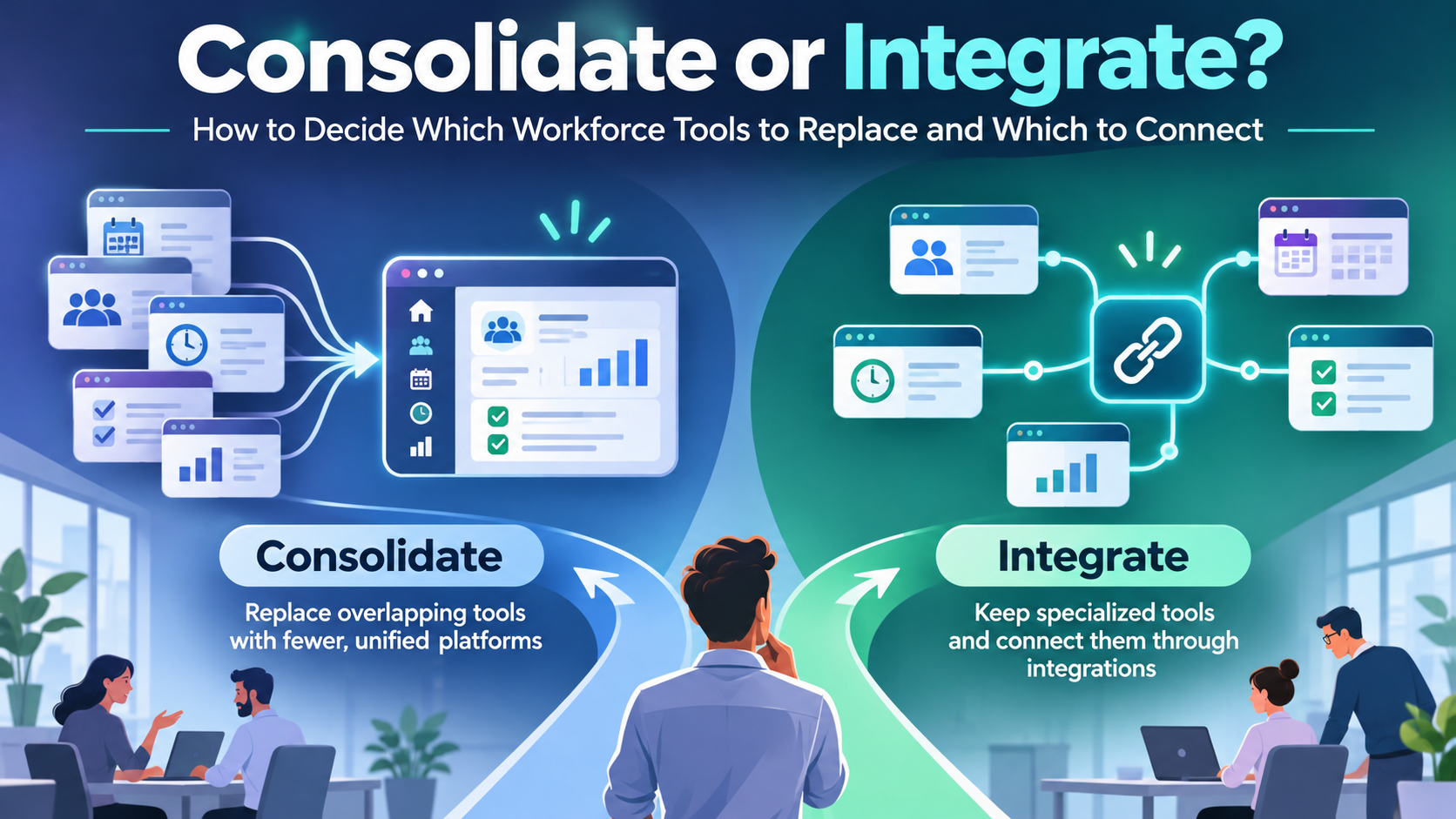
Workforce tool consolidation makes sense when applications duplicate functionality, increase costs, or complicate everyday work. Integration is usually the better choice when existing systems provide valuable specialized capabilities but need to exchange data or support connected workflows.
For most organizations, the right approach combines both strategies: consolidate overlapping applications, integrate systems that still deliver value, and retire software that no longer meets operational requirements.
The goal is not simply to reduce the number of subscriptions. It is to help employees complete important tasks more efficiently while maintaining reliable data, appropriate security, and business continuity.
This guide explains how to evaluate workforce technology using application overlap, employee experience, integration requirements, total cost of ownership, security, and implementation risk.
Workforce Tool Consolidation vs Integration: What’s the Difference?
Workforce tool consolidation means reducing the number of applications by moving overlapping capabilities into fewer platforms.
For example, an organization might replace separate employee announcement, recognition, survey, and intranet tools with a platform that supports those activities together.
Workforce tool integration means connecting existing applications through APIs, middleware, identity services, vendor-supported connectors, or other approved methods.
For example, a business might connect its human resource information system (HRIS) to an employee communication platform so that employee records, departments, and locations remain synchronized.
Both approaches aim to reduce operational friction. The difference is whether the organization removes applications or improves the connections between them.
Consolidation vs Integration: Key Differences
| Evaluation factor | Consolidation | Integration |
|---|---|---|
| Primary objective | Reduce overlapping applications | Connect existing applications |
| Number of tools | Usually decreases | May remain unchanged |
| Initial investment | Migration, configuration, and change management | Connectors, configuration, testing, and development |
| Employee experience | Can reduce application switching | Can connect workflows while retaining existing tools |
| Specialized functionality | May be lost if a replacement lacks important features | Can be preserved |
| Data management | May reduce duplicated storage and synchronization | Requires clear data ownership and mapping |
| Security | May reduce independently managed systems | Adds interfaces, credentials, and data flows to secure |
| Vendor dependency | Can increase reliance on fewer providers | Can spread dependencies across vendors |
| Main implementation risk | Migration problems and workflow disruption | Integration failures and data synchronization errors |
| Long-term costs | Fewer subscriptions, potentially higher platform fees | Existing licenses plus integration maintenance |
Neither option automatically delivers lower costs or better security.
A consolidated platform may still be expensive, difficult to configure, or unsuitable for specialized tasks. An integrated environment can remain manageable when its connections are supported, documented, monitored, and maintained.
The objective is to eliminate unnecessary complexity without sacrificing capabilities that employees and operations depend on.
Why Workforce Technology Fragmentation Matters
Organizations rarely set out to create fragmented technology environments.
An HR department adopts a survey platform. Operations purchases scheduling software. Internal communications introduces an employee messaging application. Another department implements a knowledge management system.
Each decision may address a legitimate business need. Over time, however, the organization can accumulate applications that handle similar information or require employees to complete disconnected tasks.
The operational costs of fragmented systems
The consequences extend beyond software subscriptions.
- Repeated data entry: Administrators update employee information across multiple systems.
- Inconsistent records: Job titles, departments, locations, and employment statuses differ between applications.
- Delayed onboarding: New employees wait for access to several platforms.
- Access-control gaps: Former employees may retain permissions when deprovisioning processes are disconnected.
- Communication overload: Important updates appear across competing channels.
- Reporting delays: Teams reconcile information from different sources before creating reports.
- Increased support requirements: Employees encounter more login problems and confusing workflows.
Frontline employees may face additional difficulties.
Consider a warehouse worker who needs to check tomorrow’s schedule, acknowledge a safety announcement, locate a training document, and contact a supervisor.
If each task requires a separate application, the employee must navigate multiple systems during a shift. Even when every application works correctly, the overall experience may remain inefficient.
For a more detailed assessment of overlap, licensing, and employee access, see TurnOnWork’s guide to auditing a frontline technology stack.
Which Workforce Tools Should You Consolidate, Integrate, or Replace?
Begin by understanding the operational role of each application.
Systems responsible for authoritative payroll, employment, scheduling, safety, or compliance records may justify remaining specialized.
Applications providing overlapping communication, content access, engagement, or administrative functions may offer greater consolidation opportunities.
The following recommendations are starting points rather than universal rules.
| Workforce system | Typical starting approach | Main consideration |
|---|---|---|
| Core HRIS or HCM | Retain and integrate | Often maintains authoritative employee records |
| Payroll | Retain and integrate | Country-specific calculations, controls, and reporting |
| Applicant tracking system (ATS) | Integrate with HRIS | Supports candidate-to-employee transitions |
| Workforce scheduling | Retain or replace after assessment | Complex staffing rules may require specialized software |
| Time and attendance | Integrate or consolidate selectively | Accuracy, payroll dependencies, and operational complexity |
| Employee communication | Evaluate consolidation | Overlapping communication channels can create confusion |
| Employee recognition | Evaluate consolidation | May overlap with broader engagement platforms |
| Employee surveys | Consolidate selectively | Advanced research requirements may justify separate tools |
| Employee intranet | Consolidate or connect | Depends on access requirements and content governance |
| Learning management system (LMS) | Often retain and integrate | Training, certification, and reporting requirements |
| Safety and incident management | Usually retain specialized records | Auditability and operational controls can be critical |
| AI and analytics tools | Integrate selectively | Depends on reliable data, permissions, and measurable value |
A manufacturing company, for example, might retain its scheduling, payroll, and safety systems while consolidating employee announcements, recognition, and policy access.
A business using two nearly identical employee survey tools might retire one rather than pay to integrate both.
The correct decision depends on functionality, usage, operational requirements, and risk—not the software category alone.
How to Decide Which Workforce Tools to Replace and Which to Connect
A reliable evaluation begins with employee workflows and evidence of how applications are actually used.
Two systems may appear redundant in a technology inventory while supporting different operational requirements.
Conversely, a specialized application may no longer justify its cost if employees rarely use it or another suitable platform already provides the same capabilities.
Step 1: Inventory your workforce applications
Create a register covering significant workforce-related applications.
For each application, document:
- Application name and business owner.
- Primary purpose and supported workflows.
- Subscription, support, and administration costs.
- Eligible and active users.
- Employee groups and locations served.
- Existing integrations and exchanged data.
- Authoritative sources for important records.
- Security and compliance requirements.
- Contract renewal and termination conditions.
- Known employee, manager, and administrator problems.
Review application usage alongside licensing costs.
A relatively inexpensive tool may create considerable operational expense through manual administration. A higher-cost specialized application may be worth retaining if replacing it would disrupt essential operations.
Step 2: Identify overlapping capabilities
Compare applications by what they actually do, rather than how vendors categorize them.
Common areas of overlap include employee announcements, messaging, document storage, forms, surveys, knowledge search, task notifications, and reporting.
For each overlapping capability, determine whether the same employees use both applications and whether either system can adequately support the other’s important workflows.
Shared features do not necessarily make two applications interchangeable.
For example, two platforms may both provide messaging, but one may support stronger location targeting, escalation procedures, multilingual communication, or retention requirements.
A replacement must meet the requirements of the actual workflow, including its exceptions.
Step 3: Establish a source of truth for each data type
Before consolidating or connecting applications, decide which system owns each important record.
| Information | Potential authoritative system |
|---|---|
| Employee ID and employment status | HRIS |
| Payroll calculations and pay history | Payroll |
| Assigned shifts and attendance | Workforce management |
| Recruitment status | ATS |
| Required training completion | LMS |
| Approved workplace policies | Controlled document or knowledge repository |
| Communication engagement | Employee communication platform |
These are examples, not a prescribed architecture.
Organizations should document which application creates each record, which applications may read it, and which are authorized to modify it.
Allowing multiple systems to update the same information without defined ownership can produce conflicting records and unreliable synchronization.
Step 4: Identify replacement warning signs
Replacement deserves serious consideration when an application:
- Cannot meet essential security, legal, or operational requirements.
- Is inadequately supported by its vendor.
- Causes recurring problems that cannot be corrected economically.
- Depends on fragile manual processes or unsupported integrations.
- Duplicates capabilities available in another suitable platform.
- Cannot support expected organizational or geographic changes.
- Has become disproportionately expensive relative to its value.
Age alone is not a sufficient reason to replace software.
A stable legacy system with appropriate support, reliable integrations, and adequate controls may remain valuable.
Step 5: Compare viable options consistently
Once the organization understands application usage, data ownership, risks, and costs, it can compare consolidation and integration options using a consistent framework.
Mandatory requirements should be evaluated before financial or convenience scores.
A cheaper solution is not acceptable if it cannot meet critical payroll, safety, privacy, or operational needs.
The TurnOnWork Replace-or-Connect Decision Model
TurnOnWork’s Replace-or-Connect Decision Model is an editorial decision framework for comparing workforce software consolidation and integration.
It is not an established industry standard or a statistically validated scoring system.
The framework uses two stages: mandatory risk checks followed by a weighted comparison of viable options.
Stage 1: Apply mandatory risk checks
Before calculating a score, determine whether either option has an unresolved blocker.
Examples include:
- Failure to satisfy applicable legal or contractual requirements.
- Inadequate security controls for sensitive workforce information.
- Missing functionality needed for critical payroll, safety, or operational processes.
- No feasible migration, recovery, or rollback plan.
- Dependence on unsupported integration methods.
- Inability to meet essential availability or accessibility requirements.
An option that fails a mandatory requirement should not be selected because it receives an attractive financial score.
Stage 2: Score the viable options
Rate each option from 1 to 5, where 1 indicates poor performance and 5 indicates strong performance.
| Decision criterion | Weight | What to evaluate |
|---|---|---|
| Employee and operational experience | 25% | Can workers complete essential tasks reliably and easily? |
| Three-year total cost of ownership | 25% | What are the implementation and ongoing costs? |
| Security and data governance | 20% | Can the option meet privacy, access, and audit requirements? |
| Maintainability and scalability | 15% | Can the organization support future changes? |
| Transition and continuity risk | 15% | How safely can the change be implemented? |
| Total | 100% |
Calculate the result using:
Weighted score = Σ (criterion rating × criterion weight)
With percentage weights expressed as decimals, the final score falls between 1 and 5.
The weights are illustrative and should be adjusted to reflect organizational priorities. The same weights must be applied to both options.
Example: Replace or integrate a scheduling application?
Consider a hypothetical retailer operating multiple stores across India.
Its scheduling application works reliably, but it is not connected to the employee communication platform.
Managers manually distribute schedule updates, creating delays and unnecessary administrative work.
The business is considering replacing the scheduling application or connecting it to the existing employee platform.
| Criterion | Weight | Replace | Integrate |
|---|---|---|---|
| Employee and operational experience | 25% | 4 | 4 |
| Three-year cost | 25% | 3 | 4 |
| Security and data governance | 20% | 4 | 4 |
| Maintainability and scalability | 15% | 4 | 3 |
| Transition and continuity risk | 15% | 2 | 5 |
| Weighted result | 100% | 3.45/5 | 4.00/5 |
These are hypothetical editorial ratings used to demonstrate the framework. They are not measured outcomes.
Integration scores higher because it preserves a functioning scheduling system while avoiding the immediate risks of a full migration.
However, the technology team must still validate the integration’s technical feasibility, ongoing maintenance requirements, and limitations.
The scorecard supports a documented decision. It does not replace technical due diligence, financial analysis, or management judgment.
How to use the results
A small difference in scores should not automatically determine the outcome.
Review which assumptions most influence the result.
For example, if an integration depends on an expensive custom connector, its maintainability and cost ratings may decline.
If a replacement platform cannot support an important scheduling exception, it may fail a mandatory requirement regardless of its overall score.
A useful next step is to test how the decision changes when cost estimates, implementation risk, or employee experience scores vary.
This prevents uncertain assumptions from appearing more precise than they actually are.
What Consolidation Means for Employee Experience
Successful workforce technology modernization should reduce the effort required to complete work, not simply the number of systems IT manages.
This distinction is particularly important for frontline and deskless employees.
Consider a hospitality employee who needs to review tomorrow’s shift, read a policy update, acknowledge training, and request leave.
The organization has two possible approaches.
Full platform replacement: Move these functions into one workforce application, provided that it adequately supports scheduling, training, communication, and leave requirements.
Connected employee experience: Retain specialized systems but provide a common employee-facing entry point for information and approved workflows.
The second approach may simplify the experience without requiring every backend application to be replaced.
However, a unified homepage is not necessarily a unified workflow.
If employees must repeatedly authenticate, open separate applications, or reenter information, meaningful friction may remain.
Test real employee workflows
Before choosing an approach, evaluate whether employees can:
- Access essential tools without a corporate email address, where applicable.
- Use approved authentication methods on available devices.
- Find current information relevant to their role and location.
- Complete common tasks without unnecessary application switching.
- Work under realistic connectivity conditions.
- Receive urgent communications separately from routine updates.
- Obtain support when access or workflow problems occur.
Test these scenarios with representative employee groups, including frontline workers, managers, temporary workers, and administrators where relevant.
Measure successful task completion rather than relying solely on application downloads or login counts.
TurnOnWork’s analysis of employee app adoption in 2026 explains why registration, active usage, communication reach, and employee outcomes should be treated as separate measures.
Workforce Platforms That Can Help Consolidate or Connect Employee-Facing Tools
Employee experience platforms can simplify communication, knowledge access, and selected workforce workflows.
They are not automatically substitutes for payroll engines, specialized scheduling systems, or complete HR platforms.
The following comparison is based on publicly documented capabilities, not hands-on product testing or a performance ranking.
Each platform addresses a somewhat different part of the employee experience.
1. HubEngage
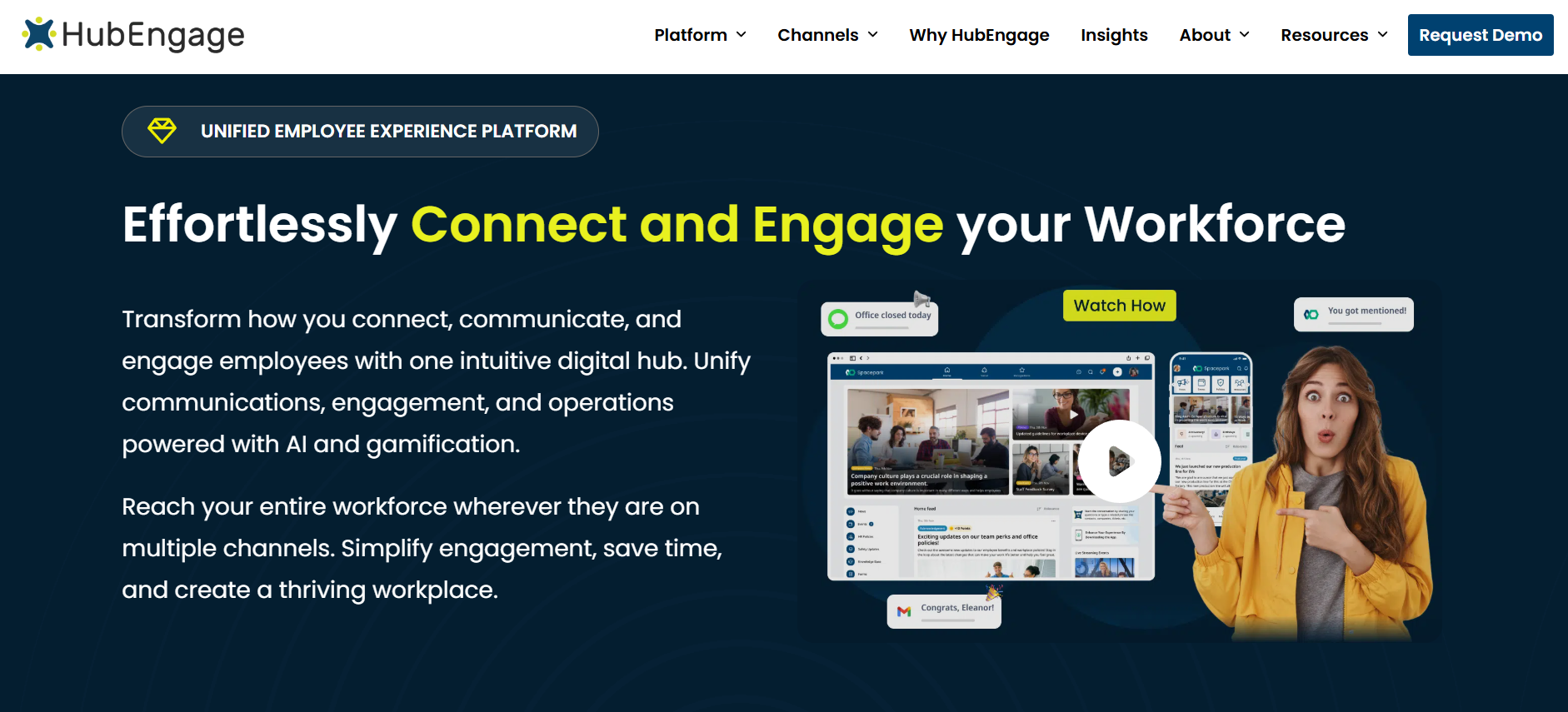
HubEngage brings together employee communications, recognition, surveys, mobile access, and intranet-related functionality.
Its published integration capabilities include SAML 2.0 authentication, employee data synchronization through supported APIs or secure file transfers, Microsoft Teams connections, and SharePoint content integration.
Where it may fit: Organizations seeking to consolidate employee communication and engagement tools while retaining existing HR, payroll, and operational systems.
Important considerations: Buyers should confirm the exact HR data fields, synchronization frequency, supported authentication methods, and implementation requirements. Broad integration support does not mean every desired workflow is available as a ready-made connector.
2. Staffbase
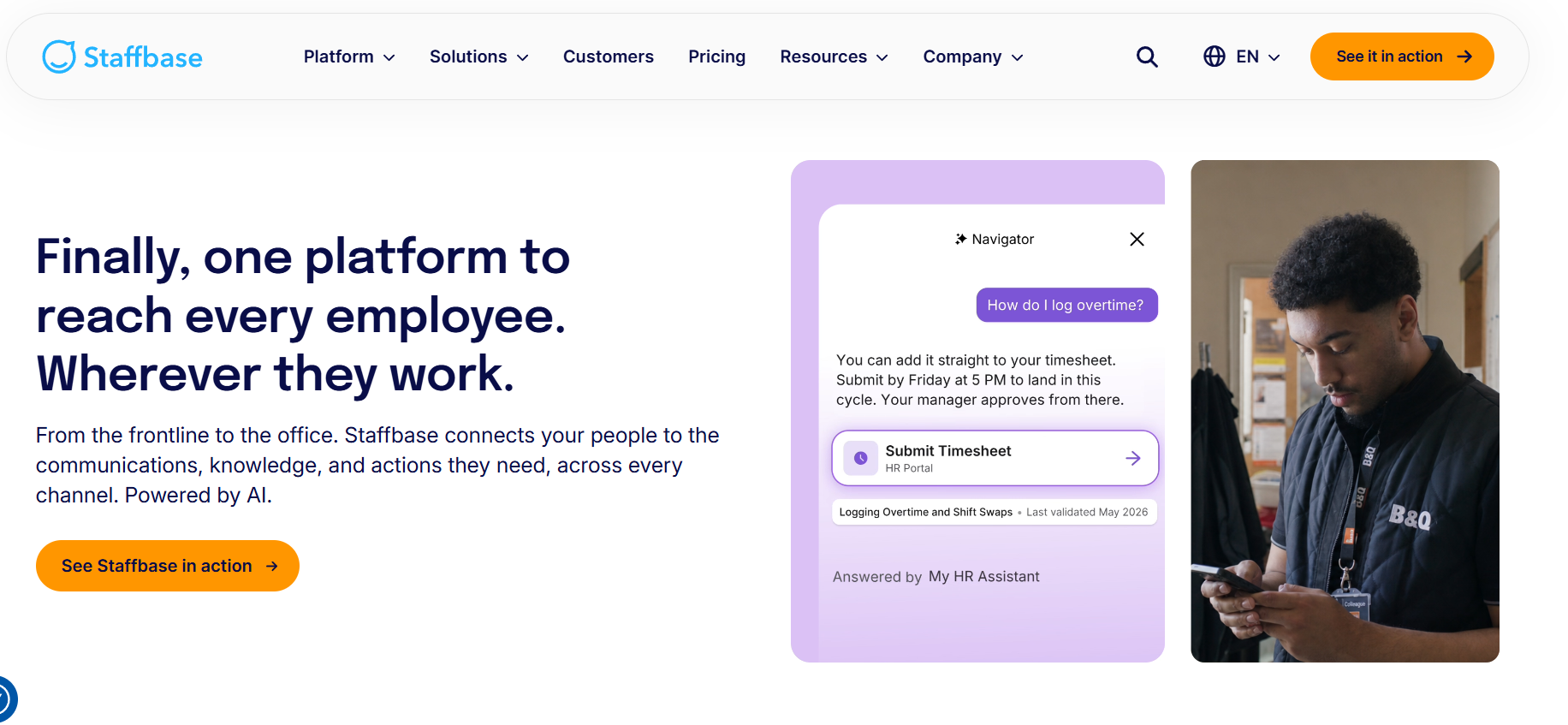
Staffbase focuses on employee communications through its employee app, intranet, and related communication channels.
Its documented HR integrations include Workday and SAP SuccessFactors, using Merge as the integration layer. Supported employee-facing functions include access to certain HR information, such as payslips and absence-related information, through the app or intranet.
Where it may fit: Enterprises that use established HR platforms and want to make selected workforce information accessible within a consistent employee communication experience.
Important considerations: Buyers should establish which HR functions are available in their configuration, what permissions are required, and whether additional workflows need separate development or licensing. An HR information widget should not be assumed to replace full HR transaction processing.
3. Blink
Blink provides a frontline employee application combining workplace updates, communication, resources, and access to operational tools.
Its documented Workday user provisioning integration can import users and reflect employee profile changes, joiners, and leavers.
The documented provisioning flow is one-way, from Workday to Blink. It does not write employee changes back to Workday.
Where it may fit: Organizations prioritizing accessible workplace communication and employee identity management while keeping separate HR and scheduling applications.
Important considerations: Buyers should validate login options for employees without corporate email addresses, identity configuration, provisioning behavior, and the difference between embedded workflows and links that open other systems.
4. Beekeeper
Beekeeper focuses on frontline communication and operational coordination.
Its documented marketplace user-management integrations support employee synchronization with HR systems including Workday, UKG Pro, and SAP SuccessFactors.
The documented user-management process can create, update, activate, or suspend employee accounts based on source information. It does not modify the underlying HR system.
Where it may fit: Businesses with distributed frontline workforces that need more consistent access, communication, and employee lifecycle management.
Important considerations: Buyers should check connector direction, supported data fields, synchronization frequency, available operational workflows, and any additional implementation requirements.
5. Microsoft Viva Connections
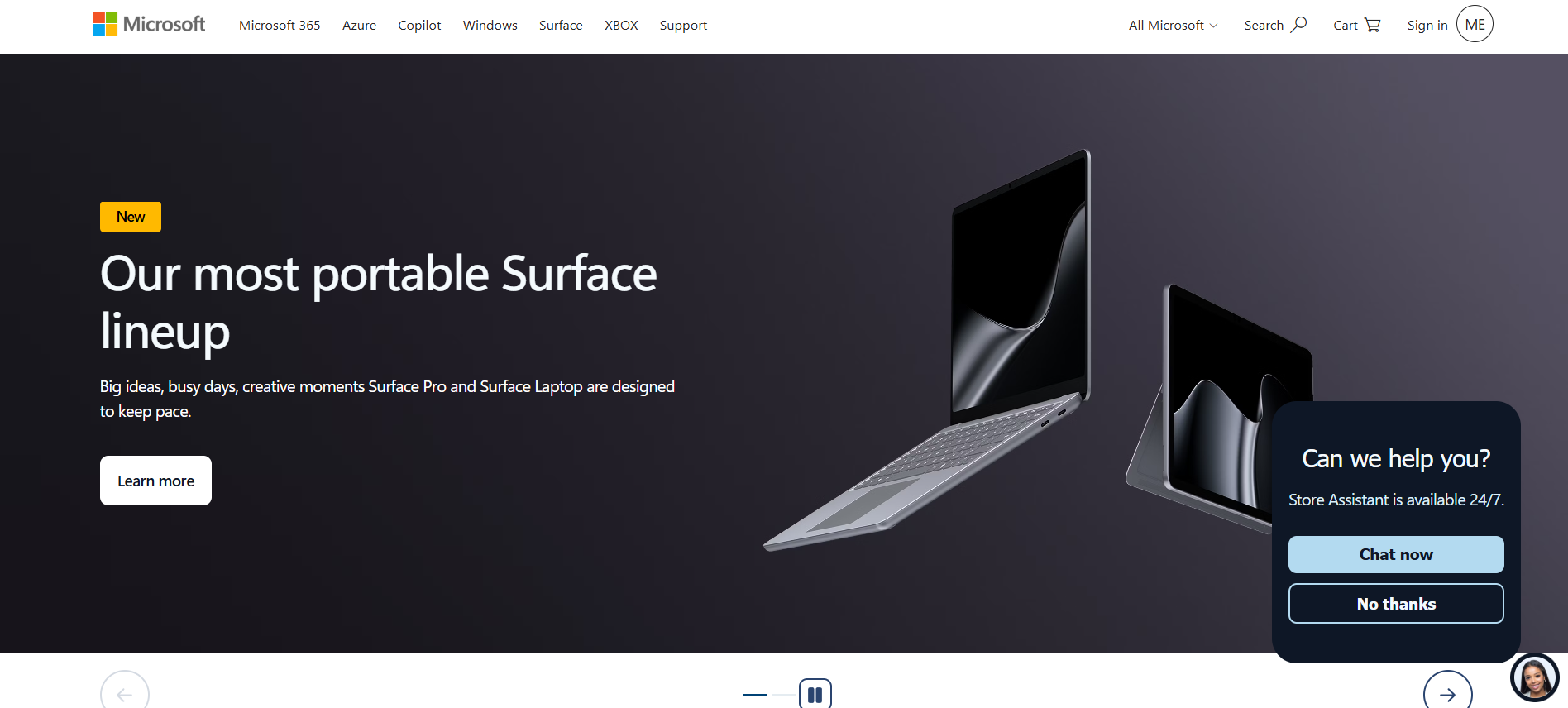
Microsoft Viva Connections provides a branded employee experience within Microsoft’s workplace ecosystem.
It brings together company news, resources, personalized content, and dashboard-based access to applications and tasks.
Where it may fit: Organizations already using Microsoft Teams, SharePoint, and Microsoft 365 that want a more consistent employee entry point.
Important considerations: Buyers should confirm licensing, frontline access, mobile usability, and the integration work required for third-party applications. A centralized dashboard does not automatically provide complete workflow integration across external systems.
How should organizations compare the platforms?
The five examples should be evaluated against the same business requirements.
| Requirement | Questions to ask |
|---|---|
| Employee access | Can workers without company email addresses access the platform securely? |
| HRIS integration | Which systems, fields, and synchronization methods are supported? |
| Communication | Can information be targeted by location, department, or role? |
| Workflow execution | Can employees complete tasks or only open other applications? |
| Identity management | Which SSO, provisioning, and deprovisioning options are available? |
| Data governance | How are permissions, retention, audit logs, and exports controlled? |
| Implementation | What requires custom development or professional services? |
| Commercial terms | Which features, integrations, and support services are included? |
A useful vendor demonstration should reproduce the organization’s actual employee workflows using representative configurations and data.
Do not assume that a published integration is included in every subscription or supports every data operation.
Vendor documentation establishes what a provider describes as available; contractual scope and implementation feasibility still need to be confirmed.
How Much Does Workforce Technology Consolidation or Integration Cost?
There is no reliable universal price for workforce software integration or consolidation.
Costs vary according to existing systems, connector availability, data quality, transaction volumes, security requirements, workflow complexity, and support arrangements.
A standard vendor-supported connector may involve relatively little development. A custom integration involving legacy payroll systems, complex business rules, or multiple geographic locations can require substantially more work.
The correct comparison is total cost of ownership, not subscription fees alone.
What should total cost of ownership include?
One-time costs
- Implementation and connector development.
- Data cleaning, mapping, and migration.
- Security assessment and testing.
- Workflow redesign.
- Employee and administrator training.
- External implementation services.
- Contract termination and transition costs.
Ongoing costs
- Software subscriptions.
- Integration platform or middleware charges.
- API usage and infrastructure costs.
- Monitoring, maintenance, and incident response.
- Vendor support.
- Security and compliance reviews.
- Employee help desk support.
- Future modifications when systems or requirements change.
Where relevant, also account for internal personnel time, temporary parallel operation, and expected disruption during migration.
Three-year cost comparison: Illustrative example
Suppose an organization is comparing consolidation and integration for its employee-facing technology environment.
| Cost assumption | Consolidation | Integration |
|---|---|---|
| One-time implementation and transition | ₹18 lakh | ₹8 lakh |
| Annual software subscriptions | ₹8 lakh | ₹12 lakh |
| Annual support and maintenance | ₹2 lakh | ₹3 lakh |
| Three-year estimated total | ₹48 lakh | ₹53 lakh |
All figures are hypothetical and provided only to demonstrate a cost comparison. They are not vendor quotations, market averages, or verified implementation benchmarks. The example assumes three years of operating costs and excludes taxes, financing, discounting, and unmodeled business disruption.
Under these assumptions, consolidation costs ₹5 lakh less over three years.
It also requires ₹10 lakh more upfront. Its annual operating cost is ₹5 lakh lower, producing a simple two-year break-even point before discounting and risk adjustments.
However, that calculation assumes both options can deliver the required functionality.
If replacement causes significant downtime, additional training costs, payroll errors, or operational delays, its financial advantage could disappear.
Similarly, integration costs may increase if APIs change, middleware charges rise, or custom connections require frequent maintenance.
How should organizations evaluate ROI?
Evaluate financial changes alongside operational results.
Relevant measures include reduced duplicate subscriptions, fewer manual reconciliation hours, faster employee provisioning, fewer access-related support requests, improved task completion, and fewer data errors.
Establish a baseline before implementation.
Separate direct financial savings from estimated productivity benefits to prevent double counting.
For significant projects, compare optimistic, expected, and downside scenarios rather than assuming all forecast savings will occur.
How HRIS, Payroll, ATS, and Workforce Management Systems Should Be Integrated
Workforce system integration should begin with a clear architecture for identity, data ownership, and workflow execution.
Connecting applications without these foundations can reproduce existing problems across a larger number of systems.
1. Define authoritative data flows
Map where information originates and which applications receive it.
A conceptual employee onboarding sequence might look like this:
ATS → HRIS → Identity system → Employee application
The ATS manages recruitment information. Following an approved hiring event, the HRIS establishes the employee record. The identity system provisions access, and the employee application receives approved attributes.
The exact sequence depends on the organization’s systems, approval processes, and configuration.
Not every workflow should operate in real time. Some records require validation or approval before changes are propagated.
2. Choose an appropriate integration method
| Integration method | Suitable use | Main limitation |
|---|---|---|
| Vendor-supported connector | Common software integrations | Supported fields and transactions may be limited |
| REST or other supported APIs | Structured data exchange and workflow actions | Requires authentication, monitoring, and maintenance |
| Webhooks or event notifications | Triggering actions after supported events | Needs validation, retries, and failure handling |
| Integration platform as a service (iPaaS) | Coordinating multiple systems | Adds platform costs and operational dependency |
| Managed file exchange | Legacy systems and scheduled transfers | Can introduce delays and handling risks |
| SSO and identity provisioning | Managing authentication and employee access | Does not automatically connect business workflows |
Different integration methods solve different problems.
A link that opens a payroll application is not equivalent to an API connection that retrieves approved payroll information.
Similarly, single sign-on can simplify authentication without synchronizing employment records or completing transactions.
Buyers should define exactly what each connection must do.
3. Design for the employee lifecycle
Test the complete joiner-mover-leaver process.
When a worker joins, required accounts and permissions should be created from approved employment information.
When an employee changes departments or locations, access and relevant employee attributes should be updated.
When employment ends, appropriate accounts should be deactivated according to organizational policies and applicable requirements.
These processes are especially important for employers with temporary workers, contractors, seasonal hiring, or frequent workforce changes.
4. Build error handling into the architecture
Reliable integrations need documented procedures for failed connections, expired credentials, duplicate employee IDs, missing fields, delayed synchronization, and conflicting records.
They also need defined retry behavior, reconciliation processes, monitoring, alerts, and named support owners.
For example, if an employee’s department changes in the HRIS but synchronization fails, the organization should be able to detect the error and correct it before outdated access or communication permissions create problems.
A successful demonstration proves only that a workflow can work under the tested conditions.
Production readiness requires evidence that the integration also behaves safely when systems fail or unexpected data appears.
Security and Compliance Risks of Workforce Tool Consolidation
Consolidation and integration create different security risks.
Reducing applications may simplify access administration and decrease the number of independent systems handling workforce data.
However, a consolidated platform can concentrate sensitive information and increase dependence on a single provider.
Integration preserves existing applications but introduces additional interfaces, service accounts, permissions, and data transfers.
Neither architecture should be considered secure merely because it uses fewer applications or more established vendors.
API security should be part of the design
The US National Institute of Standards and Technology published a March 2026 update to SP 800-228, Guidelines for API Protection for Cloud-Native Systems.
The publication addresses API risks across the development and operational lifecycle and recommends protection measures before and during runtime.
For workforce integrations, important controls include:
- Least-privilege access for service accounts.
- Strong authentication and secure credential management.
- Appropriate authorization for each data operation.
- Encryption during transmission.
- Logging and monitoring of sensitive activities.
- API inventory and lifecycle management.
- Periodic access reviews.
- Secure handling of failed integrations.
- Controlled data retention and deletion.
Applications should receive only the information necessary for their authorized purpose.
For example, an employee communication platform may require an employee ID, department, location, and employment status.
It generally should not receive bank account information or complete payroll histories unless those details are necessary for a specifically authorized function.
India’s DPDP framework: What employers should consider in 2026
India’s Digital Personal Data Protection Act, 2023, and Digital Personal Data Protection Rules, 2025, are relevant when workforce systems process digital personal data within the framework’s scope.
The Government of India notified the DPDP Rules in November 2025 with phased commencement rather than a single date for all provisions.
As of November 18, 2026, initial provisions and the one-year commencement stage have taken effect, while many substantive provisions are scheduled to commence after the 18-month transition period.
The Government of India’s explanation of the DPDP Rules outlines the framework’s approach to responsible personal data processing, safeguards, transparency, and accountability.
Organizations consolidating or integrating workforce systems should review the applicable requirements for:
- The purpose and legal basis for processing employee information.
- Notices and other applicable transparency obligations.
- Data processing arrangements with technology vendors.
- Employee information accessed by third parties.
- Cross-border transfers and applicable restrictions.
- Data retention and deletion.
- Security safeguards and incident response.
- Implementation dates and sector-specific obligations.
Employment-related processing requires particular attention to the applicable statutory provisions and the facts of the processing activity.
Not every transfer of personal data outside India is automatically prohibited. The applicable requirements depend on the relevant legal provisions, restrictions, and circumstances.
Multinational employers must also assess relevant obligations in the other jurisdictions where they operate.
Legal and privacy teams should confirm the requirements applicable to their specific systems and processing arrangements before deployment.
Can AI Improve Workforce Technology Integration?
AI can support workforce technology modernization, but it should not substitute for reliable employee records, appropriate permissions, or sound integration architecture.
Its usefulness depends on the quality of the underlying information and the controls governing access and actions.
Where AI can provide value
Data quality checks: AI-assisted systems may help identify inconsistent employee attributes, unusual records, or potential duplicates for human review.
Knowledge retrieval: An employee-facing assistant may help workers locate approved workplace policies, procedures, and training materials across connected repositories.
Support request classification: AI can help categorize technology-related employee requests and route them to the appropriate support team.
Integration monitoring: Machine learning techniques may help identify unusual transaction patterns or synchronization behavior when sufficient reliable data is available.
Workflow assistance: AI can help prepare drafts, summarize approved information, and suggest next steps in routine administrative processes.
These are potential applications, not guaranteed performance improvements.
Why human oversight matters
AI systems can produce inaccurate information, misunderstand policies, or rely on outdated records.
For example, an assistant responding to an overtime pay question should not invent an employee’s entitlement from incomplete information.
Consequential decisions involving payroll, employment, discipline, or workplace safety require appropriate authorization, oversight, and safeguards.
NIST’s AI Risk Management Framework provides voluntary guidance for identifying, assessing, and managing AI-related risks.
A practical starting point is read-only access to approved information, with carefully controlled workflow automation introduced only after accuracy, authorization, and monitoring requirements have been tested.
When Does Workforce Modernization Require Custom Engineering?
Not every workforce integration needs custom software development, and not every automation problem requires AI.
Organizations should consider specialist engineering support when existing vendors, supported connectors, configuration options, or internal technical teams cannot reasonably meet a documented requirement.
Examples include complex data reconciliation, connections to legacy systems, controlled search across multiple knowledge repositories, multilingual employee assistance, and monitored automation across specialized workflows.
Before commissioning custom development, establish whether the same result can be achieved with a supported connector, configuration change, or conventional software integration.
Engineering capabilities to evaluate
| Capability | Why it matters |
|---|---|
| API engineering | Connects enterprise applications through supported interfaces |
| Identity and access management | Protects authentication and authorization processes |
| Data engineering | Supports reliable mapping, transformation, and synchronization |
| Cloud architecture | Supports availability, deployment, and monitoring |
| AI application engineering | Builds and evaluates AI-enabled workflows where justified |
| Security engineering | Protects workforce data and operational processes |
| Workforce process knowledge | Aligns technical design with actual employee requirements |
Businesses using internal teams or external engineering partners, including providers based in India, should define data access, confidentiality, intellectual property, security testing, support, and incident response responsibilities.
For cross-border projects, they should also evaluate the legal and contractual obligations associated with access to employee information.
The engineering decision should follow the complexity and risk of the project, not the assumption that custom AI is inherently more valuable than existing software.
A Practical 90-Day Workforce Technology Modernization Plan
A phased implementation can reduce disruption and help organizations validate assumptions before making widespread changes.
The following 90-day plan is illustrative. Complex payroll migrations, legacy system replacements, or highly regulated environments may require substantially longer.
Days 1–15: Establish the baseline
Inventory workforce applications and contracts.
Identify business and data owners, document important employee workflows, review actual usage, and investigate recurring costs.
Include interviews or structured feedback from frontline employees, managers, HR, IT, and other affected teams.
Deliverable: A validated application inventory, workflow map, and prioritized problem list.
Days 16–30: Evaluate the options
Identify overlapping capabilities and classify applications as retain, integrate, replace, or retire.
Apply mandatory risk checks and use the decision framework to compare viable alternatives.
Estimate total costs, evaluate technical feasibility, and review implementation risks and applicable legal requirements.
Deliverable: A documented recommendation and business case for the first initiative.
Days 31–60: Pilot a high-value workflow
Choose a workflow with measurable benefits and manageable operational risk.
For example, connect approved employee status information from the HRIS to an employee communication platform.
Test user provisioning, access removal, location accuracy, authentication, mobile usability, error handling, and recovery procedures.
Measure administrative effort and employee task completion before and after the pilot.
Deliverable: Pilot findings, corrective actions, and a go/no-go decision.
Days 61–90: Expand carefully
Resolve pilot issues before extending the deployment.
Train administrators and affected managers, publish employee access instructions, and assign ongoing monitoring and support responsibilities.
Migrate or deactivate only those redundant functions approved for retirement.
Track costs, user experience, reliability, and operational outcomes.
Deliverable: A controlled rollout, documented support arrangements, and a maintained integration register.
For critical systems, include rollback procedures, parallel processing where necessary, and formal acceptance criteria before retiring the previous application.
A migration should not be considered complete merely because the new software is available.
What Should a Workforce Technology Modernization Dashboard Measure?
Modernization should be evaluated through operational outcomes, not only the number of applications removed.
A useful dashboard combines financial, technical, security, and employee experience indicators.
| Measurement | What it reveals |
|---|---|
| Annual application spending | Changes in direct software costs |
| Number of duplicated functions | Reduction in unnecessary overlap |
| Manual reconciliation hours | Administrative effort associated with disconnected data |
| Integration success and failure rates | Reliability of connected systems |
| Employee provisioning time | Speed of delivering appropriate new-hire access |
| Access-related support tickets | Employee technology friction |
| Completion of essential employee tasks | Effectiveness of everyday workflows |
| Communication acknowledgment rates | Delivery and acknowledgment of important updates |
| Security and audit findings | Remaining control weaknesses |
| Employee and manager feedback | Practical effects of technology changes |
Collect baseline data before implementing changes.
Where possible, define the measurement period, data source, accountable owner, and target for each metric.
For example, reducing average provisioning time is meaningful only when the measurement consistently defines when the process begins and when access is actually available to the employee.
A modernization project may be successful even if the total application count changes little.
If employees complete tasks more reliably, administrators spend less time correcting records, and integration failures decline, the organization may have achieved meaningful improvements.
Conversely, eliminating subscriptions while increasing manual work or employee frustration is not necessarily a successful consolidation.
Common Workforce Consolidation and Integration Mistakes
Replacing software before understanding workflows
A feature checklist cannot establish whether a new platform supports every important process.
Document actual tasks, exceptions, access requirements, and operational dependencies before making a replacement decision.
Treating integration as a one-time project
Connections need monitoring, maintenance, security reviews, and clear ownership after launch.
Include these ongoing responsibilities in cost estimates and operating plans.
Consolidating solely to reduce vendor count
Fewer suppliers may simplify procurement but can increase vendor dependency or weaken specialized functionality.
Evaluate operational value rather than treating application count as the primary success metric.
Allowing conflicting sources of employee data
When multiple applications can update authoritative records without defined ownership, inconsistencies can spread.
Establish and document the permitted direction of data flows.
Ignoring frontline access requirements
A connected environment can still be difficult for employees using shared devices, lacking company email addresses, or working with limited connectivity.
Validate realistic employee scenarios before rollout.
Automating unreliable processes
AI and workflow automation can amplify existing data errors when controls are inadequate.
Correct important data and governance problems before automating dependent activities.
Retiring applications without an exit plan
Before decommissioning software, verify data extraction, retention requirements, migration accuracy, access changes, and support continuity.
Where necessary, maintain a controlled transition period before terminating the previous service.
Frequently Asked Questions
Should businesses consolidate all HR software into one platform?
Not necessarily. A single platform can simplify administration and employee access, but specialized payroll, scheduling, learning, and safety requirements may justify separate systems. Consolidate overlapping functions where a suitable replacement exists and retain specialized applications when their operational value justifies the additional complexity.
When is integrating a legacy workforce system better than replacing it?
Integration is often preferable when the existing system remains secure, supported, reliable, and functionally suitable but lacks connectivity with other applications. Replacement becomes more attractive when the system cannot meet important requirements or maintaining it is no longer economically reasonable.
What if existing workforce software does not have an API?
Investigate vendor-supported connectors, secure file exchange, middleware, and other documented integration options. If none can meet the organization’s security, reliability, and operational requirements, replacement or workflow redesign may be necessary. Avoid building critical workflows around unsupported access methods.
Can organizations simplify employee access without replacing backend systems?
Yes. An employee-facing application can provide a central entry point for communication, knowledge, and selected workflows while the HRIS, payroll, scheduling, and learning systems remain in place. However, organizations must distinguish genuinely integrated workflows from simple links to other applications.
Is workforce software integration cheaper than consolidation?
Not always. Integration may require less initial migration work but maintain higher licensing and integration support costs. Consolidation may require greater upfront investment while reducing duplicated subscriptions. Both approaches should be compared using realistic multi-year costs, operational requirements, and implementation risks.
How often should organizations review their workforce technology stack?
An annual formal review is a practical starting point, with additional assessments before major renewals, acquisitions, significant organizational changes, or new technology initiatives. Critical integrations and security controls should be monitored more frequently according to their operational risk.
Final Takeaway
The decision between workforce tool consolidation and integration should begin with one question:
Which approach helps employees and managers complete important work more reliably, securely, and efficiently?
Consolidation makes sense when applications duplicate functions and a suitable replacement can eliminate unnecessary complexity without sacrificing essential capabilities.
Integration makes sense when specialized systems remain valuable but need better data exchange, access, or workflow coordination.
For many organizations, the most practical strategy combines both.
Retain authoritative workforce records in appropriately governed systems. Integrate specialized applications where doing so creates operational value. Consolidate overlapping employee-facing functions when a suitable platform can meet the requirements. Retire software whose cost and complexity are no longer justified.
Measure the results through employee experience, data reliability, operating costs, and risk—not the ambition to achieve the smallest possible software stack.