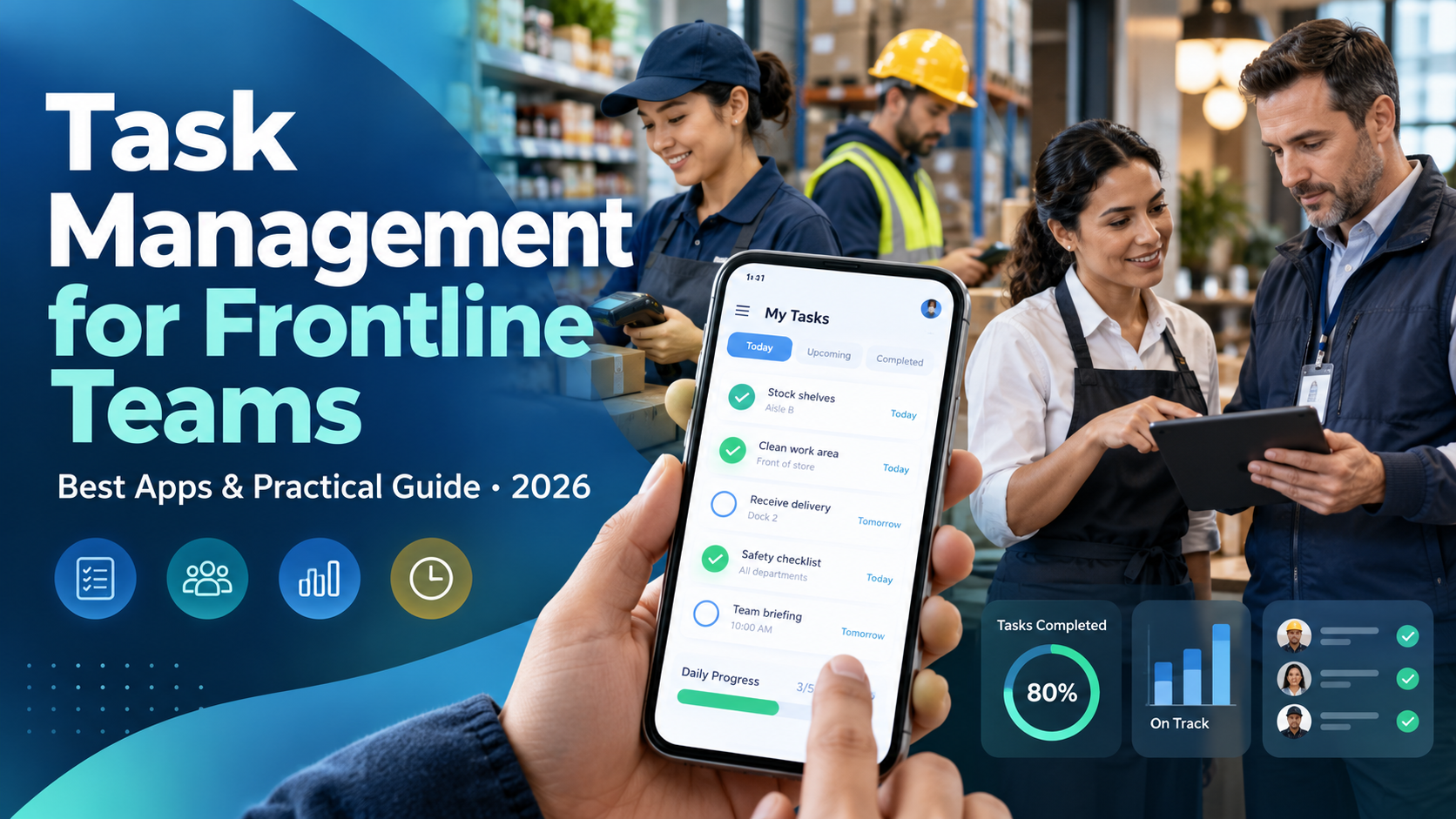
Task management for frontline teams is the process of creating, assigning, prioritizing, tracking, and verifying operational tasks across employees, shifts, departments, and locations. Effective task management helps organizations reduce missed assignments, standardize daily operations, improve accountability, and give managers better visibility into work completion.
In 2026, frontline task management software such as HubEngage, Connecteam, YOOBIC, WorkJam, Zipline, and Mitti (formerly SafetyCulture) offers different approaches to mobile assignments, employee coordination, digital checklists, operational reporting, and workflow management. Choosing the right platform depends on workforce size, industry, task complexity, and existing technology.
For frontline employees, the problem is rarely a lack of work to do. It is that assignments may arrive through multiple channels, priorities can change during a shift, and unfinished tasks do not always transfer clearly between teams.
A retail associate might receive merchandising instructions from headquarters, a supervisor’s verbal requests, and a cleaning checklist on paper. A warehouse employee may need to complete equipment checks while responding to unexpected inventory problems. When these responsibilities are disconnected, even experienced employees can struggle to determine what takes priority.
A structured frontline task management system brings those responsibilities into a coordinated workflow. Employees understand what is expected, supervisors can monitor progress, and operations leaders can identify problems before they affect customers, quality, or service delivery.
Key Takeaways
- Frontline task management requires more than digital to-do lists. It must account for employee roles, shifts, locations, operational priorities, and completion standards.
- Mobile task management improves access and coordination. Employees can receive instructions, update progress, and report issues without relying on desktop computers or corporate email.
- Digital checklists and recurring assignments support operational consistency. They help managers organize routine work and identify missed steps across different locations.
- The best software depends on the primary operational problem. HubEngage connects task coordination with employee communication and engagement. Connecteam emphasizes daily workforce operations, while YOOBIC and Zipline specialize in retail execution. WorkJam supports enterprise workflows, and Mitti focuses heavily on inspections and corrective actions.
- Task completion and task quality should be measured separately. A completed checklist does not necessarily establish that work meets the required standard.
- Successful implementation requires employee involvement. Clear instructions, appropriate staffing, realistic deadlines, and manager follow-up matter as much as software functionality.
What Is Task Management for Frontline Teams?
Frontline task management is a structured approach to organizing the daily responsibilities of employees who work directly with customers, products, equipment, facilities, or essential services.
These employees work in environments such as retail stores, restaurants, hotels, manufacturing facilities, distribution centers, healthcare organizations, and field-service operations.
Unlike traditional office-based project management, frontline task management concentrates on work that must happen within specific operating hours, shifts, locations, and physical environments.
Typical frontline tasks include:
- Opening and closing procedures in retail stores.
- Equipment inspections and maintenance checks.
- Inventory replenishment and stockroom organization.
- Housekeeping and sanitation activities.
- Merchandising and promotional display changes.
- Warehouse preparation and shipping checks.
- Quality control and operational audits.
- Shift handovers and unresolved issue follow-ups.
- Employee onboarding and assigned training activities.
A reliable process connects each assignment with an accountable owner, deadline, instructions, completion requirements, and an appropriate escalation path.
For example, consider a restaurant preparing for its morning shift. Employees may need to inspect equipment, prepare workstations, verify supplies, and complete required opening procedures.
Using paper checklists, the supervisor must manually collect updates and determine what remains unfinished.
With a suitable frontline task management app, assignments can be distributed to authorized employees, recorded as work progresses, and reviewed through a central dashboard.
The software does not eliminate the need for supervision. It provides a clearer record of what has happened and which actions still require attention.
Frontline Task Management vs. Traditional Project Management
Traditional project management and frontline task management share basic concepts such as assignments, deadlines, and accountability. Their operational requirements, however, are different.
| Comparison area | Frontline task management | Traditional project management |
|---|---|---|
| Primary purpose | Execute daily operational responsibilities | Deliver defined projects and outcomes |
| Typical users | Hourly employees, shift supervisors, store managers, field teams | Project managers, specialists, office teams |
| Work frequency | Recurring, shift-based, and event-triggered | Project-based and milestone-driven |
| Assignment rules | Based on role, location, shift, and qualifications | Based on project ownership and availability |
| Common workflows | Inspections, checklists, cleaning, replenishment, store resets | Product launches, campaigns, implementations |
| Completion evidence | Task status, photos, measurements, approvals | Deliverables, milestone reviews, documentation |
| Technology priorities | Mobile accessibility, simple navigation, operational dashboards | Timelines, dependencies, project collaboration |
| Performance metrics | Completion, timeliness, rework, operational exceptions | Project progress, deadlines, budgets, deliverables |
Traditional project management applications can support basic frontline assignments. However, businesses managing hundreds of stores or rotating shifts often require more specific functionality.
For instance, assigning a store inspection to a project board is straightforward. Automatically distributing appropriate inspections across multiple stores, ensuring they reach employees on the correct shifts, and verifying completion consistently may require a purpose-built frontline operations platform.
Why Is Task Management Important for Frontline Employees?
Task management is important because frontline operations depend on many individual responsibilities being completed correctly, often within tight timeframes.
An unfinished opening checklist can delay store readiness. An overlooked maintenance issue can disrupt production. A missed merchandising assignment can leave locations operating with outdated promotional materials.
These problems become harder to manage when employees work different shifts or locations and have limited access to shared information.
1. Clearer Task Ownership and Accountability
One of the most common causes of unfinished frontline work is unclear responsibility.
A supervisor may ask several employees to check inventory, but no individual has been assigned responsibility for completing the process.
Digital task management helps managers establish ownership, deadlines, and completion requirements.
If an employee becomes unavailable, the supervisor can reassign the task rather than assume another team member will take responsibility.
Accountability should also include support. Employees need a straightforward way to indicate that they cannot complete a task because of missing equipment, conflicting priorities, or other operating conditions.
2. Better Coordination Across Shifts and Locations
Distributed organizations need consistent operational standards without assuming every location has identical working conditions.
A retailer operating 100 stores may need every location to implement the same promotional campaign. However, staffing levels, delivery schedules, and store layouts can differ.
A centralized task management system allows headquarters to distribute instructions while giving local managers responsibility for execution.
The same principle applies to shift-based work.
If a manufacturing team cannot complete an equipment inspection before the next shift, the unfinished assignment should remain visible with an accountable owner and a defined next action.
This works best alongside a structured shift handover communication process that transfers operational context and responsibility rather than simply recording what happened during the previous shift.
3. Reduced Administrative Follow-Up
Frontline managers often spend time checking whether routine assignments have been completed.
Without a shared task tracking system, this may involve phone calls, messages, paper forms, or visits to individual work areas.
A centralized dashboard can show completed, overdue, blocked, and upcoming assignments.
Instead of asking every employee for a progress update, the manager can focus on work that requires intervention.
This does not guarantee that administrative time will decrease. An overly complicated system can introduce additional reporting work. The objective is to replace unnecessary follow-up with information that managers can use.
4. Greater Consistency in Daily Operations
Standardized tasks help employees follow approved procedures across locations and shifts.
For example, a hotel may use digital housekeeping checklists to define room preparation standards. A warehouse may use recurring tasks for equipment readiness inspections.
Templates also make onboarding easier because new employees can access consistent instructions rather than depend entirely on informal explanations.
The organization still needs to keep procedures current and verify that employees have the necessary training.
5. More Useful Operational Data
A frontline task management platform can help managers identify recurring problems.
If the same assignment is repeatedly overdue across several stores, the issue may involve unrealistic deadlines, insufficient staffing, unclear instructions, or a poorly designed workflow.
Task data makes these patterns easier to investigate.
The purpose should be operational improvement, not simply ranking employees according to how quickly they close assignments.
How to Manage Tasks Across Frontline Teams
Effective task management begins with understanding how work happens during an actual shift.
Organizations should map their existing responsibilities, establish assignment rules, standardize repeatable processes, and create reliable methods for reviewing incomplete work.
Step 1: Identify and Categorize Frontline Tasks
Begin by documenting the assignments employees complete during a normal working day.
Separate routine activities from tasks that arise unexpectedly.
| Task category | Example | Recommended approach |
|---|---|---|
| Daily recurring tasks | Store opening checks | Scheduled checklist |
| Shift-specific tasks | Production-line preparation | Assign by shift and role |
| Weekly operational tasks | Inventory cycle count | Recurring assignment |
| One-time tasks | Promotional display installation | Defined owner and deadline |
| Urgent corrective tasks | Equipment malfunction | Immediate escalation and follow-up |
| Quality-related tasks | Product inspection | Approved checklist and verification |
| Training tasks | Required onboarding activity | Employee-specific assignment and completion record |
Categorization helps managers determine which assignments can be automated and which require direct supervision.
Not every activity needs the same level of documentation.
A routine housekeeping assignment may require a straightforward status update. A safety-sensitive inspection may require detailed evidence and an authorized reviewer.
Step 2: Assign Tasks According to Roles and Shift Availability
A task should reach an employee who is available, appropriately trained, and authorized to complete it.
Assigning specialized work to an unqualified employee creates operational risk even if the assignment itself appears correctly in the software.
Organizations should consider employee roles, required qualifications, department, location, shift availability, and task urgency.
For example, a warehouse supervisor might assign inventory replenishment to the evening team while reserving equipment maintenance for authorized technicians.
Role-based assignment rules can reduce repetitive administration when the software supports them.
However, a task assigned to a group must still have clear accountability. Otherwise, employees may assume someone else has accepted responsibility.
Step 3: Make Instructions Specific and Actionable
An effective frontline task should explain what must be done, where it must happen, when it is due, and how completion will be verified.
Consider a retail merchandising assignment.
Unclear instruction: Update the weekend display.
Clear instruction: Complete the approved weekend promotional display at the front entrance before 10:00 a.m. Follow the current merchandising guide, verify that promotional labels match the approved campaign, and submit a photograph for manager review.
The second instruction reduces ambiguity and establishes a measurable completion requirement.
Where appropriate, task records should link to current standard operating procedures, product information, visual examples, or training materials.
Step 4: Use Digital Checklists for Recurring Work
Digital checklists are useful for activities that follow an established sequence.
An opening-shift checklist for a retail store might look like this:
| Task | Responsible employee | Completion requirement |
|---|---|---|
| Verify entrance readiness | Opening supervisor | Record exceptions |
| Complete approved equipment checks | Authorized employee | Submit required results |
| Prepare registers | Designated cashier or supervisor | Follow cash-handling procedures |
| Verify promotional displays | Merchandising associate | Confirm against approved layout |
| Check priority inventory | Floor associate | Report shortages |
| Review unfinished overnight work | Opening supervisor | Accept, reassign, or escalate |
This is an illustrative operating checklist rather than a replacement for industry-specific safety or regulatory procedures.
The most useful checklists allow employees to record exceptions instead of forcing every response into a completed/not-completed format.
For example, an equipment inspection might need separate outcomes for passed, failed, not checked, and not applicable.
Step 5: Automate Recurring Assignments and Reminders
Repeatedly creating the same operational assignments wastes management time.
A frontline task management app may support daily, weekly, monthly, or event-triggered task creation.
For example, a facilities business could automate routine cleaning assignments while a retail chain schedules regular promotional checks.
Automation should account for changes in staffing, operating hours, and work requirements.
Managers should also distinguish reminders from escalations. A reminder tells an employee that work is approaching its deadline. An escalation alerts an authorized supervisor that an unresolved issue requires intervention.
Organizations should avoid sending so many notifications that employees begin ignoring them.
Step 6: Verify Completion and Manage Exceptions
Marking a task complete does not always establish that the work meets the required standard.
Depending on operational needs, verification may involve photographs, inspection results, measurements, manager approvals, or supporting documentation.
A retail manager may require a photograph of a completed display. A maintenance supervisor may need documented evidence of an authorized inspection.
If work fails verification, the system should allow the issue to be reopened or transferred into a corrective action workflow.
This helps preserve accountability without treating an incorrect completion status as the end of the process.
Step 7: Review Task Data and Improve Workflows
Task reports should help managers understand why work is delayed or repeatedly requires correction.
For example, if morning inventory checks are regularly incomplete, the cause may be that employees receive the assignment during peak customer-service hours.
Changing the task deadline or adjusting staffing may solve the problem more effectively than sending additional reminders.
Reviewing task performance alongside employee feedback gives leaders a more useful understanding of operational constraints.
What Features Should Frontline Task Management Software Have?
The best frontline task management software supports employees in their actual work environment while helping supervisors coordinate assignments and resolve operational problems.
The following capabilities deserve particular attention.
| Feature | Why it matters | What buyers should verify |
|---|---|---|
| Mobile accessibility | Deskless employees need access during shifts | Mobile experience and device compatibility |
| Task assignment | Establishes responsibility | Assignment by employee, role, location, or team |
| Digital checklists | Standardizes repeatable work | Templates, required fields, and exception handling |
| Recurring tasks | Reduces manual scheduling | Supported recurrence rules and plan restrictions |
| Due dates and priorities | Helps employees organize work | Deadline rules, priority settings, and overdue alerts |
| Completion verification | Supports accountability and quality | Photos, approvals, audit records, and evidence requirements |
| Progress dashboards | Gives managers operational visibility | Reporting by employee, location, shift, and region |
| Notifications | Communicates updates and exceptions | Reminder settings and escalation controls |
| Offline access | Supports environments with unreliable connectivity | Functions available offline and synchronization behavior |
| Employee communication | Keeps instructions and operational context connected | Targeted messaging and task-related communication |
| Integrations | Reduces duplicate administration | HRIS, WFM, inventory, POS, and other required systems |
| Security and permissions | Protects operational and employee data | SSO, access controls, device policies, and retention settings |
Why Mobile Usability Matters
Frontline employees do not typically spend their shifts working from desktop computers.
An effective mobile task management app should make it easy to locate assignments, review instructions, report problems, and update completion status.
Buyers should test the application on the actual devices employees will use.
Shared tablets, company-managed devices, and personal smartphones create different security, authentication, and usability requirements.
The software should also be evaluated for employees who do not have corporate email accounts.
A practical demonstration should include the complete employee workflow, not just the manager’s dashboard.
6 Best Frontline Task Management Apps in 2026
The six frontline task management apps worth comparing in 2026 are HubEngage, Connecteam, YOOBIC, WorkJam, Zipline, and Mitti (formerly SafetyCulture).
Each platform addresses a different operational need. HubEngage connects task coordination with employee communications and engagement. Connecteam focuses on everyday workforce operations. YOOBIC and Zipline specialize in retail execution. WorkJam supports enterprise task orchestration, while Mitti emphasizes digital inspections, operational records, and corrective actions.
Organizations should compare these tools using the same requirements rather than assuming their features are directly interchangeable.
Frontline Task Management Software Comparison Table
| Platform | Best for | Task management strengths | Main limitation | Pricing |
|---|---|---|---|---|
| HubEngage | Distributed teams needing task coordination alongside communication and employee engagement | Assignments, ownership, deadlines, notifications, task tracking, and integrated communication | Advanced inspection, recurring-task, and verification requirements should be confirmed during a demo | Quote-based; confirm module pricing |
| Connecteam | Small and midsize hourly and shift-based businesses | Quick Tasks, scheduling, digital forms, recurring assignments, reminders | Advanced task capabilities depend on the subscription tier | Operations Basic from $29/month for the first 30 users, billed annually |
| YOOBIC | Retail, grocery, and multi-location store operations | Store execution, audits, merchandising assignments, photo verification, reporting | Particularly oriented toward retail and related operational environments | Custom quote |
| WorkJam | Large enterprises managing complex frontline workflows | Shift-aware assignments, task pooling, audits, verification, enterprise integrations | Implementation and module selection can be more involved | Published packages and task add-ons; enterprise quotes available |
| Zipline | Retail chains coordinating headquarters and stores | Day Sheets, recurring tasks, operational communication, photo approvals | Primarily designed for retail operations | Custom quote |
| Mitti | Inspection-heavy and quality-focused operations | Digital checklists, recurring actions, issue management, evidence collection | General scheduling and retail merchandising are not its primary strengths | Free plan for up to 10 users; Premium from $24/seat/month, billed annually |
Pricing and published capabilities reviewed in October 2026. Prices are in US dollars where available. Actual costs depend on subscriptions, modules, user counts, billing terms, and implementation requirements. This comparison is based on vendor documentation rather than hands-on product testing.
1. HubEngage — Best for Task Management Combined With Employee Communication and Engagement
Best for: Frontline and distributed organizations that want task coordination connected with employee communications, collaboration, and workplace resources.
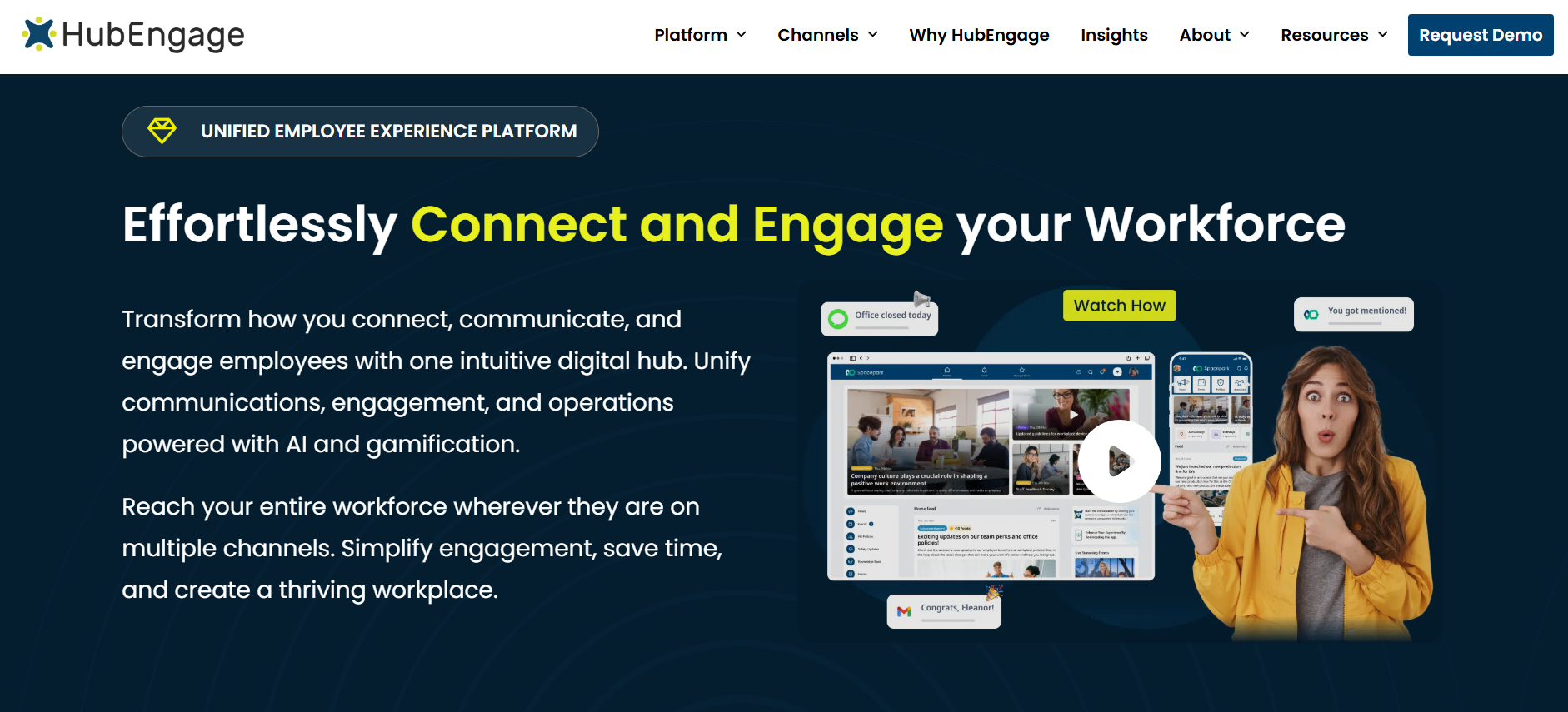
HubEngage is an employee experience platform that brings task management together with internal communication, employee engagement, and collaboration capabilities.
Its documented task management functionality includes creating and assigning tasks, establishing ownership and deadlines, tracking completion, and providing notifications and progress visibility. Employees can use the broader mobile-first platform to access workplace information and communication resources.
The combination is relevant when tasks require supporting instructions or communication across departments and locations. For example, an operations manager coordinating a new store procedure may need employees to receive the update, understand the instructions, and complete related assignments.
Where HubEngage stands out: Its broader employee experience capabilities can connect task coordination with workplace communication, employee feedback, recognition, and knowledge access. This makes it relevant for organizations evaluating how operational tasks fit into their existing employee app and communication environment.
Limitations: Public documentation provides less detail about specialized task capabilities such as conditional inspection checklists, photo-verification rules, advanced recurrence options, and offline execution. Organizations requiring these functions should confirm exactly what is supported, which modules are needed, and how the workflows operate before purchasing.
Pricing: HubEngage uses sales-led pricing for its broader platform. Buyers should request a written quote covering task management, employee access, relevant modules, integrations, implementation, and support.
2. Connecteam — Best for Small and Midsize Frontline Businesses
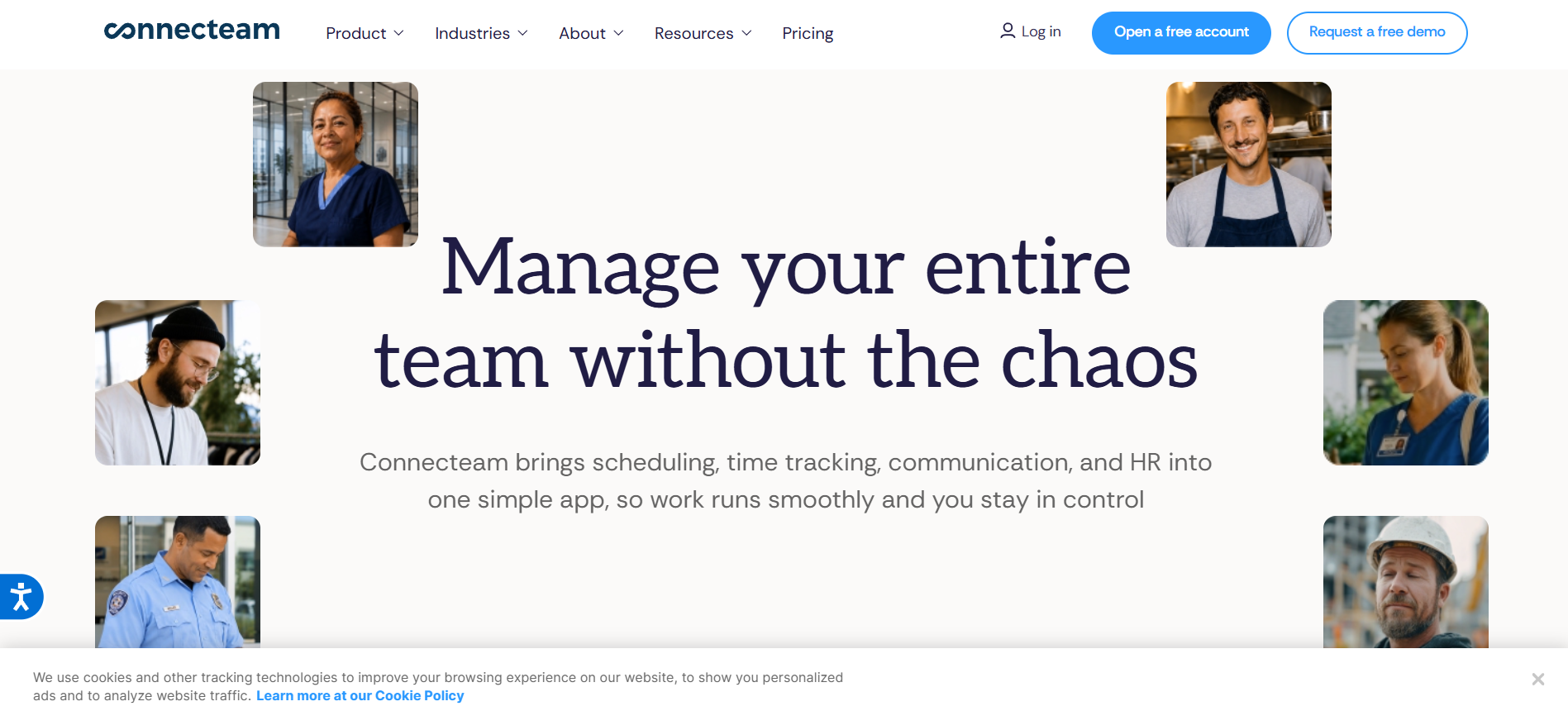
Best for: Retail, hospitality, cleaning, field-service, and other hourly workforce operations requiring tasks alongside scheduling and time tracking.
Connecteam combines task management with employee scheduling, time clocks, forms, and communication tools.
Its Quick Tasks feature allows managers to create assignments, define deadlines, add supporting information, organize subtasks, and monitor completion. Employees can access their responsibilities through the mobile app, while supervisors can review outstanding work and send reminders.
The Operations Hub also includes digital forms and checklists, making Connecteam useful for businesses replacing paper-based operating procedures.
Where Connecteam stands out: Its combination of daily task tracking, scheduling, and time management can reduce the need for separate tools in smaller operations. Recurring Quick Tasks are particularly useful for routine assignments such as opening procedures, inventory checks, and scheduled maintenance reminders.
Limitations: Features differ across subscription tiers. Recurring Quick Tasks, for example, require Operations Advanced or a higher plan. Organizations should also review whether the platform provides sufficient enterprise integration, complex workflow configuration, and reporting capabilities for their operational requirements.
Pricing: Connecteam Operations Basic starts at $29 per month for the first 30 users with annual billing. Operations Advanced starts at $49 per month, while Operations Expert starts at $99 per month on the same basis. Additional-user charges apply.
3. YOOBIC — Best for Multi-Location Retail Task Management
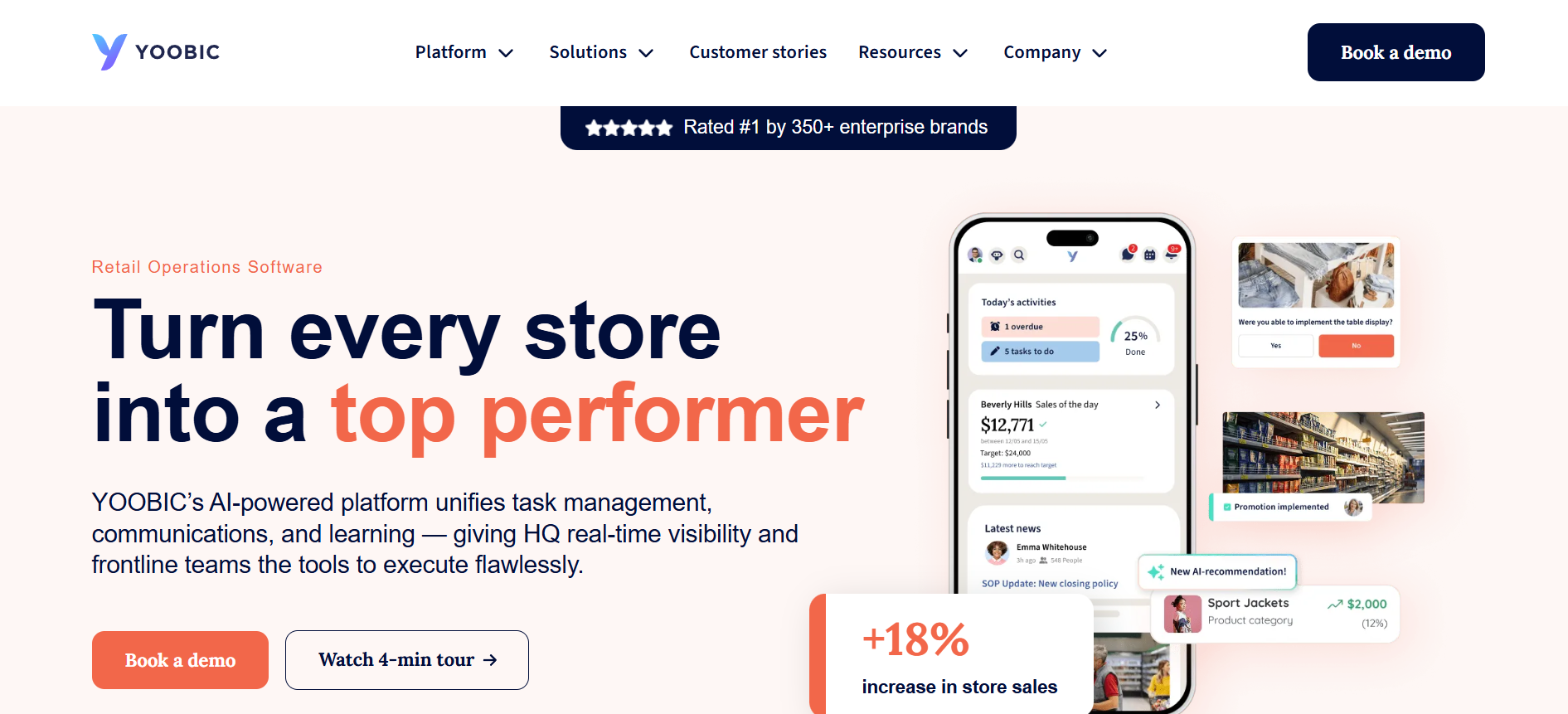
Best for: Retail chains, grocery businesses, restaurants, and store operations teams managing execution across multiple locations.
YOOBIC is a frontline operations platform designed around store execution, operational standards, and employee productivity.
It allows businesses to distribute assignments, manage checklists, conduct store visits, coordinate merchandising changes, and monitor performance across locations.
Regional managers can review task completion and operational exceptions, while store teams receive instructions through mobile workflows.
YOOBIC also connects task management with employee communication and learning, helping businesses provide the context and training needed for consistent execution.
Where YOOBIC stands out: Its retail-specific capabilities include store audits, visual merchandising workflows, photo-based verification, action plans, and operational analytics. These features are particularly useful when headquarters must confirm that promotions, merchandising standards, or store procedures have been implemented correctly.
Limitations: YOOBIC’s strongest documented applications are retail and related multi-site operations. Businesses seeking primarily workforce time tracking, payroll management, or general office project management should evaluate whether its specialized capabilities justify the investment.
Pricing: YOOBIC offers customized pricing based on location or user counts and selected modules, including Task Management, Communications, Learning, and AI. Fixed subscription prices are not publicly listed.
4. WorkJam — Best for Enterprise Frontline Task Orchestration
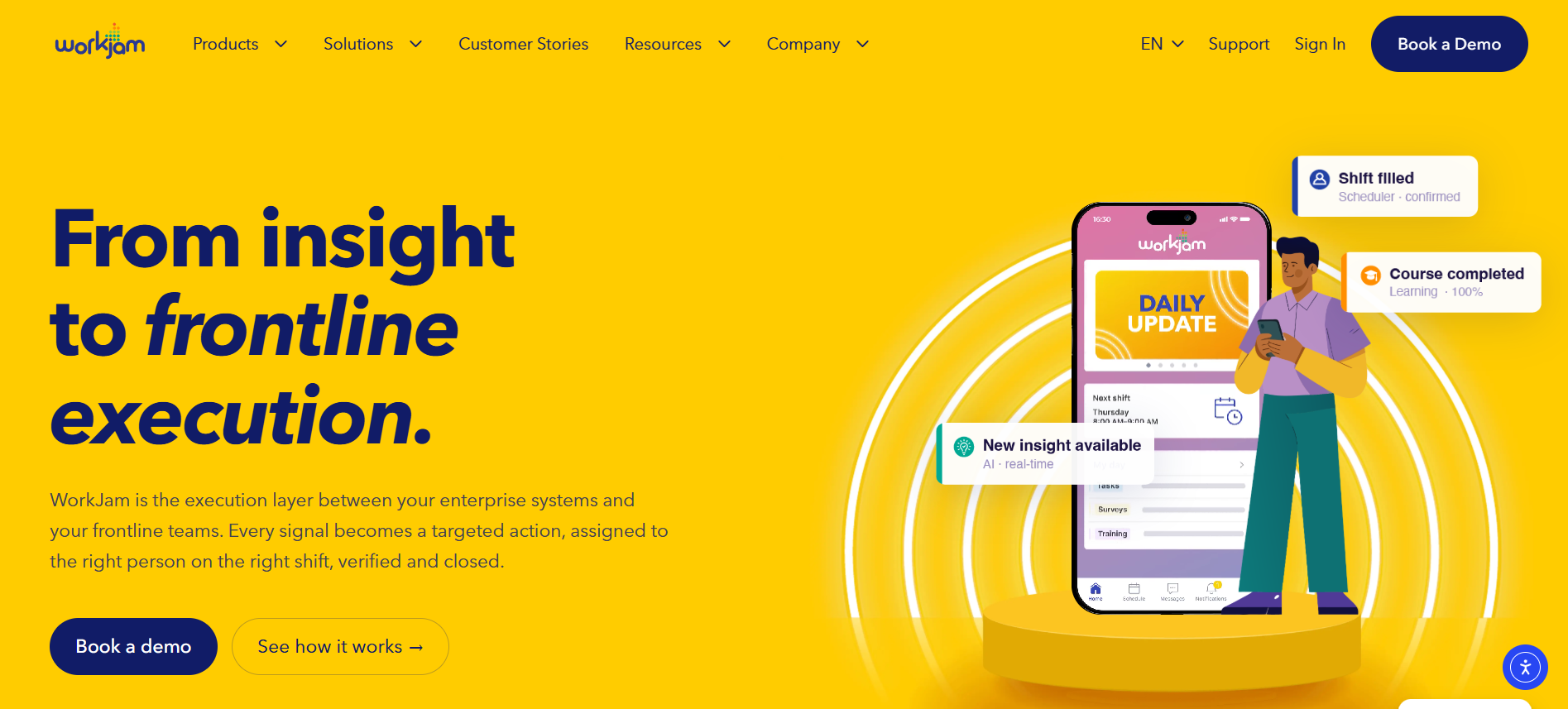
Best for: Large organizations requiring advanced task assignments, workforce integration, operational visibility, and multi-location coordination.
WorkJam provides task and activity management within a broader frontline operations platform.
Its task management capabilities include assigning work according to roles, locations, shifts, departments, and employee qualifications. The platform also supports task pooling, allowing eligible employees to claim assignments from available work.
WorkJam connects operational tasks with forms, audits, learning, communication, and relevant enterprise systems.
Its reporting capabilities provide visibility into task completion, execution speed, compliance-related measures, and recurring operational problems.
Where WorkJam stands out: Its emphasis on shift-aware task assignment and integration with enterprise systems is relevant for organizations operating across many locations. WorkJam also documents photo and video verification, offline-ready task workflows, and automatic task creation based on signals from other systems.
Limitations: Enterprise configuration and integration requirements can make implementation more involved than deploying a basic task application. Buyers should review the exact modules, deployment services, administrative requirements, and costs needed for their workflows.
Pricing: WorkJam publishes an Operations Elite 500 package at $1,599 per month for up to 500 users, billed annually. Its Productivity Plus add-on, covering Tasks, Audits, and Forms, costs an additional $999 per month for that package. Standalone and enterprise arrangements should be confirmed with the vendor.
5. Zipline — Best for Retail Headquarters-to-Store Task Execution
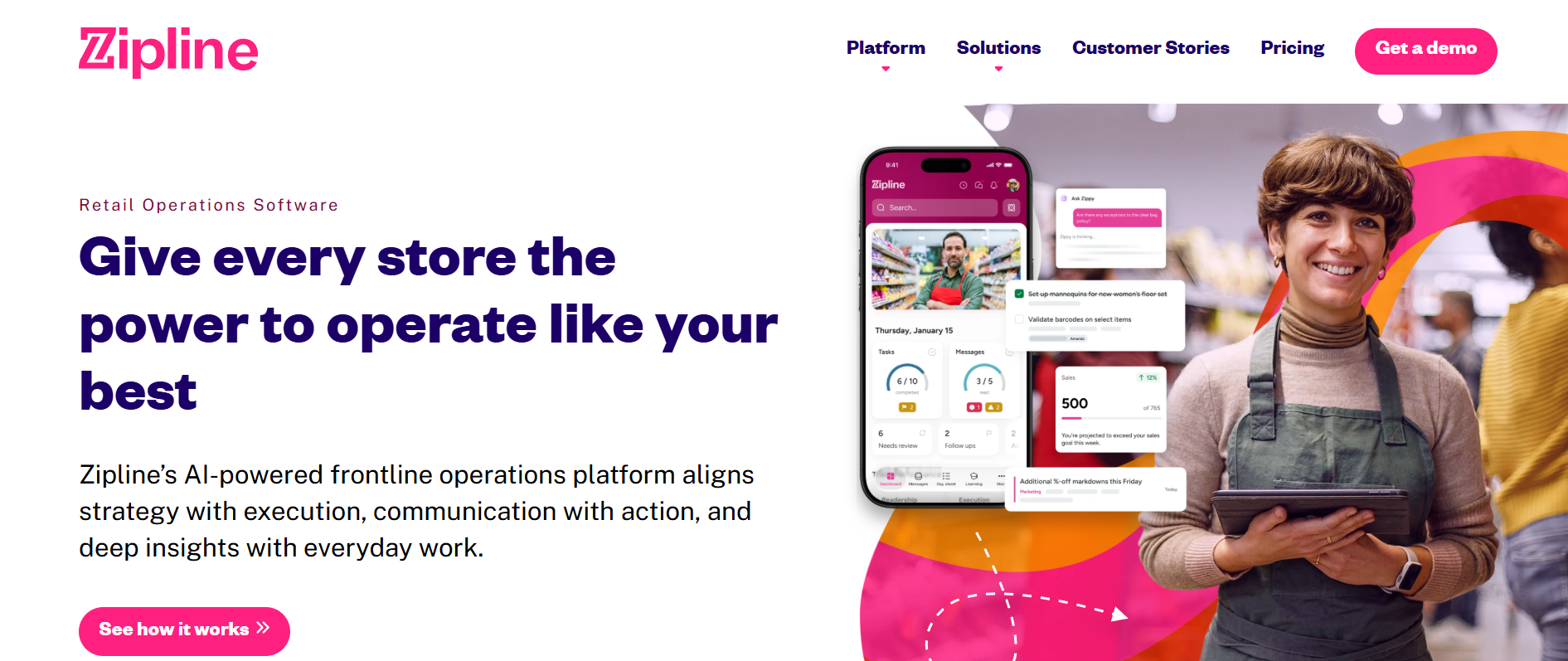
Best for: Retail brands coordinating daily assignments, operational communication, and merchandising activities across store networks.
Zipline combines retail task management with store communications, operational resources, and reporting.
Its Day Sheet brings together messages, assigned tasks, and completion statuses, helping store employees understand their daily priorities.
Headquarters teams can distribute assignments, set operational deadlines, and monitor execution across stores and departments.
The platform also supports calendar-based planning, recurring activities, and completion verification for relevant workflows.
Where Zipline stands out: Its close connection between retail communication and task execution helps store teams translate headquarters instructions into daily work. Photo approvals, prioritized assignments, and real-time task tracking support activities such as promotional resets, merchandising updates, and store readiness checks.
Limitations: Zipline is primarily designed for retail and related environments. Organizations requiring specialized industrial inspections, detailed equipment maintenance workflows, or comprehensive workforce scheduling should evaluate whether those needs require additional systems.
Pricing: Zipline provides customized pricing based on organizational needs and selected modules. Its public pricing page does not specify fixed subscription rates.
6. Mitti (Formerly SafetyCulture) — Best for Digital Inspections and Corrective Actions
Best for: Manufacturing, facilities, hospitality, construction, and other organizations managing inspections, quality checks, and operational corrective actions.
Mitti, formerly SafetyCulture, provides digital inspections, checklists, issue reporting, task management, and operational records.
SafetyCulture officially adopted the Mitti name on August 11, 2026, reflecting the platform’s expansion beyond its original safety and inspection focus.
Its Actions functionality allows teams to create standalone assignments or generate corrective work from inspection findings. Organizations can also schedule recurring actions for routine activities such as maintenance checks.
The platform supports mobile workflows and operational reporting, with selected features available when connectivity is limited.
Where Mitti stands out: Its inspection-centered approach is useful for organizations needing structured evidence, documented operational checks, corrective actions, and issue follow-up. Linking observations and inspection findings to accountable actions helps managers investigate recurring quality or safety problems.
Limitations: Mitti is less focused on retail merchandising, headquarters-to-store campaigns, and general shift scheduling than some other platforms in this comparison. Buyers should verify plan restrictions and the offline behavior of specific inspection, task, and approval workflows.
Pricing: Mitti offers a free plan for up to 10 users. Premium starts at $24 per seat per month with annual billing or $29 per seat with monthly billing. Enterprise pricing is customized.
Which Frontline Task Management App Is Best for Your Industry?
Different industries have different operational requirements, so a feature that is essential for one organization may be unnecessary for another.
| Industry or operating environment | Platforms to evaluate | Main considerations |
|---|---|---|
| Retail stores | HubEngage, YOOBIC, Zipline, WorkJam | Task communication, merchandising, store execution, mobile accessibility |
| Hospitality | HubEngage, Connecteam, WorkJam, Mitti | Daily assignments, employee coordination, inspections, shift continuity |
| Manufacturing | WorkJam, Mitti, HubEngage | Shift-based work, inspection records, operational updates, employee knowledge |
| Warehousing and logistics | WorkJam, Connecteam, Mitti | Task assignment, equipment checks, operational visibility, issue follow-up |
| Restaurants and food service | Connecteam, YOOBIC, WorkJam, Mitti | Opening procedures, recurring checks, staffing coordination, corrective actions |
| Field services | Connecteam, Mitti, HubEngage | Mobile accessibility, assignments, reporting, employee communication |
| Large distributed enterprises | WorkJam, HubEngage, YOOBIC | Central administration, location targeting, integrations, operational visibility |
Task Management for Retail Teams
Retail task management software should support store-level execution without requiring employees to constantly switch between applications.
For example, headquarters may need to distribute a promotional campaign to 200 locations and verify that every store has completed the required setup.
YOOBIC and Zipline provide specialized retail execution tools for these situations. WorkJam is relevant where task management must connect with shift availability and other enterprise systems.
HubEngage deserves consideration when task coordination is part of a broader effort to improve communication, information access, and employee engagement across stores.
Task Management for Manufacturing and Warehousing
Manufacturing and warehouse operations often involve equipment inspections, production preparation, quality checks, and corrective maintenance actions.
These environments may require stronger documentation and integration with specialized operational systems.
WorkJam and Mitti are particularly relevant for their documented workflow, audit, and corrective action capabilities.
HubEngage may serve a complementary role where organizations need to distribute instructions, coordinate employees, and connect work-related information across departments.
Organizations should distinguish ordinary task tracking from specialized maintenance-management and safety-control requirements.
Task Management for Hospitality and Restaurants
Hotels and restaurants often manage multiple shifts, changing customer demand, and recurring operating procedures.
Common responsibilities include cleaning, room preparation, inventory checks, equipment readiness, and opening or closing tasks.
Connecteam is relevant when employee scheduling and daily assignments need to work together. Mitti may fit businesses emphasizing digital inspections and corrective actions.
HubEngage can be considered when frontline communication, employee information, and engagement are also important priorities.
The best choice depends on whether the organization primarily needs task execution, workforce scheduling, communication, or a combination of those functions.
Frontline Task Management vs. Frontline Workforce Management Software
Frontline task management and workforce management software address connected but different responsibilities.
Workforce management software primarily helps businesses organize labor resources, including schedules, attendance, availability, time tracking, and staffing requirements.
Task management software focuses on the assignments employees perform while working.
For example, a distribution center’s workforce management system may establish which employees are scheduled for the evening shift.
Its task management system determines which inventory checks, inspections, and operating activities those employees must complete.
Combining these systems can help supervisors avoid assigning work to unavailable employees and understand whether incomplete assignments are connected to staffing constraints.
However, a platform offering both types of functionality should not automatically be assumed to replace every specialized system.
Organizations should evaluate data ownership, integration requirements, and the specific operational functions they need.
How to Choose the Right Frontline Task Management Software
Selecting the right frontline task management app requires a clear understanding of the organization’s workflows, employees, and existing technology.
A company managing 40 employees across two locations has different requirements from an enterprise coordinating thousands of workers across hundreds of sites.
Evaluate the Problem Before Comparing Features
Start by identifying the primary problem the software must solve.
Is the organization struggling with missed tasks, inconsistent operating procedures, excessive manager follow-up, weak visibility across locations, or unreliable shift handovers?
These issues can overlap, but the most important problem should guide product selection.
For example, a business that mainly needs to distribute store communications and coordinate related assignments may evaluate different software from a manufacturer seeking inspection evidence and complex corrective action workflows.
Test the Actual Employee Experience
A vendor demonstration should show more than dashboards and administrative features.
Ask vendors to demonstrate how an employee receives a task, reviews instructions, completes a checklist, reports an issue, and updates the assignment.
Evaluate the experience on the devices employees actually use.
Important considerations include login methods, accessibility, language availability, shared-device support, notification settings, and offline behavior.
Assess Integrations and Existing Software
Organizations may already have applications for workforce scheduling, payroll, HR records, communication, inventory, and maintenance.
Adding another tool without evaluating existing systems can create duplicate work and increase operating costs.
Before purchasing, document which systems need to exchange information and which application should be responsible for each record.
For a more detailed evaluation, see TurnOnWork’s guide to auditing a frontline tech stack for overlapping tools, hidden costs, and adoption gaps.
Compare the Total Cost of Ownership
Subscription prices alone do not provide a complete cost comparison.
Organizations should consider software licensing, implementation, integrations, employee training, technical support, ongoing administration, and device requirements.
A lower-priced application may be sufficient for basic assignments but require additional systems for communication, advanced reporting, or specialized workflows.
Conversely, a broader enterprise platform may provide valuable capabilities that a smaller organization does not need.
Request comparable written quotes using the same employee count, location count, required features, and contract period.
How to Implement Frontline Task Management Software Successfully
Implementing employee task management software requires more than replacing paper checklists with digital forms.
Organizations need to establish clear responsibilities, develop practical workflows, train employees, and measure whether the new process improves operations.
A phased approach reduces the risk of introducing too many changes at once.
Phase 1: Map Existing Workflows and Establish Baselines
During the initial planning stage, identify recurring tasks, assignment methods, approval requirements, and reporting problems.
Meet with supervisors and frontline employees to understand how work is actually completed.
Document which tasks frequently remain unfinished, which instructions cause confusion, and how managers currently resolve exceptions.
Establish baseline measures for task completion, timeliness, rework, and administrative effort.
These measurements provide a starting point for evaluating whether the software creates meaningful improvement.
Phase 2: Pilot the System Across Representative Shifts
Begin with a limited number of locations or teams.
The pilot should include routine work, recurring assignments, overdue tasks, and situations where employees need to report problems.
Test the software during normal shifts rather than only in controlled demonstrations.
Include different employee roles and working conditions, particularly overnight shifts, shared-device environments, or locations with unreliable connectivity.
Supervisors should receive training on assignment, reprioritization, reporting, and escalation.
Employees should understand how to access instructions, submit evidence where required, and report tasks they cannot complete.
Phase 3: Expand Gradually and Review Performance
After the pilot, compare the results with the original baseline.
Look for improvements in completion quality, manager visibility, and the amount of time spent coordinating assignments.
Investigate workflows that remain difficult to complete.
Before expanding, confirm that task templates are accurate, employee access works reliably, and supervisors understand their responsibilities.
Maintain a process for updating procedures and retiring outdated assignments.
Organizations should also recognize that employees may need additional training when workflow changes introduce unfamiliar processes.
A useful supporting practice is documenting experienced workers’ methods and incorporating validated knowledge into operational instructions. TurnOnWork’s guide to capturing tribal knowledge in frontline operations explains how businesses can preserve that knowledge.
Common Frontline Task Management Mistakes to Avoid
Even well-designed software can fail when implementation does not address underlying operational problems.
Creating Too Many Tasks Without Setting Priorities
Employees can become overwhelmed when every assignment appears equally urgent.
Managers should establish a clear priority system based on operational importance, deadlines, dependencies, and risk.
Routine work should not compete visually with urgent corrective actions requiring immediate attention.
Assigning Tasks Without Considering Staffing
An assignment may remain overdue because the employee was unavailable, lacked appropriate training, or was handling higher-priority responsibilities.
Managers should review staffing and operating conditions before interpreting an incomplete task as a performance problem.
Measuring Completion Without Checking Quality
A high task completion rate can create a misleading picture when employees mark assignments finished without verifying results.
Quality-sensitive activities should include appropriate evidence or review processes.
For safety-related work, digital documentation should support rather than replace approved procedures and actual hazard controls.
The Occupational Safety and Health Administration’s hazard identification and assessment guidance emphasizes inspections, worker participation, corrective action, and ongoing evaluation.
Ignoring Employee Feedback
Frontline employees often recognize workflow problems before centralized teams do.
Employees should have practical opportunities to explain unclear instructions, unnecessary steps, missing resources, and difficulties using the technology.
Feedback should lead to visible improvements rather than become another administrative requirement.
Creating Off-the-Clock Work Expectations
Mobile technology makes operational information easier to access, but organizations must account for working-time obligations.
For nonexempt employees, work performed outside scheduled shifts can still be compensable under the Fair Labor Standards Act.
The US Department of Labor’s guidance on hours worked explains that work an employer suffers or permits employees to perform is generally compensable, even if it was not specifically requested.
Businesses should establish appropriate notification, access, timekeeping, and wage-and-hour practices for mobile task management.
How to Measure Frontline Task Management Effectiveness
Frontline task management effectiveness should be measured through task completion, timeliness, work quality, operational exceptions, and employee adoption.
Completion rates are important, but they should not be interpreted in isolation.
A manager may achieve a high completion rate while employees repeatedly submit incorrect work or spend excessive time on documentation.
A more useful performance assessment combines several measures.
Frontline Task Management KPIs
| KPI | Calculation or assessment | Purpose |
|---|---|---|
| Task completion rate | Completed tasks ÷ tasks due × 100 | Measures execution |
| On-time completion rate | Tasks completed by deadline ÷ tasks due × 100 | Measures timeliness |
| Overdue task rate | Overdue open tasks ÷ relevant open tasks × 100 | Identifies unfinished work |
| First-pass acceptance rate | Tasks accepted without correction ÷ reviewed tasks × 100 | Measures quality |
| Rework rate | Tasks requiring correction ÷ reviewed completed tasks × 100 | Identifies recurring problems |
| Verification coverage | Tasks with required evidence ÷ tasks requiring evidence × 100 | Measures supporting documentation |
| Issue resolution time | Time between issue creation and verified closure | Evaluates corrective action efficiency |
| Employee adoption rate | Active users ÷ eligible users × 100 | Measures software participation |
| Manager coordination time | Time spent assigning, clarifying, and following up | Evaluates administrative workload |
Organizations should establish consistent definitions before comparing results across departments or locations.
For example, a canceled assignment should not automatically be categorized as an employee failure.
Similarly, a growing number of reported issues may initially indicate better visibility rather than deteriorating operations.
How to Improve Frontline Task Completion Rates
Improving completion requires understanding why work remains unfinished.
If the same assignment is repeatedly late, examine staffing, timing, instructions, and necessary resources.
If particular tasks frequently fail verification, review the operating procedure and employee training.
If employees consistently ignore notifications, the organization may be sending too many messages or failing to distinguish urgent assignments from routine updates.
The most useful improvements address the reason work is delayed rather than simply increasing reminders.
How to Calculate ROI for Frontline Task Management Software
The return on investment of frontline task management software depends on measurable operational benefits compared with the total cost of deployment and ongoing use.
Possible benefits include reduced administrative work, lower rework, improved consistency, fewer missed assignments, and reduced duplication across software systems.
However, these benefits should be supported by actual measurements rather than assumed from the presence of new technology.
ROI Formula
ROI (%) = [(Measured Benefits − Total Costs) ÷ Total Costs] × 100
Benefits and costs must cover the same period.
Example: Measuring Administrative Time Savings
Consider an illustrative business with 12 frontline supervisors.
Before adopting digital task management, each supervisor spends approximately 15 minutes per working day confirming assignments and collecting completion updates.
If the new process eliminates that time, the potential monthly capacity released over 20 working days would be:
12 supervisors × 15 minutes × 20 days = 3,600 minutes
That equals 60 hours of monthly management capacity.
At an assumed loaded labor cost of $25 per hour, the equivalent labor capacity would be $1,500 per month.
This does not automatically represent $1,500 in cash savings.
If supervisors use the recovered time for coaching, customer service, or operational improvement instead of reducing paid hours, the result is additional productive capacity rather than direct payroll savings.
A credible financial evaluation should distinguish cash savings, capacity improvements, avoided expenses, and quality-related outcomes.
It should also include implementation, licensing, training, administration, and integration costs.
Frequently Asked Questions About Frontline Task Management
What Is the Best Task Management App for Frontline Teams in 2026?
The best frontline task management app depends on operational requirements. HubEngage is worth evaluating when task coordination needs to connect with employee communication and engagement. Connecteam fits everyday workforce operations, while YOOBIC and Zipline specialize in retail execution. WorkJam is designed for complex enterprise workflows, and Mitti emphasizes inspections and corrective actions.
Can Frontline Task Management Software Automate Recurring Tasks?
Yes. Several platforms support recurring assignments, scheduled activities, reminders, and workflow automation. Connecteam, WorkJam, YOOBIC, Zipline, and Mitti document different recurring-task or automated workflow capabilities. Organizations should verify which features are available in their selected plan and how the software handles reassignment, missed deadlines, and exceptions. Buyers considering HubEngage should confirm the specific recurrence and automation options available in their proposed package.
Do Frontline Employees Need Corporate Email Addresses to Use Task Management Software?
Not always. Frontline employee apps may provide different authentication methods, including company-managed identities or other supported login options. Businesses should confirm access requirements before purchasing, particularly when employees use shared devices or do not have corporate email accounts.
Which Frontline Task Management Apps Support Digital Checklists?
Connecteam, YOOBIC, WorkJam, Zipline, and Mitti document checklist, form, inspection, or related operational workflow capabilities. The exact functionality differs. Buyers should verify required fields, conditional questions, supporting evidence, approvals, and recurring schedules. For HubEngage, specialized checklist and inspection requirements should be demonstrated rather than assumed from general task management functionality.
Can Frontline Task Management Software Work Offline?
Some platforms support offline operations, but capabilities vary. Mitti and WorkJam document offline functionality for selected task or operational workflows. Buyers should verify which activities can be performed without connectivity, whether attachments are stored locally, and how updates synchronize when the connection returns.
How Can Frontline Managers Track Tasks Across Multiple Locations?
Managers can use centralized assignments, location-based access, standardized templates, and reporting dashboards to monitor operational work across sites. The system should distinguish completed, overdue, blocked, and unresolved assignments while allowing appropriate local managers to review issues and coordinate corrective actions.
How Is Frontline Task Management Different From Employee Monitoring?
Task management focuses on assigning responsibilities, communicating requirements, recording progress, and supporting operational accountability. Employee monitoring focuses on observing or measuring employee activity. Although some systems collect activity records or timestamps, employers should use only the data necessary for legitimate operational purposes and establish appropriate privacy, access, retention, and workforce policies.
Final Thoughts
Improving task management for frontline teams requires a reliable connection between operational priorities, employee responsibilities, accessible instructions, and completion verification.
Digital task management can help organizations move beyond paper checklists, disconnected messages, and repeated manager follow-ups. However, software works best when responsibilities are clear, employees have sufficient time and resources, and managers use operational data to resolve problems rather than simply measure activity.
For organizations comparing frontline task management software in 2026, HubEngage, Connecteam, YOOBIC, WorkJam, Zipline, and Mitti offer different capabilities.
HubEngage is relevant when task coordination must sit alongside employee communication, workplace resources, and engagement. Connecteam emphasizes daily workforce operations. YOOBIC and Zipline address retail execution, WorkJam focuses on enterprise task orchestration, and Mitti provides inspection-centered workflows and corrective action management.
The right choice is the platform that fits how employees actually work, integrates with required systems, and improves execution without introducing unnecessary complexity.
Start by selecting one recurring operational process, defining its current performance, and testing whether a more structured assignment and verification workflow produces better results.
Effective frontline task management is ultimately about ensuring that employees know what work matters, have the resources to complete it, and receive appropriate support when something prevents the job from getting done.