A store associate has two minutes before opening, a warehouse worker has a weak signal on the plant floor, and a hotel supervisor needs to confirm that a multilingual team understood a safety update. The best microlearning platforms for frontline teams solve those access and workflow problems first. Axonify fits large-scale adaptive reinforcement, 7taps removes login friction, Qstream emphasizes proficiency, and SC Training offers mobile-first delivery within SafetyCulture. The right choice depends less on lesson design than on how reliably training reaches workers.
- Distribution beats content volume: A short lesson is useless if workers can’t access it during the shift.
- No-email access matters: SMS, QR codes, phone links, shared devices, and badge-based authentication can outperform corporate SSO for hourly teams.
- Offline capability is operational: Warehouses, plants, field crews, and remote sites need local caching and later synchronization.
- Completion isn’t proficiency: Use retrieval practice, manager validation, and job aids when errors or safety risks matter.
- Pilot before buying at scale: Test access, completion, manager follow-up, and operational impact with one workforce group.
What Frontline Microlearning Platforms Actually Do
A frontline microlearning platform delivers short, job-specific lessons through the channels workers already use, then gives managers enough visibility to act on gaps. It isn’t just a smaller LMS. It’s a workforce distribution system for onboarding, compliance refreshers, product updates, procedural guidance, and reinforcement during the working day.
A store manager might send a 90-second compliance refresher to every associate before opening. A transport supervisor might use a QR code to distribute a vehicle inspection reminder. A warehouse lead might assign a safety question to one location and compare results across shifts. The platform’s daily work includes delivering lessons, scheduling nudges, assigning content by role or site, recording completion, and showing where people need help.
The category is defined by workflow
Traditional LMS products often assume that employees can find a portal, remember a password, use a desktop, and reserve uninterrupted time for a course. That model can work for office employees. It breaks down when workers share devices, lack corporate email, move between locations, or learn in short gaps between tasks.
Effective microlearning software changes the sequence:
- Identify the audience: Use role, location, shift, language, or skill data.
- Deliver the lesson: Send it through an app, SMS, QR code, messaging channel, or mobile browser.
- Capture a response: Ask a question, present a scenario, or require a practical acknowledgement.
- Surface the gap: Show managers which teams need coaching or a repeat lesson.
- Reinforce the behavior: Schedule retrieval practice, reminders, job aids, or manager validation.
That workflow aligns with the practical definition of microlearning as short, focused learning designed for a specific action. MEDIAL’s guide to using microlearning for retention is useful for separating short content from genuine reinforcement.
What buyers should prioritize
The strongest platforms share four characteristics:
- Workflow embedding: Training arrives during a realistic work window instead of requiring a separate study session.
- Low-friction completion: Workers can start without a laptop, corporate email, or complicated password flow.
- Manager visibility: Supervisors can see gaps by location, shift, role, or skill and follow up.
- Operational connection: Rosters, schedules, internal communications, HR records, and compliance archives can exchange data.
That’s why a broader employee experience platform matters in this category. Learning isn’t isolated from communication, scheduling, task execution, or employee support. A frontline learning platform succeeds when those systems reinforce one another.
Why Mobile-First Microlearning Fits Deskless Workers
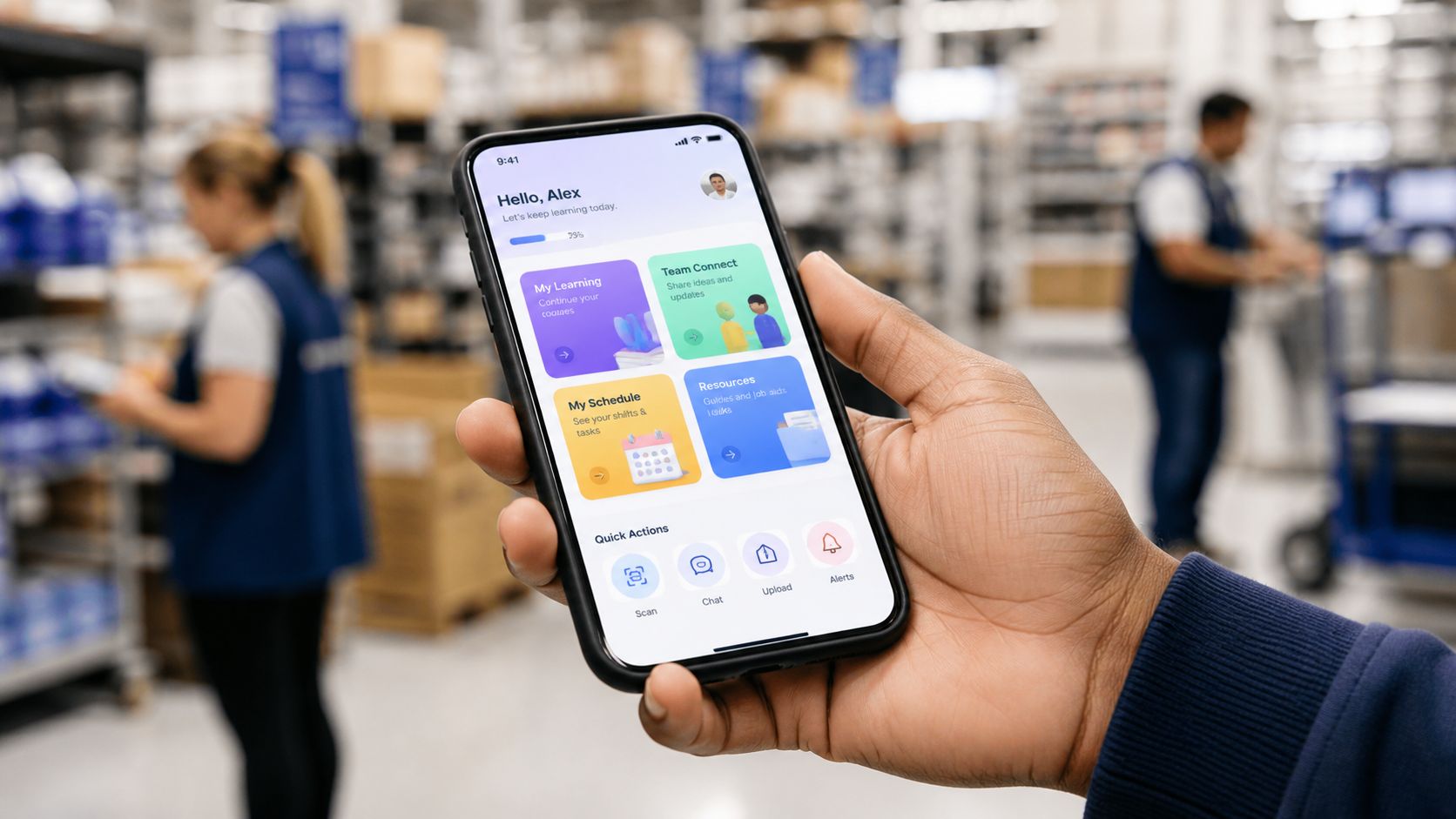
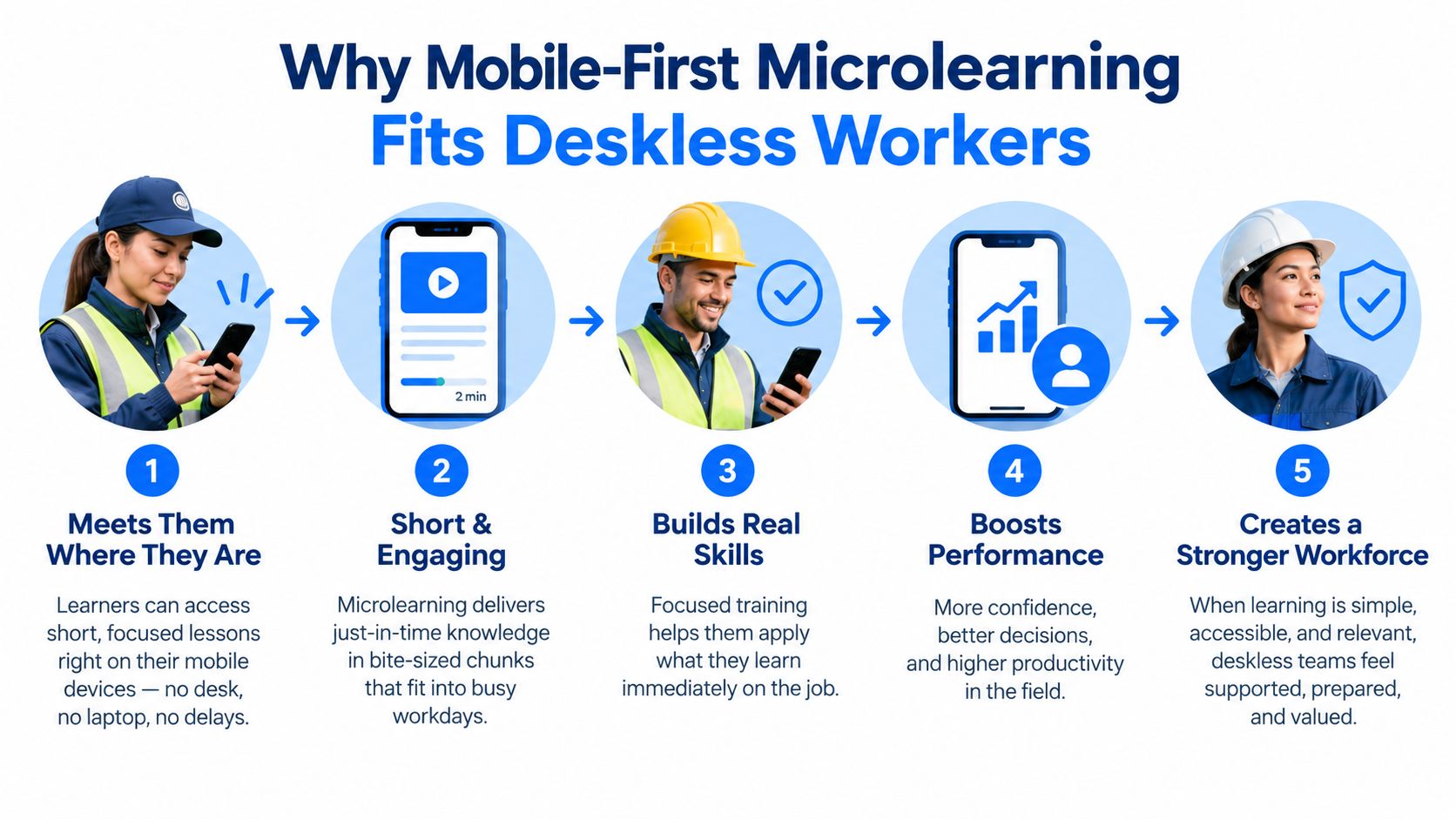
Mobile-first learning fits deskless work because it follows the worker, not the workstation. Shift-based employees may have no regular computer access, unpredictable breaks, shared devices, or personal phones that are easier to reach than an HR portal. A lesson that works beautifully on a desktop can still fail if the worker can’t open it at the right moment.
A mobile learning platform can fit into a pre-shift huddle, a quiet period at a cash register, downtime between deliveries, or an end-of-shift handoff. The lesson doesn’t need to be a compressed classroom course. It should answer one practical question, reinforce one procedure, or prepare someone for a task they’re about to perform.
The delivery channel often matters more than the format. A polished video sent through an inaccessible portal will underperform a simple scenario delivered through a phone link. Research summarized by Axonify reports that 69% of employees use personal mobile devices for work-related learning, while 60% prefer mobile learning. The same source reports completion of about 80% for microlearning modules versus roughly 20% for long-form courses. Axonify’s frontline microlearning research summary provides that context.
Why short sessions help, and where they stop helping
Microlearning works best when it supports retrieval and immediate application. A worker answers a scenario question, checks a product rule, or reviews a safety step, then uses that knowledge in the workflow. Short lessons also make interruption less damaging because the platform can save progress and let the worker resume later.
The format alone won’t solve poor access, weak translations, unclear instructions, or a manager who never reinforces the behavior. Frontline training should be designed for interruption, with clear resumption cues and minimal navigation. Guidance from the deskless workforce perspective is relevant here because employee experience depends on whether workers can complete important tasks without fighting the technology.
Microlearning is also not a replacement for every form of training. Equipment operation, clinical judgment, complex customer conversations, and safety-critical procedures may require demonstrations, supervised practice, checklists, or formal assessment. Use the mobile lesson to prepare, reinforce, or retrieve. Don’t pretend a quiz can replace hands-on competence.
Core Capabilities That Matter for Frontline Teams
The most important microlearning platform features are onboarding, collaboration, analytics, integrations, and offline delivery. AI course creation can save authoring time, but it shouldn’t outrank the ability to reach a new hire, assign the right content, and show a manager what needs attention.
Capability mapping
| Capability | What to Verify | Frontline Scenario |
|---|---|---|
| Onboarding | Phone, badge, QR, or roster-based enrollment without corporate email | A new hire receives role-specific learning before the first shift |
| Collaboration | Manager prompts, peer recognition, comments, and coaching linked to lessons | A supervisor discusses a missed safety step during the next huddle |
| Analytics | Completion by shift and site, question-level performance, and skill-gap views | Operations identifies one location that needs targeted reinforcement |
| Integrations | HRIS, scheduling, communications, compliance, and identity connections | A roster update automatically changes assigned learning |
| Offline delivery | Cached lessons, saved progress, and synchronization after reconnection | A field worker completes a procedure review with unreliable connectivity |
Onboarding should start before a worker has mastered the company’s identity stack. Confirm whether the platform supports phone-number enrollment, badge-based access, QR codes, or automatic assignment from a scheduling system. Role auto-assignment matters because a new cashier, forklift operator, housekeeper, and technician shouldn’t receive the same first-week path.
Collaboration is useful when it leads to action. A discussion thread attached to a lesson is more valuable than a separate social feed if a supervisor can clarify a procedure or recognize a correct application. Manager coaching prompts should tell leaders what to ask, not merely report that someone failed a question.
Analytics and integration depth
Basic dashboards show who opened a course. Frontline operations need more. Look for shift-level completion, location comparisons, question-level accuracy, repeated misses, manager follow-up, and skill-gap heat maps. A completion record proves exposure. It doesn’t prove that a worker can perform the task.
Integration design determines whether the platform becomes part of operations or another isolated system. It should receive roster and role data, send reminders through existing communication tools, and export completion records to HRIS or compliance archives. Buyers should ask whether integrations support automatic enrollment and completion writeback, not just a one-way data import.
AI authoring deserves scrutiny. A tool that turns a procedure into a draft can accelerate production, but human reviewers still need to check sequence, local terminology, translation quality, accessibility, and safety implications. A practical overview such as the Keptbits AI tools guide can help buyers think critically about AI tool selection, but it shouldn’t substitute for a frontline content review.
For knowledge-sharing requirements beyond formal courses, compare the learning platform with a broader knowledge-sharing platform. The right stack may combine short lessons, searchable job aids, manager coaching, and operational communications.
Comparing the Top Microlearning Platforms for Frontline
There isn’t one universal winner in this microlearning platform comparison. Axonify is the strongest fit for large-scale adaptive reinforcement, 7taps is compelling when no-login delivery is the priority, Qstream suits proficiency-focused programs, and SC Training is a practical mobile-first option inside the SafetyCulture environment. The other three are more dependent on enterprise context, existing systems, or specific content workflows.
| Platform | Best For | Mobile & Offline | Languages | Integrations | Pricing Model |
|---|---|---|---|---|---|
| Axonify | Large distributed frontline workforces needing adaptive reinforcement | Mobile delivery and frontline channels; confirm offline requirements in the demo | Confirm supported language workflow for your workforce | Workday, SAP SuccessFactors, UKG, Ceridian, ADP, Cornerstone, and others listed by the vendor | Custom, typically per user |
| EdCast by Workday | Organizations seeking an enterprise learning experience connected to Workday | Mobile access depends on the configured environment; verify offline behavior | Confirm language coverage and switching experience | Workday ecosystem and enterprise learning connections | Custom |
| Degreed | Skills-focused organizations with an existing learning and content ecosystem | Mobile access available; verify offline and frontline authentication | Confirm language and localization needs | Enterprise HR and learning integrations vary by deployment | Custom |
| Qstream | Regulated or high-stakes teams measuring proficiency | Mobile delivery, with channels including SMS; verify offline use | Confirm language options during evaluation | Microsoft Teams, Slack, Webex, Cornerstone, Degreed, SAP SuccessFactors, and others | Custom |
| 7taps | Small teams and distributed workforces needing fast no-login delivery | Mobile browser delivery through links and QR codes; verify offline requirements | Confirm translation workflow and language switching | Workday Learning, SAP SuccessFactors Learning, Docebo, TalentLMS, and others through supported methods | Free tier, paid plans, and enterprise custom pricing |
| Yoobic | Retail and field operations combining learning with execution | Mobile-first delivery; verify offline and shared-device behavior | Confirm supported languages by region | Operations, communication, and workforce integrations vary | Custom |
| Lemon Learning | Organizations needing guided, contextual learning in existing workflows | Responsive delivery; verify offline support and device access | Confirm localization process | Enterprise application and learning integrations vary | Custom |
This table is a shortlist, not a capability guarantee. Vendor features change, and several products require a technical demonstration to confirm offline access, shared devices, SMS enrollment, or payroll and scheduling integrations. Ask each vendor to demonstrate the exact workflow your workers will use.
The independent review of microlearning platforms makes the key category distinction clear. Some tools are delivery-first, some are authoring-first, and some embed microlearning inside a full LMS. That distinction matters more than the number of templates.
Buyer’s rule: Don’t ask whether a platform has a mobile app. Ask a worker to enroll, complete a lesson, lose connectivity, resume it, and receive a manager follow-up.
For additional comparison context, find the right microlearning tool can broaden the initial shortlist. Keep the evaluation grounded in your workforce conditions rather than generic feature rankings.
Organizations with an existing LMS may only need an authoring tool. Frontline teams without reliable portal access usually need delivery-first software. Large multi-location operations should prioritize adaptive reinforcement and analytics, while smaller chains may value quick publishing and low administration more than deep personalization.
A broader employee experience platform guide is useful when learning must connect with communications, feedback, onboarding, and operational support. Training adoption often depends on that surrounding employee experience.
Frontline Use Cases by Industry and Workforce Type
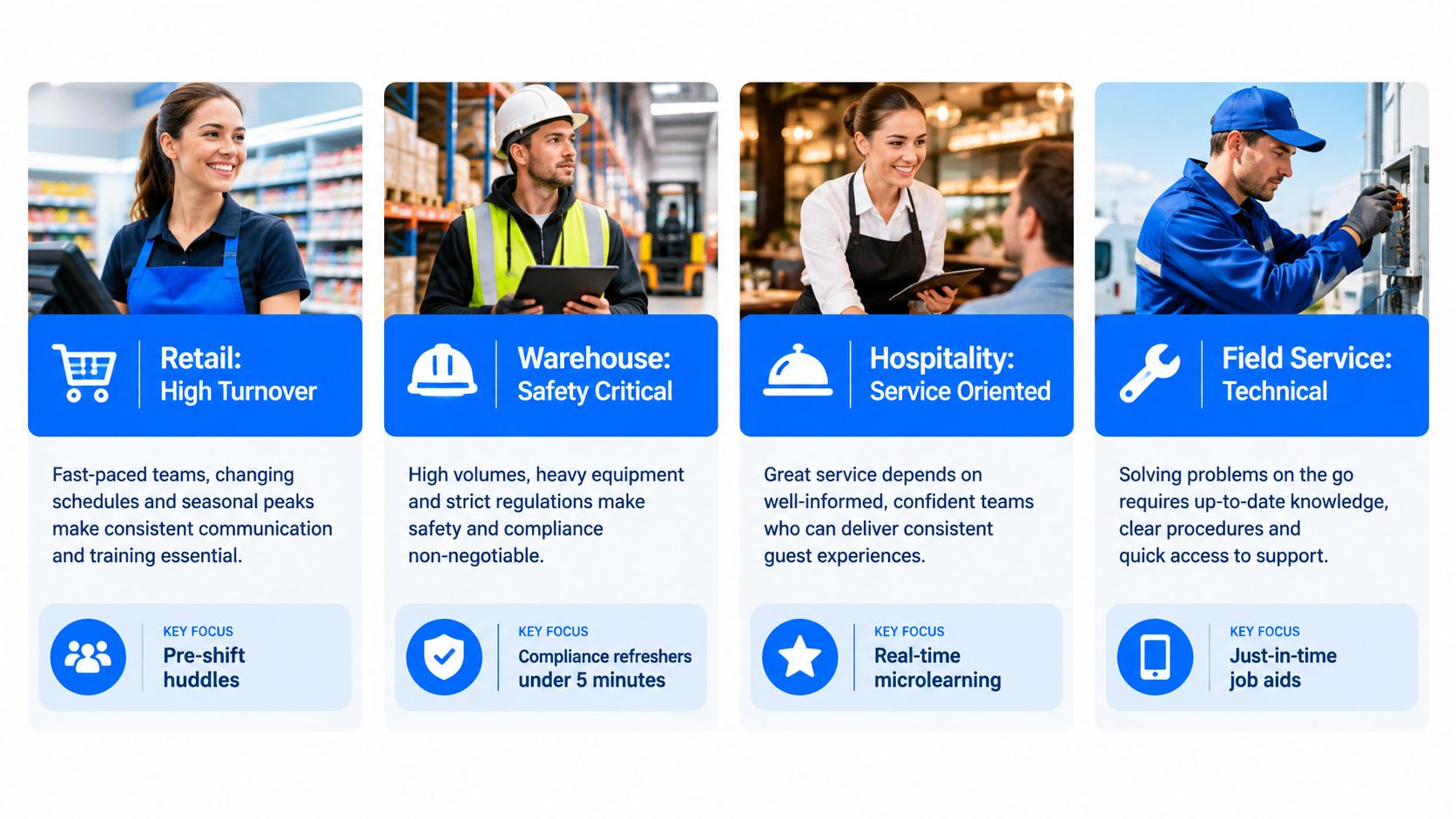
The best frontline training software depends on the work environment. Retail needs rapid product and compliance refreshers, manufacturing needs reliable procedural access, healthcare needs precise reinforcement between shifts, and hospitality needs multilingual delivery that supervisors can launch without a desktop.
Retail teams often use mobile lessons in pre-shift huddles. A product update, returns policy, or safety reminder can be structured around one scenario and completed before the store opens. High turnover makes fast enrollment and role-based assignment more valuable than a large course library that requires manual administration.
Manufacturing and warehouse teams need offline-first delivery when plant-floor connectivity is unreliable. Safety content should support a formal procedure, not replace practical qualification. The platform should cache lessons, save answers, synchronize later, and show managers whether a missed question reflects a knowledge issue or an access issue.
Healthcare workers have tight schedule windows and high consequences for misunderstanding. Microlearning can reinforce clinical policies, documentation steps, infection-control reminders, or equipment updates between shifts. It should sit alongside credentialing, simulation, supervised practice, and formal compliance records.
Hospitality teams may use a supervisor’s device, a QR code in a back-of-house area, or a mobile link shared during a shift briefing. Housekeeping, food service, and front-of-house teams may require localized content and clear visual instructions. Language selection must be tested in the actual workflow, not accepted because a vendor says translation is available.
Field service teams need task-specific guidance, low-bandwidth media, and offline synchronization. A technician may need a short decision tree immediately before a repair, followed by a checklist and manager-led skill validation. Soft skills also matter, particularly in customer-facing roles, and should be reinforced through scenarios rather than passive reading. The soft-skills development perspective helps place microlearning inside a broader capability program.
Standardize on one platform when governance, integrations, and reporting need to be consistent. Run parallel tools when regional access, language, connectivity, or operational workflows differ enough to make one global design impractical. Don’t standardize merely to reduce the vendor list.
Implementation Considerations and Common Pitfalls
A reliable rollout starts with one site, simple access, interruption-tolerant content, and measurement from the first day. Large launches fail when IT configures a platform without a frontline champion, managers don’t reinforce it, or mandatory content arrives during the busiest operating period.
Use a phased rollout
- Pilot one operating group: Choose one site, shift, or role with a clear learning need.
- Test the access path: Use the phones, shared tablets, QR codes, and network conditions workers face.
- Measure behavior: Track starts, completion, abandonment points, question performance, and manager follow-up.
- Interview workers and supervisors: Ask what blocked access, what felt irrelevant, and what helped on the job.
- Scale only after correction: Fix authentication, content length, translations, and scheduling before adding locations.
Authentication deserves its own test. Badge numbers, phone links, QR codes, scheduling-system SSO, and passwordless access can be more practical than corporate email. Shared devices require clear session handling, privacy safeguards, and a way to identify the correct worker without leaving the previous user signed in.
Design for interruption
Keep each lesson focused on one objective. Guidance for frontline modules commonly places lessons in the two-to-five-minute range, with some practical guidance extending to five-to-ten minutes, as described by Training Industry’s frontline microlearning guidance. The correct length is the shortest one that supports the job decision.
Use a visible save state, a resume cue, and a clear completion message. Don’t bury a single safety instruction inside a long sequence of animations. If a shift change interrupts the lesson, the worker should know exactly where to restart.
Avoid predictable rollout mistakes
- Pushing content at peak periods: Schedule learning around operational reality, not the central team’s calendar.
- Rewarding streaks without coaching: Gamification can prompt participation, but managers still need to address weak answers.
- Measuring completion alone: Pair completion with question performance, time-to-competency, observed behavior, or operational indicators where available.
- Letting IT own adoption: Give a respected frontline manager responsibility for reinforcement and feedback.
- Assuming translation equals comprehension: Test localized content with workers who use it on the job.
A 2018 benchmark analyzed nearly four million microlearning sessions involving 360,000 employees across 78 organizations. Employees using microlearning knew 85% of the information needed for their jobs, up from 73% at the start, and three quarters participated two to three times per week. The benchmark covered activity from January 1 through December 31, 2017, and is summarized in frontline employee training statistics. It supports the case for repeated use, not the claim that every short course will work automatically.
Choosing the Right Platform for Your Workforce
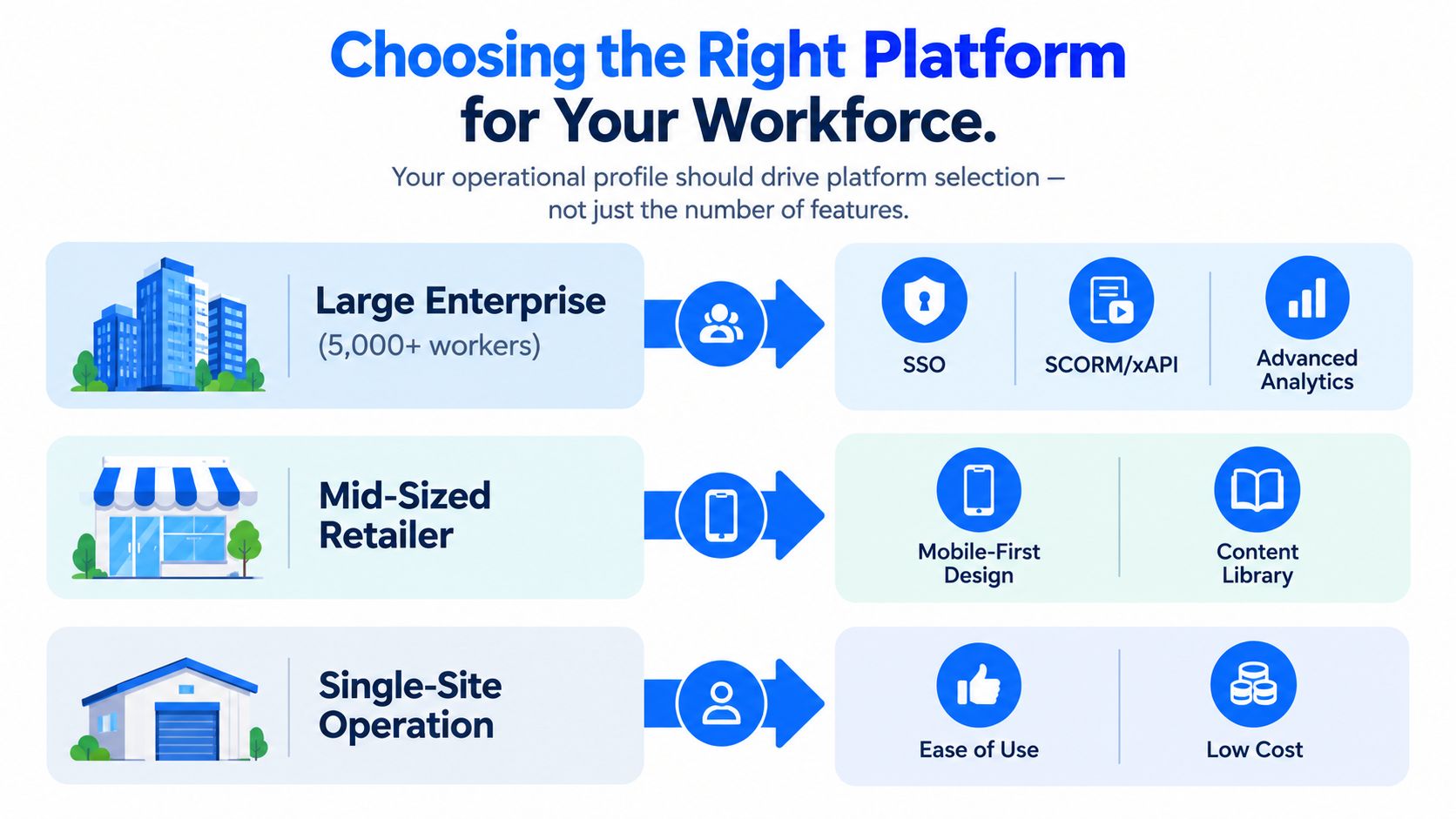
Choose by operating profile, not by feature count. A large multi-site enterprise needs governance and data exchange, a small chain needs speed and simplicity, a multilingual workforce needs tested localization, and field teams need offline-first delivery.
Match the buyer to the platform
Large enterprises with more than 5,000 hourly workers should prioritize proven identity management, SCORM or xAPI export, HRIS and scheduling integration, granular analytics, and dedicated customer success. Axonify is the clearest shortlist option when adaptive frontline reinforcement is central. Qstream is stronger when proficiency evidence and scenario-based recall matter more than broad campaign management. A full LMS such as Brightspace may fit when microlearning must coexist with onboarding, certifications, and formal programs.
Small chains with fewer than 200 employees should avoid buying enterprise complexity before proving adoption. 7taps is attractive for quick, link-based delivery. SC Training can suit teams that want mobile authoring, templates, and a broader operations environment. Look for transparent administration, monthly or accessible billing, and the ability to publish without an IT project.
Multilingual organizations should test language switching, translated quizzes, images, audio, and manager reporting. Native localization workflows are more useful than a promise that subtitles can be added later. Ask workers from each major language group to complete the same lesson during the demo.
Field-heavy teams should test low-bandwidth video, offline caching, synchronization after reconnection, and task-specific retrieval. A platform that only works reliably on strong Wi-Fi isn’t a mobile training platform for field operations.
The TurnOnWork operational-fit model
Use this TurnOnWork editorial model to score vendors before discussing price:
- Reach: Can workers access learning without corporate email, a laptop, or a complex password?
- Resume: Does the platform survive interruptions, shared devices, and poor connectivity?
- Relevance: Can content target role, site, shift, region, language, and skill?
- Reinforcement: Does it support retrieval, spaced delivery, manager coaching, or practical validation?
- Reporting: Can leaders connect learning activity to proficiency and operational follow-up?
- Responsibility: Is there a named frontline owner for adoption, feedback, and content quality?
Score each category qualitatively as weak, workable, or strong. Reject a vendor with a weak result in Reach or Resume, even if its authoring features are impressive. If your employee experience stack also needs mobile onboarding, internal communication, certifications, reminders, and task guidance, Turn On Work’s Frontline Superapp can be considered alongside dedicated learning platforms as one workforce operations option.
Ask for a pilot rather than signing a multi-year contract immediately. Microlearning software pricing is only one part of the cost. Content migration, integration work, localization, manager time, SMS usage, support, and operational disruption can matter just as much.
FAQs on Microlearning Platforms for Frontline Workers
What is a microlearning platform?
It delivers focused lessons, questions, reminders, and progress tracking in short sessions. A frontline version adds mobile access, low-friction authentication, role-based assignment, manager visibility, and often offline support.
Can workers train without corporate email?
Yes. Platforms may use phone links, SMS, QR codes, badge numbers, shared tablets, scheduling-system SSO, or passwordless browser access. Test identity handling carefully when devices are shared.
Is microlearning effective for employee training?
It can be effective when the lesson has one job-relevant objective, reaches workers during a usable gap, and includes retrieval or application. A benchmark covering 360,000 employees found knowledge levels rising from 73% to 85% among employees using microlearning, as reported in the benchmark summary. That result doesn’t mean short content can replace hands-on training.
Can it replace a traditional LMS?
Sometimes for focused frontline delivery, but often it works alongside an LMS. Use a full LMS for certifications, formal records, and broad administration. Use delivery-first tools for fast mobile reinforcement and in-workflow guidance.
What should buyers measure?
Start with access and completion, then add question performance, resumption after interruption, manager engagement, time-to-competency, observed skill validation, and relevant operational outcomes. Define those measures before the pilot.
Define your priority use cases, shortlist two or three platforms, and run a 60-day pilot with one shift group. Test real authentication, connectivity, language needs, manager follow-up, and reporting before committing to enterprise rollout.
Choose one high-value frontline workflow, such as safety refreshers, new-hire ramp, product updates, or field-service guidance. Invite two or three vendors to demonstrate that workflow on the devices and network conditions your employees use, then select the platform that workers can access, finish, and apply without operational friction.