32% of employees were engaged in 2022, and that gap is why the best internal communication examples for frontline workers do more than share information, they drive action. The message has to reach the right people, in the right channel, with manager reinforcement and a simple way to verify understanding, because sending something is not the same as reaching anyone.
- Channel fit matters more than channel count. A huddle, SMS alert, app push, or signage update works only when it matches urgency, audience, and work setting.
- Manager reinforcement closes the gap. Frontline teams often need a human relay, not just another broadcast.
- Two-way communication improves trust. The strongest examples let employees respond, clarify, or acknowledge.
- Governance prevents stale or unsafe messages. If no one owns timing, version control, and escalation, frontline messages fail in the field.
- Measurement has to go beyond opens. Reach, acknowledgment, attendance, safety reporting, and turnover all tell you more than a click.
Internal communication software is the system that targets, delivers, reinforces, governs, secures, and measures employee messages across channels. That’s different from employee engagement, which is the outcome you’re trying to influence, not the channel itself. Turn On Work’s point of view is simple: better workforce experience happens when communication, technology, AI, and operations work together, especially for deskless and shift-based teams.
1. Manager-Led Huddles and Toolbox Talks
Manager-led huddles work because they meet frontline employees where work already starts. They’re fast, direct, and personal, which makes them one of the best internal communication examples for shift-based teams that don’t live in email.
A huddle is strongest when the manager translates an update into a local action. A manufacturing supervisor can cover equipment issues and safety reminders before shift change. A retail lead can align the team on inventory, promotions, and customer service priorities. A healthcare unit leader can brief staff on staffing gaps, patient safety alerts, or policy changes. A quick-serve restaurant manager can cover daily specials, staffing changes, and food safety reminders before doors open.
Practical rule: If a message matters enough to affect the next two hours of work, it belongs in a huddle or toolbox talk first, then in a written channel for reference.
What makes huddles effective
The format works because it’s immediate, visible, and easy to confirm. It also creates space for clarification, which matters when teams are moving fast or working across shifts. The trade-off is consistency. If each manager improvises, the message fragments.
Use short talking points, keep to a few priority items, and end with a quick acknowledgment so the team confirms what they heard. Then post the same key message in a digital channel for employees who missed the live moment. For teams that want structure, the TurnOnWork frontline communication app guide pairs well with this format because it shows how a huddle and a mobile channel can reinforce each other.
What works best: one manager, three to five points, one action, one check for understanding.
Huddles also work well for feedback. Ask frontline employees what communication they need. They’ll usually tell you where messages are failing, where a policy is unclear, or where a shift handover needs more detail. That makes the format useful for both transmission and listening.
2. Mobile-First Employee Apps With Push Notifications
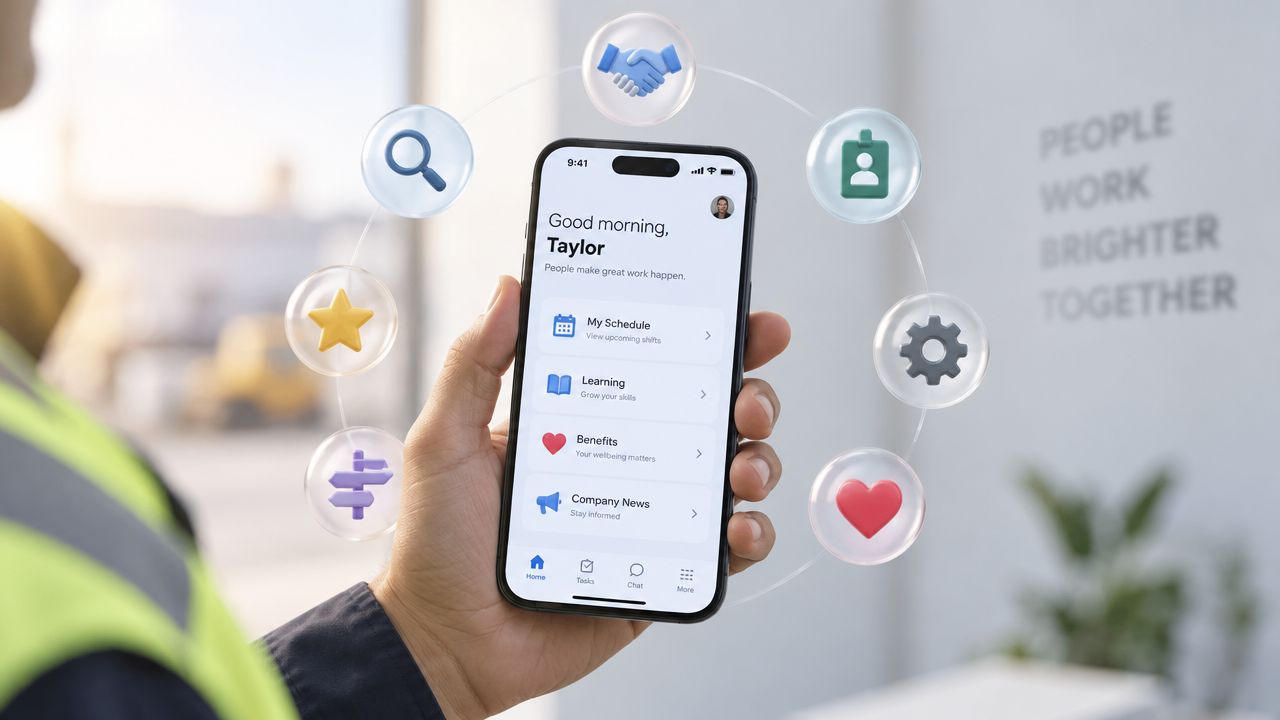
Mobile apps are one of the strongest internal communication examples for frontline employees because they combine reach, action, and reference in one place. They work best when the app sits inside daily work, not when it becomes a separate comms destination.
A shift-based worker can open an app to see schedule changes, urgent alerts, task lists, training, and recognition together. Push notifications handle the time-sensitive pieces, while the app keeps the fuller version of the message. That matters for employee communication without corporate email, because many frontline workers do not use email as a daily work tool.
Where apps win and where they don’t
Apps are strong for recurring updates, role-based messaging, and two-way features like feedback, polls, and acknowledgment. They are weaker if the organization expects adoption without giving employees a reason to return daily. If the app only repeats what is already on a bulletin board, usage fades.
Start with one high-value use case. Scheduling, urgent operational updates, or learning reminders are usually better launch points than a broad “everything app.” Then define what belongs in a push notification and what belongs inside the app. Too many pushes train people to ignore them. For teams choosing a platform, the TurnOnWork frontline communication app guide is a useful way to compare app fit, workflow, and adoption friction.
Examples across industries make the trade-offs clear. Retail teams can use app alerts for store-specific operational updates and shift swaps. Warehouse associates can get task lists and safety alerts in the same workflow. Healthcare field staff can receive routing, patient-related updates, and compliance messages. Restaurant teams can use the app for staffing coordination and food safety protocols.
The value is not the technology itself. It is the workflow behind it. A mobile channel becomes useful when content is segmented by role, location, and shift, and when the organization tracks which messages drive acknowledgment or action instead of treating opens as the finish line. That includes following production push notification best practices so urgent alerts are reliable in live operations.
3. Digital Signage and QR Code-Based Communication
Digital signage works when people are moving, gathered, or offline from their desk. It’s one of the most practical workplace communication examples for plants, break rooms, dock areas, clinical corridors, and retail back-of-house spaces because it meets employees in the physical flow of work.
The best version is hybrid. The screen gives a quick read, and the QR code links to the full detail, form, checklist, or video. That lets a frontline worker notice the message in the moment, then go deeper on a personal device if needed. It’s a useful model for deskless employee communication because it bridges the physical and digital environment.
Where it fits best
Manufacturing teams can use floor displays for safety metrics, production targets, and equipment status, with QR codes for detailed procedures. Retail teams can show promotional launches and schedule notes near registers and break rooms. Hospitals can post staffing updates and patient safety alerts in clinical areas. Warehouses can place posters with QR codes near dock stations so workers can review picking procedures or safety protocols. Construction sites can use trailer boards for hazard updates and incident reporting links.
The trade-off is freshness. Static content gets ignored fast. If the display doesn’t change, people stop looking at it. Content also needs to be readable at a distance, with high contrast and large type, because people often see signage while passing through.
A screen in the right place beats a long email nobody checks during the shift.
Governance matters here too. Someone has to own updates, expiration dates, and version control. A stale policy on a screen is worse than no screen at all. That’s why many teams pair signage with another channel for reinforcement. The TurnOnWork crisis communication plan resource is a good companion if your signage strategy includes safety alerts or emergency response messages.
QR codes add flexibility, but they also need testing. If the code doesn’t scan easily or the destination isn’t mobile-friendly, employees will abandon it. Keep the on-screen message short, make the next step obvious, and always include a fallback if screens fail.
4. SMS and Text-Based Messaging for Urgent and Time-Sensitive Updates
SMS is the blunt instrument of frontline communication. That’s exactly why it works for urgent messages. When the message is short, time-sensitive, and action-oriented, text usually reaches people faster than a longer channel.
Use it for safety alerts, shift cancellations, emergency notifications, weather closures, route changes, and critical operational issues. A retail manager can text last-minute coverage needs. A logistics leader can send route changes or weather delays. A healthcare coordinator can contact on-call staff for an urgent staffing need. A construction manager can notify crews of site access changes or weather cancellations.
Why SMS still matters
SMS reaches basic phones as well as smartphones, and it doesn’t depend on app adoption or regular internet access. That makes it useful for teams with mixed device access or workers who aren’t sitting near a computer. It’s also easier to measure receipt than a verbal message passed through several people.
The downside is overuse. If you text routine updates, workers learn to tune out the channel. That’s why SMS should stay reserved for messages that demand immediate attention. A simple template helps. Lead with the alert, name the topic, state the action, and add the contact point if one is needed.
For safety-critical messages, require acknowledgment and track who confirmed receipt. For everything else, use SMS only as the alert layer, then direct employees to a huddle, app, or notice board for fuller detail. The employee communication tools resource fits well here if you’re deciding which systems should trigger texts and which should stay in a different workflow.
Use SMS sparingly. The channel stays effective only when employees trust that a text really means something urgent.
5. Structured Newsletters and Weekly Digests Optimized for Mobile and Scanning
Structured newsletters are the right answer when employees need a predictable summary, not a flood of fragmented updates. They’re one of the most reliable employee communication examples for combining operational news, recognition, policy reminders, and training in a single place.
A frontline newsletter should be scannable. Short sections, clear headlines, and one main idea per block work better than long internal memos. That’s especially true for shift workers and mobile readers who skim between tasks. The format is not about storytelling for its own sake, it’s about reducing noise while preserving consistency.
What these newsletters should include
Use a regular rhythm so employees know when to expect it. Then make the content local and useful. A restaurant crew brief can cover promotions, staffing notes, and menu training. A manufacturing newsletter can include safety reminders, production updates, and milestones. A healthcare digest can combine clinical updates, staffing news, and learning opportunities. A facility newsletter can bring together policy changes, recognition, and deadlines.
The trade-off is attention. A newsletter only works if it respects time. If it looks like a corporate brochure, frontline readers will skip it. If it’s too long, it becomes another unread message. Keep the structure tight and mobile-friendly, and let managers pull out the key points in a huddle.
The TurnOnWork internal communications newsletter guide is a useful companion if you’re building a repeatable format for frontline readers. The key is to make the newsletter the reference layer, not the only layer. It should support manager cascades, app posts, or signage, not replace them.
When newsletters are done well, they reduce duplicate messages and give employees a single place to catch up. They also create a predictable archive, which helps when people ask, “Where was that announced?”
6. Peer-to-Peer Recognition and Social Recognition Programs Embedded in Workflow
Recognition becomes communication when it shows people which behaviors matter. Embedded in daily work, it is one of the clearest internal communication examples in the workplace because it reinforces action, not just sentiment.
Frontline teams get more value from peer recognition when it is part of the flow of work. A crew member can thank a teammate in an app, a manager can call out a safe action in a huddle, or a team can post kudos on a break room board. The message is visible enough to shape norms and specific enough to teach others what good work looks like.
Why recognition should live in the workflow
Recognition systems work best when they are easy to find and easy to use. If people have to click through too many steps, wait for approval, or handle extra admin, participation drops. If the tool sits in a place frontline workers never check, it will not influence behavior.
Specificity matters. “Great job” is too vague. “For helping a colleague troubleshoot a safety issue” or “for keeping the workspace clean during a busy shift” gives teams a clear standard to repeat. That is how recognition supports safety, service, teamwork, and quality.
Recognition also acts as a listening signal. If one team gets praised often and another is rarely seen, the pattern may point to visibility bias, shift imbalance, or uneven manager habits. Internal communicators and people leaders can use that pattern to connect recognition data with retention and engagement work.
For teams comparing tools, the employee recognition software resource is a useful reference. For message design, the point is simpler: recognition has to be easy, public, and tied to real work. If it turns into a points game, people start optimizing for rewards instead of the behavior itself.
For practical framing, see these strategies for peer to peer recognition.
6-Channel Internal Communication Comparison
| Channel | 🔄 Implementation Complexity | ⚡ Resource Requirements | ⭐ Expected Outcomes | 📊 Ideal Use Cases | 💡 Key Advantages |
|---|---|---|---|---|---|
| Manager-Led Huddles and Toolbox Talks | Low–Moderate, scheduling & manager skill required | Minimal tech; recurring time cost from managers and teams | ⭐⭐⭐⭐⭐ Immediate comprehension, two-way clarification, stronger trust | Deskless, shift-based frontline teams; safety briefings, shift handovers | Real-time Q&A, no tech needed, visible demonstrations, builds accountability |
| Mobile-First Employee Apps with Push Notifications | High, development, integrations, and adoption effort | Significant, platform licensing, integrations, device access, maintenance | ⭐⭐⭐⭐⭐ Highly measurable and scalable once widely adopted | Distributed frontline workforce with smartphone access; scheduling, tasking, training | Targeted messages, rich media, analytics, offline capabilities |
| Digital Signage and QR Code-Based Communication | Moderate, hardware install and content scheduling | Medium, displays/kiosks, content ops, occasional printing | ⭐⭐⭐ Raises awareness and drives deeper engagement via QR links | Physical sites with high foot traffic: warehouses, break rooms, retail floors | Hard-to-miss visuals, no login required, bridges physical → digital via QR |
| SMS and Text-Based Messaging for Urgent Updates | Low, simple to deploy but requires compliance controls | Low–Medium, per-message costs, phone data, compliance management | ⭐⭐⭐⭐⭐ Near-instant open/read; best for urgent alerts and acknowledgments | Emergencies, shift cancellations, immediate safety or route changes | Works on any phone, highest open rates, supports quick two-way ACKs |
| Structured Newsletters & Weekly Digests (Mobile-Optimized) | Moderate, content sourcing, design templates, reliable schedule | Low–Medium, email platform and editorial time | ⭐⭐⭐ Consolidates updates, builds habit when consistently delivered | Regular operational updates for mixed-access workforces; fallback channel | Scannable format, predictable cadence, measurable via email analytics |
| Peer-to-Peer Recognition Embedded in Workflow | Moderate, platform/configuration plus cultural activation | Medium, recognition tool, integration, promotion and moderation | ⭐⭐⭐⭐ Increases engagement, visibility of valued behaviors, supports retention | Frontline teams needing frequent, visible recognition (retail, hospitality, healthcare) | Quick, frequent recognition; reinforces values; provides recognition analytics |
Turn Messages Into Workforce Execution
Internal communication software matters because it does more than send messages. Platforms such as HubEngage bring channels including mobile apps, web, email, SMS, and digital signage into the same communication environment. The broader job is to target audiences, deliver content across channels, reinforce messages through managers, govern approval and version control, secure access, and measure what happened after the message went out. That’s the line between broadcasting and actual workforce execution.
A useful way to compare the six examples is by what each one does best. Manager-led huddles are strongest for urgency and clarification, but they rely on manager discipline and don’t scale cleanly without documentation. Mobile apps support reach, two-way communication, and recordkeeping, but they require adoption and governance. Digital signage and QR codes work well in physical spaces and low-desk environments, though they need frequent refreshes. SMS is best for urgent alerts, but it should stay tightly controlled. Newsletters are good for structured reference and predictable cadence, though they rarely create immediate action on their own. Recognition builds reinforcement and culture, but it only works if the organization makes it easy and visible.
TurnOnWork framework for frontline communication
Reach. Can the message get to the worker at the right time and in the right place?
Relevance. Does it matter to this person, this shift, and this site?
Reinforcement. Will a manager, huddle, sign, or app reminder back it up?
Response. Can the worker ask a question, acknowledge receipt, or act on it?
Results. Did the communication improve understanding, safety, participation, or retention signals?
That framework is editorial, not an industry standard, but it’s a useful way to stop judging messages by volume alone. A communication may have high reach and still fail if it never changes behavior. It may be beautifully written and still fail if the shift lead doesn’t repeat it.
What to ask before buying or expanding a platform
- Integrations: Does it connect with scheduling, HRIS, learning, and task systems, or will managers have to duplicate work?
- Identity and access: Can you target by role, site, language, and shift without creating admin chaos?
- Privacy: What employee data is collected, who can see it, and how long is it retained?
- Mobile and offline UX: Can workers still see the message when connectivity is weak?
- Multilingual support: Can employees get the same message in the language they use at work?
- Analytics: Does it track acknowledgment, response, and downstream action, not just opens?
- Ownership: Who approves content, who updates it, and who owns stale-message cleanup?
- Adoption effort: How much training, manager coaching, and change management does the rollout require?
Implementation checklist
- Define the message type first. Urgent, reference, routine, or cultural.
- Pick one primary channel. Then choose the reinforcement channel.
- Write the action. Every operational message should tell people what to do next.
- Assign an owner. One person owns timing and version control.
- Set a fallback. If the screen, app, or network fails, what happens?
- Measure outcomes. Use acknowledgment, attendance, safety reports, search time, rework, or turnover signals where appropriate.
Message templates that work in frontline settings
- Alert: Topic, action, deadline, contact.
- Policy change: What changed, who it affects, what to do now, where to find details.
- Shift handover: Open issues, equipment status, staffing gaps, safety concerns, next priority.
- Training: Why it matters, when it happens, how to complete it, who to contact.
- Recognition: Who was recognized, for what behavior, why it matters.
- Benefits update: What changed, what employees need to review, where to get help.
Internal Communication Examples FAQs
What is internal communication?
It’s the system organizations use to share work-relevant information with employees, from urgent alerts to routine updates and recognition.
What are the main types of internal communication?
Common types include manager cascades, huddles, apps, SMS, signage, newsletters, intranet updates, and recognition channels.
What makes an internal communication example effective?
It reaches the right people, drives the right action, and is reinforced through a trusted channel or manager.
How is frontline communication different from office communication?
Frontline communication has to work across shifts, locations, and device constraints. It usually needs more mobile delivery, more manager reinforcement, and more operational clarity.
Are opens and clicks enough to measure internal communication?
No. Opens and clicks show exposure, not understanding or action. You also need acknowledgment, attendance, response, safety reports, task completion, or other downstream signals.
How do you measure huddles or other offline communication?
Use attendance, quick verbal acknowledgment, follow-up questions, survey pulse checks, safety reporting, and whether the team completed the action that followed the message.
How do you reach employees who do not use corporate email?
Use channels that fit the work environment, such as huddles, SMS, signage, QR codes, mobile apps, and manager-led communication.
If you’re building or tightening a frontline communication system, start with one urgent workflow and one routine workflow, then measure whether employees saw, understood, and acted on the message. Turn On Work’s channel mix is strongest when it mirrors the day of a shift worker, not the org chart.